Looking for Thanksgiving AI prompts for 2026 that you can actually use? Here are 30 copy-ready prompts: 12 for greeting cards, 10 for images, and 8 for videos, covering family photos, dinner invitations, festive designs, and holiday ads. Each prompt includes specific instructions you can customize for your project.
But a beautiful holiday idea can quickly turn into wasted generations. Misspelled card messages, distorted family faces, and inconsistent video scenes can make AI content unusable. These prompts address those problems with clear controls for text placement, identity preservation through image editing, composition, and camera movement—helping you create content that's ready to share, not endlessly revise.
Create more Thanksgiving content for less with LinkModel's Black Friday AI deals (Nov 23–Dec 2). Save up to 55% vs. fal on eligible Seedance 2.5 Flash video generation, 47% vs. fal on Seedream 5.5 images, and 35% on eligible GPT Image 2.6 output fees. Access image and video models through one platform with $0 minimum spend and $0 monthly platform fee. New users automatically get $1 in free Credits without a card or recharge, available once per new user and usable across all models currently available on LinkModel.
Best Thanksgiving AI Prompts for 2026
Thanksgiving 2026 falls on Thursday, November 26, right in the middle of this year's Black Friday shopping season.
Whether you're sending a family greeting, preparing a Friendsgiving invitation, decorating a social media feed, or producing a holiday advertisement, the right prompt depends on what you want to create.
| Category | Prompts | Best For | Suggested Format |
|---|---|---|---|
| Thanksgiving AI Cards | 12 | Greetings, thank-you cards, invitations | 5:7 portrait or 1:1 |
| Thanksgiving AI Images | 10 | Family photos, food, seasonal marketing | 4:5, 3:2, or 16:9 |
| Thanksgiving AI Videos | 8 | Family memories, animations, advertisements | 9:16 or 16:9 |
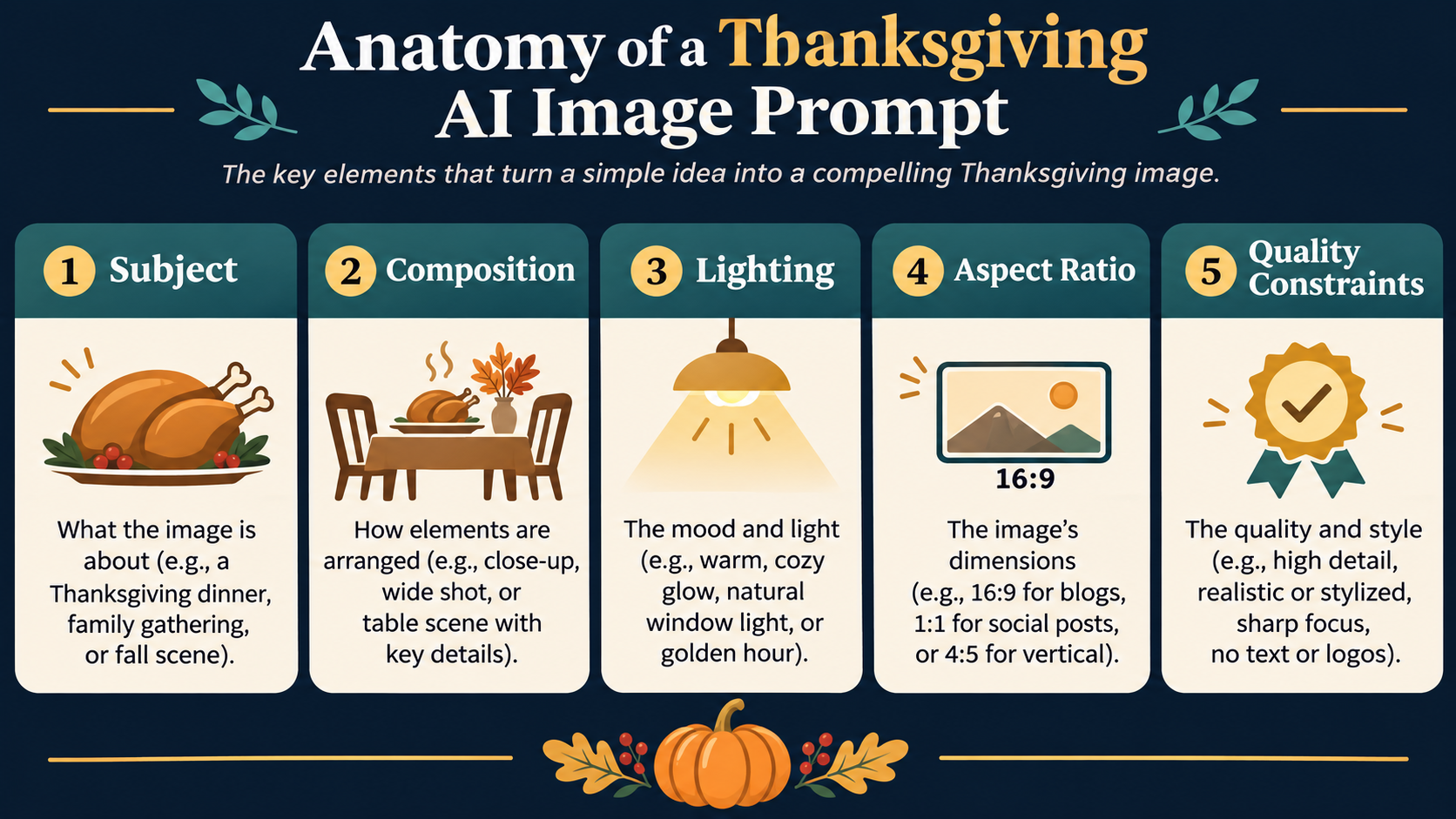
How to use these prompts: Choose a category, copy the complete English prompt, replace the fields in square brackets, and submit it to a compatible AI model. Upload an original photo when the prompt specifically calls for a reference image.
Image proportions and video durations are suggested targets. Select the closest supported configuration in your generator.
For personalized content, start with a clear reference photo. For cards and invitations, prioritize readable text. For short videos, keep actions and camera movements simple.
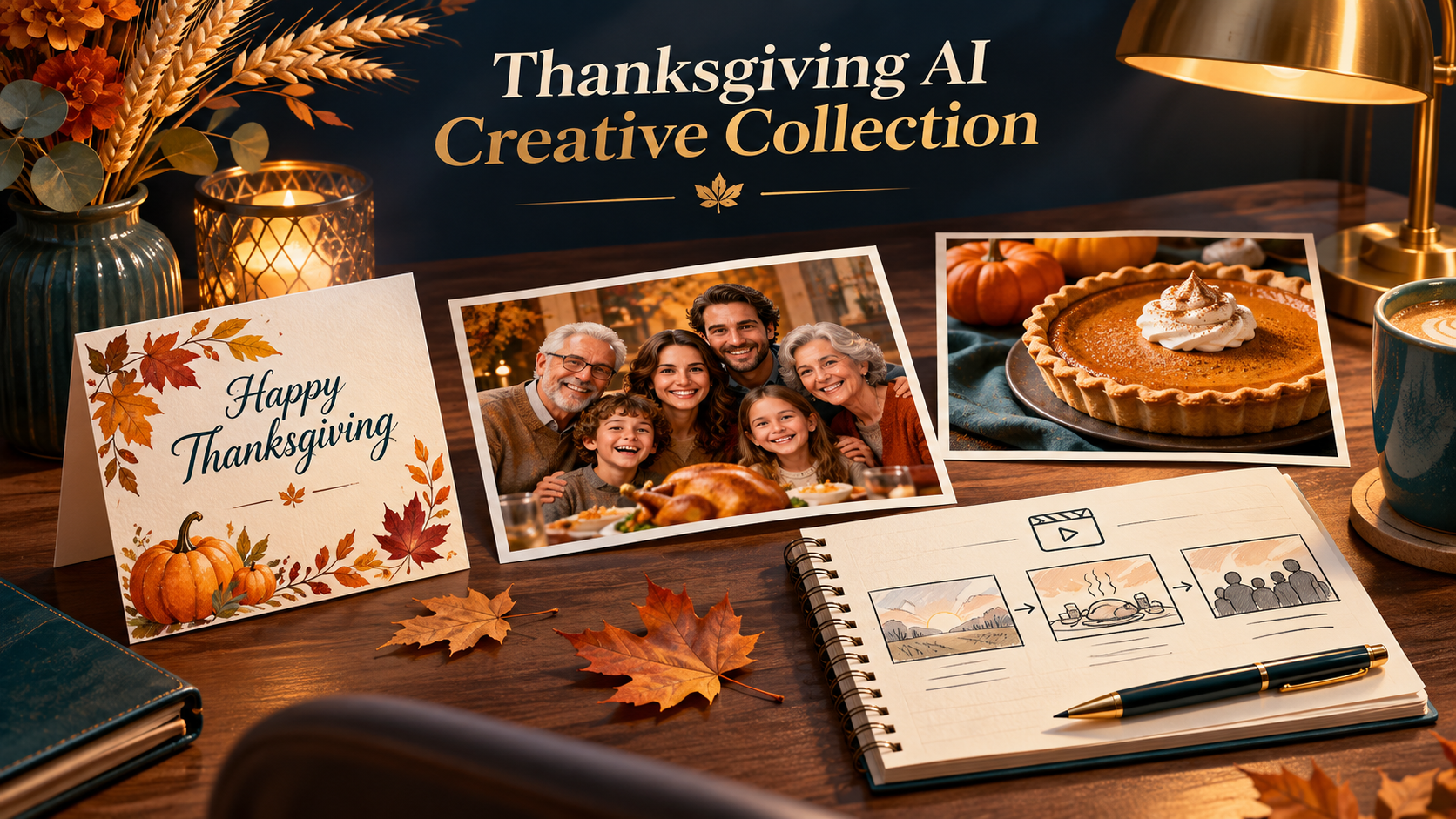
12 Thanksgiving AI Card Prompts
Thanksgiving greeting cards should match the person receiving them. A formal family card, funny Friendsgiving greeting, dinner invitation, and business appreciation card need different layouts, messages, and visual styles.
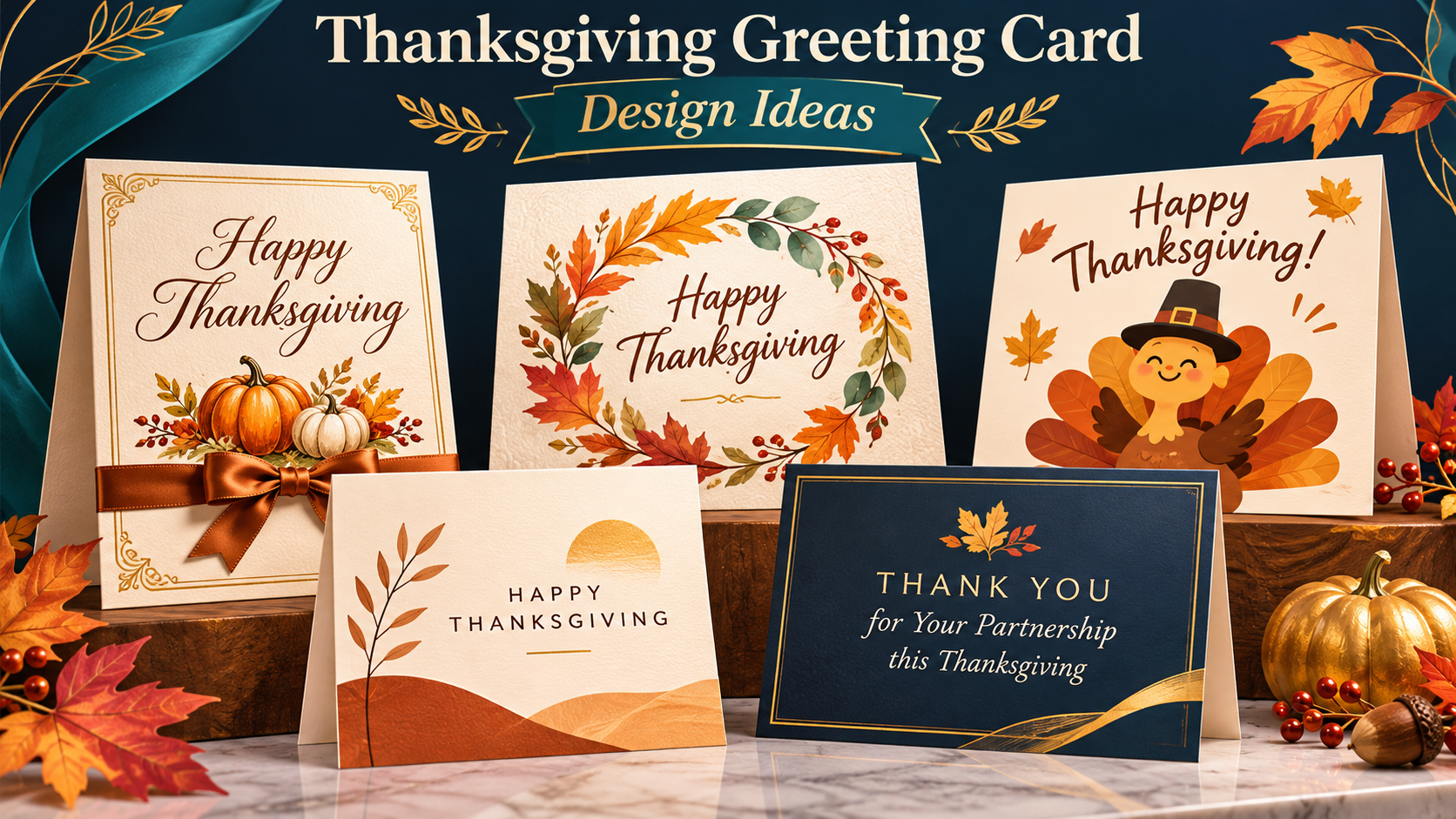
For additional ideas on image composition, typography, and reusable visual instructions, explore these GPT Image 2.6 prompting examples before customizing your card design.
Traditional and Warm Thanksgiving Cards
1. Classic Thanksgiving Greeting Card
Best for: Family greetings and printable cards.
Copy Prompt:
Create an elegant traditional Thanksgiving greeting card for [RECIPIENT]. Use an ivory paper background, warm amber lighting, delicate maple leaves, dried wheat, and subtle copper accents. Place the exact greeting "[GREETING]" in the center using large, readable dark-brown serif typography. Reserve generous empty space around the text. Make the design welcoming, balanced, and suitable for a printed 5:7 portrait card. Keep all decorative elements inside the safe margins. No extra words, watermarks, distorted lettering, or unnecessary objects.
Customize: Recipient, greeting, accent color.
Designed for: A traditional Thanksgiving card with a clearly visible central message.
2. Elegant Watercolor Thanksgiving Card
Best for: Artistic holiday greetings and stationery.
Copy Prompt:
Design a refined watercolor Thanksgiving card featuring a botanical wreath of autumn maple leaves, miniature pumpkins, acorns, dried wheat, and small cream-colored flowers. Use translucent watercolor pigments, soft brushstrokes, and natural paper texture. Leave a clean oval space at the center for the exact greeting "[GREETING]". Use elegant, high-contrast dark-brown typography with comfortable spacing. Portrait 5:7 composition on an ivory background. Avoid excessive decorations, hard digital outlines, misspelled text, and additional lettering.
Customize: Greeting, wreath colors, paper texture.
Designed for: A delicate, printable watercolor greeting card.
3. Warm Family Thanksgiving Card
Best for: Personalized family photo greetings.
Copy Prompt:
Use the uploaded family photograph as the primary reference and transform it into a warm Thanksgiving greeting card. Preserve each person's original facial features, hairstyle, apparent age, and identity. Keep exactly [NUMBER] people without adding or removing anyone. Add subtle autumn decorations around the original photograph, including golden foliage, a soft cream border, and warm neutral tones. Place the greeting "[GREETING]" in a separate clean area below the photograph. Create a realistic 5:7 portrait card. Do not replace faces, invent hands, merge people, or change the original family composition.
Customize: Number of people, greeting, border style.
Designed for: A personalized greeting that retains the original family photograph.
Use a reference-image editing workflow for this template. A text-only description cannot establish the identity of real family members.
4. Rustic Autumn Thanksgiving Card
Best for: Cozy, natural-looking holiday greetings.
Copy Prompt:
Create a rustic Thanksgiving greeting card inspired by a countryside autumn kitchen. Feature a linen tablecloth, handmade ceramic vase containing dried wheat, two miniature pumpkins, and a few fallen oak leaves on a weathered wooden surface. Use soft afternoon window light and a muted palette of terracotta, cream, olive, and warm brown. Place the decorative still life on the left and leave the right half uncluttered for the exact message "[GREETING]". Portrait 5:7 composition. Keep the text readable and avoid crowded ornaments, floating objects, or additional writing.
Customize: Greeting, colors, decorative elements.
Designed for: A warm, handmade-style Thanksgiving card.
Cute and Funny Thanksgiving Cards
5. Cute Turkey Thanksgiving Card
Best for: Kids, classrooms, and family messages.
Copy Prompt:
Illustrate an adorable original cartoon turkey for a cheerful Thanksgiving card. Give the turkey a round body, friendly eyes, two small wings, two legs, and colorful autumn feathers. Place it in a simple meadow with three miniature pumpkins and scattered leaves. Use a playful children's picture-book style with clean outlines, soft textures, and warm orange and yellow colors. Reserve a clear area above the turkey for the exact greeting "[GREETING]". Square 1:1 composition. Keep the anatomy consistent. No extra characters, duplicated body parts, or additional text.
Customize: Greeting, turkey colors, background.
Designed for: A playful Thanksgiving greeting suitable for children.
6. Funny Thanksgiving Card
Best for: Friendsgiving and group chats.
Copy Prompt:
Create a funny Thanksgiving illustrated card showing a surprised cartoon turkey sitting across from a smiling slice of pumpkin pie at a tiny dinner table. Use playful facial expressions, recognizable silhouettes, tasteful autumn colors, and a simple comic-book style. Add the exact caption "[FUNNY MESSAGE]" in a large, clean text area at the top. Keep the humor friendly and appropriate for all ages. Square 1:1 layout with a simple background. Maintain consistent turkey anatomy and recognizable pie details. Avoid cluttered captions, extra limbs, or unrelated decorations.
Customize: Funny message, expressions, background.
Designed for: A humorous Thanksgiving message with one clear visual joke.
7. 3D Cartoon Thanksgiving Card
Best for: Digital greetings with a handcrafted animation aesthetic.
Copy Prompt:
Design an original 3D clay-animation-style Thanksgiving card featuring three small handmade-looking animal characters seated around a miniature holiday dinner table. Use rounded character shapes, tactile clay textures, soft studio lighting, and a warm palette of cinnamon, cream, and golden orange. Show one small pumpkin pie and a simple autumn centerpiece on the table. Keep the characters distinct and consistently proportioned. Reserve a clean upper area for "[GREETING]". Square 1:1 composition. Avoid additional limbs, crowded backgrounds, unreadable text, and inconsistent character shapes.
Customize: Greeting, animal characters, color palette.
Designed for: A charming three-dimensional Thanksgiving greeting.
8. Cute Animal Thanksgiving Card
Best for: Animal lovers and children's greetings.
Copy Prompt:
Illustrate a gentle Thanksgiving woodland scene featuring exactly three animals: a small fox, a hedgehog, and a rabbit sharing an autumn picnic. Use an original watercolor storybook style, natural animal poses, soft golden light, and scattered leaves around a simple picnic cloth. Include one small pie, three cups, and a basket of apples. Keep all animals fully visible and correctly formed. Reserve an uncluttered cream-colored area for "[GREETING]". Portrait 5:7 composition. No extra animals, strange paws, floating food, or additional writing.
Customize: Greeting, illustration style, colors.
Designed for: A cozy animal-themed seasonal greeting.
Personalized and Business Thanksgiving Cards
9. Personalized Thanksgiving Thank-You Card
Best for: Showing appreciation to someone specific.
Copy Prompt:
Create a personalized Thanksgiving thank-you card for [RECIPIENT NAME]. Use a sophisticated cream background, delicate botanical corner illustrations, and warm copper and burgundy accents. Present the exact message "[THANK-YOU MESSAGE]" in a large, readable area with generous line spacing. Place "[SENDER NAME]" beneath it using smaller typography. Maintain a clear hierarchy between the recipient, appreciation message, and signature. Portrait 5:7 format. Do not add unnecessary writing, decorative clutter, misspelled names, or illegible script.
Customize: Recipient name, appreciation message, sender.
Designed for: A thoughtful, personalized holiday thank-you card.
10. Thanksgiving Dinner Invitation Card
Best for: Family dinners and Friendsgiving parties.
Copy Prompt:
Design an elegant Thanksgiving dinner invitation card with a warm autumn theme. Include these exact details in clearly separated text blocks: Event: "[EVENT NAME]"; Date: "[DATE]"; Time: "[TIME]"; Location: "[LOCATION]"; RSVP: "[RSVP DETAILS]". Use an ivory background, restrained watercolor leaves, and a small pumpkin illustration near the bottom. Create strong typographic hierarchy, generous line spacing, and wide margins. Portrait 5:7 composition. Make every detail readable and correctly spelled. Do not invent dates, addresses, contact information, or additional text.
Customize: Event name, date, time, location, RSVP details.
Designed for: A structured invitation with a clear information hierarchy.
Practical tip: For invitations with several lines of important information, generate the artwork without text and add the verified event details in a design editor.
11. Minimalist Thanksgiving Card
Best for: Modern digital greetings and premium stationery.
Copy Prompt:
Create a minimalist Thanksgiving greeting card with an off-white matte background, one burnt-orange maple leaf in the lower-right corner, and a tiny hand-drawn pumpkin outline near the bottom. Leave approximately 70% of the canvas as clean negative space. Place the exact phrase "[GREETING]" in refined, high-contrast dark-brown typography, centered slightly above the midpoint. Use precise alignment and modern editorial design. Square 1:1 composition. Avoid gradients, busy textures, overlapping elements, watermarks, and extra words.
Customize: Greeting, accent color.
Designed for: A sophisticated card with intentional white space.
12. Business Thanksgiving Appreciation Card
Best for: Customer, partner, and employee appreciation.
Copy Prompt:
Design a professional Thanksgiving appreciation card for [BUSINESS TYPE]. Use [BRAND COLORS] alongside restrained autumn accents, a warm neutral background, and contemporary typography. Include the exact headline "[HEADLINE]" and short message "[CUSTOMER MESSAGE]". Reserve a clean area at the bottom for the original company logo to be added separately. Make the design welcoming and grateful rather than aggressively promotional. Square 1:1 composition. Keep all decorations away from the logo area. Do not invent logos, slogans, company names, or additional text.
Customize: Business type, brand colors, headline, message.
Designed for: A professional Thanksgiving customer-appreciation card.
10 Thanksgiving AI Image Prompts
Thanksgiving AI image prompts can support realistic family portraits, seasonal food photography, wallpapers, and ecommerce advertising. The biggest distinction is whether you're creating an entirely new image or editing an existing photograph.
Family and Portrait Photography
13. Realistic Thanksgiving Family Portrait
Best for: Creating a fictional holiday family scene.
Copy Prompt:
Create a photorealistic Thanksgiving family portrait of exactly [NUMBER] people, consisting of [FAMILY COMPOSITION], gathered in a warmly lit living room. Arrange everyone in natural, relaxed positions around a comfortable sofa, wearing coordinated but nonmatching outfits in cream, rust, olive, and brown. Use soft late-afternoon window light, realistic skin texture, subtle expressions, and a 50mm portrait-photography aesthetic. Show hands naturally without duplicated fingers. Keep every face visible. Avoid unnatural poses, excessive skin smoothing, distorted furniture, or additional people. Landscape 3:2 composition, no text.
Customize: Number of people, family composition, clothing, room.
Designed for: A natural-looking fictional Thanksgiving portrait.
For a portrait depicting your actual family, use the next reference-image editing prompt instead.
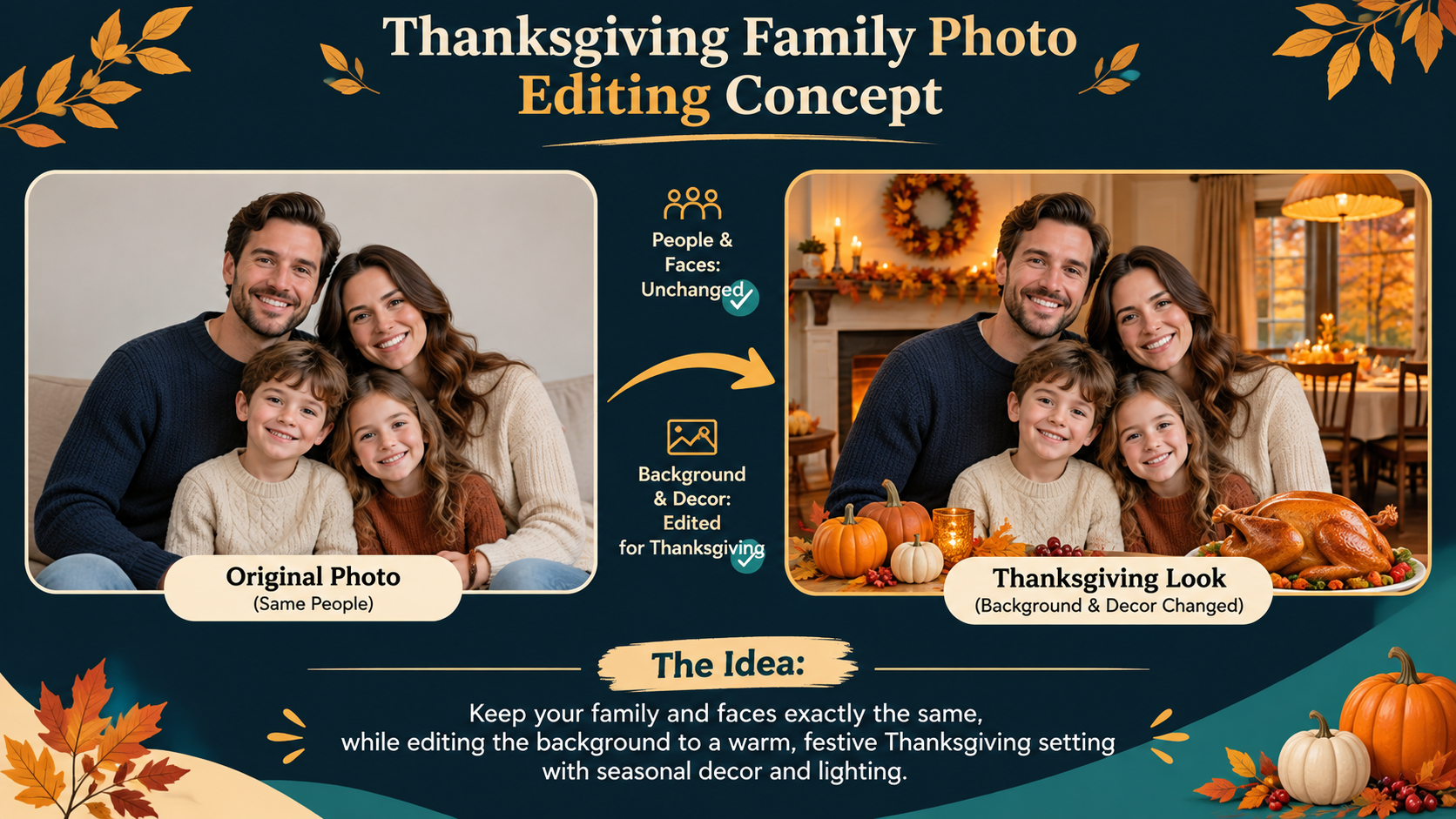
14. Thanksgiving Family Photo Editing
Best for: Editing an existing family photograph.
Copy Prompt:
Edit the uploaded family photograph into a warm Thanksgiving celebration scene. Preserve every person's original identity, facial features, hairstyle, body proportions, pose, and relative position. Keep exactly the same number of people as the source image. Change only the background and specified seasonal decorations: add an autumn dining-room setting, soft amber lighting, a small pumpkin centerpiece, and subtle maple-leaf details. Match shadows and lighting naturally. Do not replace faces, add people, modify hands, or alter personal features. Output a realistic edited photograph in the original aspect ratio, with no text.
Customize: Background, decorations, permitted edits.
Designed for: A seasonal transformation that prioritizes the reference photograph.
15. Cozy Thanksgiving Dinner Scene
Best for: Lifestyle content and holiday storytelling.
Copy Prompt:
Create a cinematic, photorealistic Thanksgiving dinner scene with [NUMBER] guests seated naturally around a wooden dining table. Feature a realistically roasted turkey, mashed potatoes, cranberry sauce, stuffing, green beans, and pumpkin pie, arranged as separate recognizable dishes. Capture a candid moment of conversation and gratitude instead of a posed portrait. Use warm candlelight mixed with soft window light, natural facial expressions, realistic hands and tableware, and a gently blurred background. Landscape 16:9 composition. Avoid duplicated food, impossible cutlery arrangements, extra limbs, floating glasses, and text.
Customize: Number of guests, menu, setting.
Designed for: A realistic, warm Thanksgiving lifestyle image.
Food and Autumn Aesthetics
16. Thanksgiving Food Photography
Best for: Recipe blogs, restaurants, and seasonal food content.
Copy Prompt:
Create a professional Thanksgiving food photograph featuring a golden roasted turkey with crisp textured skin, a slice of pumpkin pie with distinct pastry crust, cranberry sauce, and mashed potatoes. Arrange the dishes on a dark walnut dining table using realistic ceramics and natural linen napkins. Use soft directional daylight from the left, natural shadows, rich food textures, and an editorial photography aesthetic with shallow depth of field. Camera angle approximately 45 degrees above the table. Portrait 4:5 composition. Avoid duplicated ingredients, plastic-looking food, floating utensils, and excessive decoration. No text.
Customize: Main dish, side dishes, background.
Designed for: Detailed holiday food photography.
17. Autumn Harvest Aesthetic
Best for: Wallpapers and decorative backgrounds.
Copy Prompt:
Create a refined autumn harvest still life featuring three pumpkins of different sizes, dried wheat, red and golden maple leaves, two acorns, and a soft linen cloth arranged on a natural wooden surface. Use a muted palette of ochre, terracotta, beige, and forest green. Illuminate the scene with gentle morning light, realistic shadows, and tactile textures. Keep visible breathing room between objects. Vertical 9:16 format suitable for a phone wallpaper, with a calm upper third for screen icons. Avoid excessive ornaments, repeated objects, surreal shapes, or text.
Customize: Palette, materials, intended screen.
Designed for: An understated autumn-themed wallpaper.
18. Fantasy Thanksgiving Scene
Best for: Creative artwork and original seasonal illustrations.
Copy Prompt:
Illustrate a magical Thanksgiving-inspired autumn forest at twilight. Show a cozy cottage with glowing windows, winding stone paths, golden maple trees, softly floating luminous leaves, and a small harvest table outside the cottage. Use cinematic depth, painterly fantasy textures, gentle atmospheric mist, and warm golden highlights contrasting with cool violet shadows. Make the setting peaceful, imaginative, and welcoming. Landscape 16:9 composition, with one clear focal point on the cottage. Avoid overcrowding, inconsistent architecture, distorted objects, and text or logos.
Customize: Fantasy setting, color palette, architectural style.
Designed for: An original fantasy-themed holiday illustration.
Social Media and Marketing Images
19. Thanksgiving Instagram Post
Best for: Business Instagram feeds and seasonal social campaigns.
Copy Prompt:
Create a premium Thanksgiving Instagram post for a [BUSINESS TYPE] brand using [BRAND COLORS] blended with warm autumn neutrals. Feature one elegant Thanksgiving centerpiece with miniature pumpkins, dried leaves, and soft golden lighting. Place the main visual in the lower-right portion and reserve a clean, high-contrast upper-left area for "[HEADLINE]". Use modern editorial styling and consistent spacing. Portrait 4:5 composition optimized for an Instagram feed. Avoid excessive icons, cluttered text, invented logos, unrelated holiday symbols, and overlapping objects.
Customize: Business type, brand colors, headline.
Designed for: A seasonal business social post with clear text space.
20. Thanksgiving Marketing Poster
Best for: Ecommerce promotions and holiday announcements.
Copy Prompt:
Design a professional Thanksgiving marketing poster for [CAMPAIGN TYPE]. Use burnt orange, warm cream, chocolate brown, and muted gold. Feature [PRIMARY PRODUCT OR SUBJECT] as the dominant visual element, surrounded by restrained seasonal accents. Divide the portrait 4:5 layout into three zones: the headline at the top, product visual in the center, and offer information at the bottom. Reserve clean areas for "[HEADLINE]" and "[OFFER DETAILS]". Ensure the design remains readable at mobile size. Do not invent discounts, prices, logos, additional offers, or small illegible text.
Customize: Campaign, product, headline, offer details.
Designed for: A structured seasonal marketing poster.
21. Thanksgiving Product Photography
Best for: Ecommerce product images and advertising.
Copy Prompt:
Use the uploaded product photograph as the primary reference. Preserve the original product shape, proportions, materials, packaging, color, label arrangement, and visible brand elements. Place the unchanged product on an elegant autumn-themed tabletop with subtle pumpkins, amber foliage, natural linen, and warm diffused studio lighting. Keep the product central, fully visible, and sharply detailed. Use realistic shadows and reflections. Portrait 4:5 composition suitable for ecommerce marketing. Do not redesign the product, replace label text, invent packaging details, obscure the logo, or add extra products.
Customize: Background, lighting, seasonal decoration.
Designed for: A Thanksgiving product photo that respects the original product reference.
For branded seasonal campaigns, the GPT Image 2.6 ecommerce product photography guide also covers workflows that focus on preserving product identity while changing the surrounding visual environment.
22. Thanksgiving Website Hero Banner
Best for: Seasonal ecommerce landing pages and website headers.
Copy Prompt:
Create a wide Thanksgiving website hero banner for a [BUSINESS TYPE] website. Use a sophisticated autumn atmosphere with warm ambient lighting, elegant natural textures, and a seasonal still life on the right side. Reserve the left 45% of the canvas as uncluttered, high-contrast space for a website headline, supporting text, and CTA button to be added later. Incorporate [BRAND COLORS] subtly. Landscape 16:9 composition, keeping the main decorative subject within the center-right area for responsive cropping. Do not generate text, buttons, fake website interface elements, or logos.
Customize: Business type, brand colors, seasonal subject.
Designed for: A holiday banner background ready for website text and buttons.
8 Thanksgiving AI Video Prompts
The strongest Thanksgiving AI video prompts specify what moves, how the camera moves, and what must stay unchanged. For short holiday clips, one clear action often produces a more controllable sequence than several competing movements.
The durations below are creative targets. Use a supported output length, aspect ratio, and reference-input method for your selected model.
Family Thanksgiving Videos
23. Cinematic Thanksgiving Family Dinner Video
Best for: Emotional family greeting videos.
Copy Prompt:
Create a 6-second cinematic Thanksgiving family dinner video inside a warmly lit dining room. Show exactly [NUMBER] family members around a wooden table with roasted turkey, candles, and holiday side dishes. The family exchanges natural smiles while one person gently passes a serving bowl. Begin with a medium-wide shot and use a very slow, smooth camera push-in. Candlelight flickers subtly. Maintain consistent faces, clothing, people count, hands, food placement, and table geometry throughout. Landscape 16:9. No sudden cuts, object morphing, extra limbs, or generated text.
Customize: Family size, clothing, dinner setting.
Designed for: One continuous cinematic family dinner moment.
24. Thanksgiving Family Memory Video
Best for: Animating a real family photograph.
Copy Prompt:
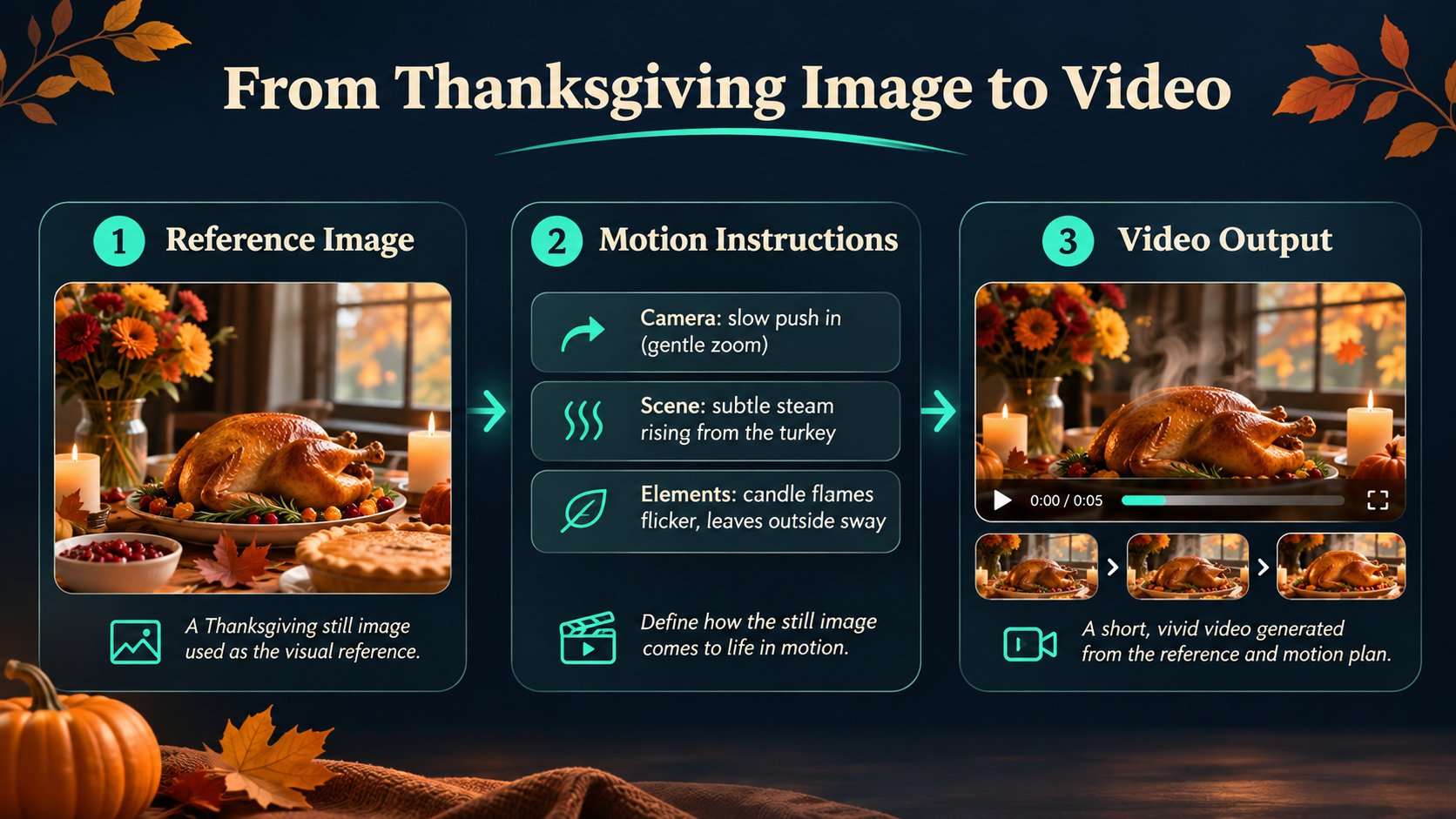
Animate the uploaded family photograph into a gentle 5-second Thanksgiving memory video. Preserve the original identity, facial features, clothing, body proportions, and positions of every person. Introduce only subtle natural movements: relaxed blinking, small smiles, gentle breathing, and slight hair movement. Add a slow cinematic camera push-in while maintaining the original composition. Keep the background and existing objects stable. Match the source photograph's lighting. Use its original aspect ratio. No talking, exaggerated expressions, face replacement, duplicated people, or sudden movements.
Customize: Allowed movements, camera direction.
Designed for: A softly animated family photograph with minimal identity changes.
For photo-based motion projects, a structured Image-to-Video API workflow can help you understand how reference images, motion instructions, and generation settings work together.
25. Cozy Thanksgiving Home Decoration Video
Best for: Home decor content and seasonal Reels.
Copy Prompt:
Generate a 6-second cozy Thanksgiving home decoration video in a warmly lit living room. Show one person placing a small orange pumpkin on a wooden console table beside a vase of dried autumn leaves. Golden leaves drift gently past the window outside. Use a fixed medium-wide camera angle with subtle depth of field. The person's movement should be slow and physically believable, completing the action before the final second. Maintain consistent hand anatomy, pumpkin shape, furniture positions, and lighting. Vertical 9:16. Avoid disappearing objects, extra hands, sudden camera movement, or text.
Customize: Room, decorations, character appearance.
Designed for: A simple, warm home-decoration video.
Food and Creative Videos
26. Thanksgiving Food Commercial Video
Best for: Restaurants, bakeries, and holiday food promotions.
Copy Prompt:
Create an 8-second cinematic Thanksgiving food advertisement featuring a freshly baked pumpkin pie being placed on a dark wooden table by a person's hands. Begin with a close-up as the pie enters the frame. Show a thin stream of natural steam above the crust while warm window light highlights the texture. Slowly move the camera forward until the pie becomes the main focal point. Keep the crust, plate, hands, and table physically consistent. Use rich realistic food detail and shallow depth of field. Landscape 16:9. No sudden cuts, changing pie shapes, extra fingers, floating objects, or text.
Customize: Food product, lighting, table.
Designed for: A focused commercial food close-up.
27. Animated Thanksgiving Turkey Video
Best for: Fun animated greetings and social posts.
Copy Prompt:
Create a 6-second original 3D cartoon Thanksgiving video featuring one friendly, round turkey standing in an autumn garden. The turkey looks toward the viewer, waves once with its right wing, and makes a small joyful bounce before returning to its starting pose. Use soft clay-animation textures, warm studio lighting, colorful autumn feathers, and a clean storybook environment. Keep the turkey's face, colors, body proportions, legs, and wings consistent throughout. Fixed medium-shot camera, vertical 9:16. No extra limbs, duplicated characters, sudden scene changes, text, or watermarks.
Customize: Character colors, background, expression.
Designed for: A playful animated holiday character.
28. Magical Autumn Thanksgiving Video
Best for: Fantasy videos and ambient holiday Reels.
Copy Prompt:
Generate an 8-second magical autumn scene featuring a softly glowing pumpkin on a moss-covered stone in an enchanted forest. Golden maple leaves rise naturally on a gentle spiral of wind, briefly forming a luminous circle around the pumpkin before floating back to the ground. Use a locked camera with a slight cinematic push-in, atmospheric mist, warm amber lighting, and delicate magical particles. Maintain continuous leaf movement and a stable pumpkin shape. Landscape 16:9. No abrupt teleportation, unrealistic transformations, unrelated characters, or text.
Customize: Magic effects, forest setting, color.
Designed for: A smooth fantasy holiday video.
Business and Marketing Videos
29. Thanksgiving Social Media Promo Video
Best for: Vertical short-form business advertisements.
Copy Prompt:
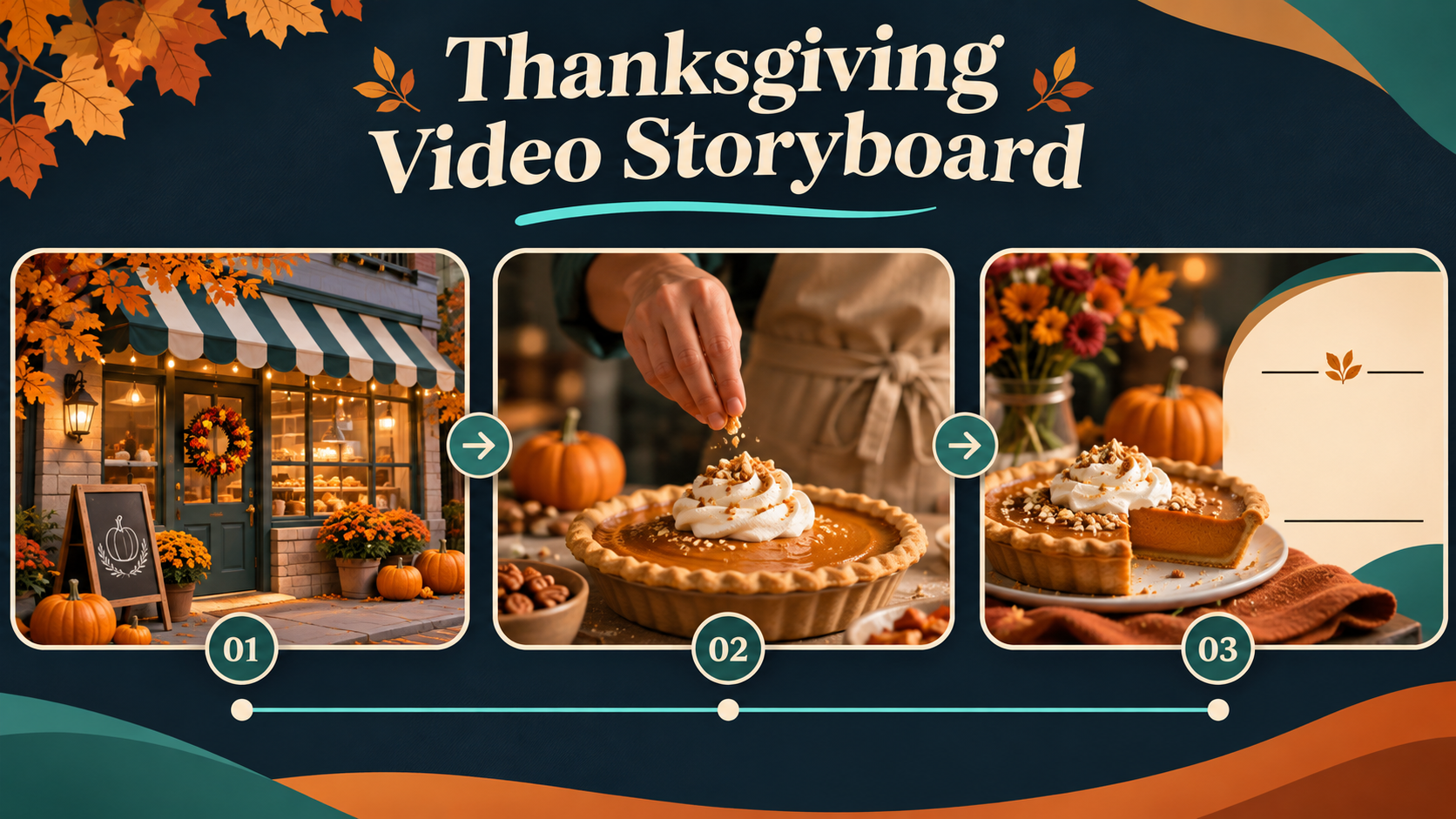
Create an 8-second vertical Thanksgiving promotional video for [BUSINESS TYPE] featuring [PRODUCT OR SERVICE]. Use three connected shots. Shot 1: a warm autumn establishing view with subtle holiday decorations. Shot 2: a close-up of the product or service in a realistic customer setting. Shot 3: a clean hero composition showing the product with an unobstructed area reserved for the original company logo and campaign headline to be added later. Keep product design, brand colors, and lighting consistent across all shots. Use restrained camera movement, smooth transitions, and professional commercial styling. Vertical 9:16. No invented prices, discounts, generated logos, or distorted product details.
Customize: Business type, product, brand colors.
Designed for: A three-shot Thanksgiving promotional Reel.
If the generator supports only one stable shot at a time, create each shot separately using matching reference materials and combine them in a video editor.
For complex short advertisements, the Seedance 2.5 prompt guide provides additional guidance on shot structure, motion descriptions, and visual continuity.
30. Thanksgiving Small Business Advertisement
Best for: Coffee shops and local businesses.
Copy Prompt:
Create a 10-second cinematic Thanksgiving advertisement for a small coffee shop named [BUSINESS NAME]. Maintain a consistent warm copper, cream, and dark-brown visual style. Scene 1, seconds 0–3: show the original coffee shop storefront with its sign fully visible in a stable medium-wide shot. Scene 2, seconds 3–7: cut to a close-up of a barista preparing a seasonal latte with realistic hand movements and gentle steam. Scene 3, seconds 7–10: show the finished latte beside a small pumpkin and autumn leaves, with clean space for the real business logo and final greeting to be added later. Maintain storefront architecture, product appearance, and brand colors across all scenes. No invented slogans, changing storefront signs, distorted hands, or excessive camera movement. Landscape 16:9.
Customize: Business name, brand colors, seasonal drink.
Designed for: A short, branded Thanksgiving commercial.
For essential storefront signs and logos, use original brand assets and verify them in editing rather than relying on generated text alone.
How to Improve Thanksgiving AI Results
Our research into Thanksgiving creative use cases points to three especially important production problems: readable card text, faithful editing of existing photographs, and consistent video motion.
The following three bonus prompts bring the collection to 33 ready-to-copy templates.
Fix Thanksgiving Card Text and Layout
For cards and invitations, keep messages short, provide an uncluttered text area, and specify where the text should appear. For longer event details, generating a text-free background and adding the final wording afterward is often a more controllable workflow.
Bonus Prompt 31: Correct Thanksgiving Card Text
Keep the existing card composition, illustration style, colors, and decorations unchanged. Correct only the text to display exactly "[CORRECT TEXT]". Use large, readable lettering with accurate spelling, consistent spacing, strong contrast, and comfortable margins. Do not add additional words or modify the original artwork.
Best use: Repair a misspelled greeting or create a cleaner typography area without redesigning the entire card.
Preserve Faces and Product Details
When editing real family photos or ecommerce products, upload the original asset and specify the smallest possible edit. A model may still alter faces, labels, or packaging, so inspect the output against its reference before publishing.
Bonus Prompt 32: Preserve Original Image Details
Use the uploaded original image as the primary reference. Restore the subject's original facial or product features, proportions, colors, and identifying details. Preserve the approved Thanksgiving background, but remove invented or distorted elements. Keep the same subject count and overall composition. Do not introduce new people, objects, packaging designs, or brand details.
Best use: Correct an unwanted change to a family member, product shape, or branded object.
Control Camera Motion and Video Consistency
For videos, reduce the number of simultaneous movements. Give the camera a clear instruction, keep the subject in a stable area of the frame, and describe the final state of the action.
Bonus Prompt 33: Fix Thanksgiving Video Continuity
Preserve the original character design, storefront, product appearance, background geometry, and lighting. Reduce camera movement to a subtle slow push-in. Keep the main subject and any branded elements fully inside the safe frame throughout the clip. Maintain realistic motion and object continuity, with no sudden transformations, duplicated limbs, or disappearing objects.
Best use: Repair a shot where a character changes appearance, a product moves unnaturally, or a storefront sign leaves the frame.
Thanksgiving AI Black Friday Deals 2026: Create More with LinkModel
LinkModel's Black Friday AI deals run from November 23 through December 2, 2026, covering selected image, video, and language models. The promotional rates apply automatically to eligible usage by both new and existing users, including those using an existing account balance.
For a Thanksgiving project, this makes it practical to select different models for different tasks: create an illustrated card, edit a product photograph, animate the finished image, and prepare supporting marketing copy.
LinkModel Black Friday AI Model Discounts
| AI Model | Black Friday Savings | LinkModel Price / Billing Basis | API Model ID | Best For |
|---|---|---|---|---|
| Seedance 2.5 Flash | Save 55% vs. fal | From $0.060527/s, 480p | seedance-2-5-flash | Short videos, product clips |
| Seedream 5.5 | Save 47% vs. fal | From $0.016/image, eligible output | seedream-5.5 | Photo editing, product images |
| GPT-6.2 Sol | Save 25% vs. official | $1.50/M input; $7.50/M output, short context | gpt-6.2-sol | Copywriting, assistants, automation |
| GPT-6.2 Astra | Save 25% vs. official | $6/M input; $30/M output, short context | gpt-6.2-astra | Complex workflows, reasoning |
| GPT Image 2.6 Flare | Save 35% on output fees | 65% of eligible official output charges | gpt-image-2.6-flare | Image generation and editing |
| GPT Image 2.6 Sunburst | Save 35% on output fees | 65% of eligible official output charges | gpt-image-2.6-sunburst | Detailed visuals, precision editing |
| DeepSeek V4.1 Flash 1017 | Save 32% vs. official | 68% of corresponding official charges | DeepSeek-V4.1-Flash-1017 | Coding and AI agents |
| Kling 4.0 | Save 15% vs. official | $0.19975/s, 1080p reference | Kling4.0 | Cinematic video, commercials |
The GPT-6.2 Sol and Astra short-context rates apply when input prompt tokens, including cached tokens, are at or below 272K. Above that threshold, the whole request uses the higher-context tier.
Seedance and Seedream savings against fal refer to matched configurations and billing units. GPT Image 2.6's promotional reduction applies to eligible output fees.
Offer ends December 2, 2026, at 11:59 PM PST. Promotional rates return to LinkModel's standard platform pricing after the campaign.
Explore Models & Pricing
Compare the participating models, discover their supported image and video workflows, and start creating Thanksgiving content with flexible pay-as-you-go pricing.
Which LinkModel Model Should You Choose?
The best starting point depends on whether you need a new visual, a faithful edit, a short animation, or supporting text.
| Thanksgiving Task | Suggested Model | Why Choose It |
|---|---|---|
| Illustrated greeting cards | GPT Image 2.6 Flare or Sunburst | Image generation and editing for seasonal designs |
| Family photo editing | Seedream 5.5 | Reference-based image-editing workflow |
| Holiday ecommerce photography | Seedream 5.5 or GPT Image 2.6 | Seasonal visual variations from existing products |
| Short greeting animations | Seedance 2.5 Flash | Low starting per-second video rate |
| Cinematic small-business ads | Kling 4.0 | Reference-guided and cinematic video workflows |
| Greetings, scripts, and automation | GPT-6.2 Sol, Astra, or DeepSeek V4.1 Flash 1017 | Text generation, planning, and developer tasks |
For creators working with several static images, Seedream 5.5 starts at $0.016 per eligible image. Its Seedream 5.5 API guide explains the model's image workflows, available settings, and access options.
For short video projects, Seedance 2.5 Flash starts at $0.060527 per second at 480p. As a simple calculation, a 10-second generation at that rate costs approximately $0.60527, assuming the selected configuration supports that duration and no additional billable options are used.
Choose Seedance 2.5 Flash when the priority is a short video with a lower starting price. Consider Kling 4.0 for projects that need its specific cinematic and reference-control options, as covered in the Kling 4.0 Image-to-Video guide. For important faces, logos, and product details, model choice should also depend on the reference inputs and editing controls supported by the selected workflow.
Through the LinkModel Playground, you can explore available models without setting up a full development project. For repeatable production workflows, LinkModel's unified API approach and billing provide a common environment for supported image, video, and language models.
Other AI Black Friday Deals in 2026
Other major AI creative platforms have also announced seasonal offers. Their discounts mostly apply to subscription plans or editing tools rather than the same per-generation API pricing structure.
| Company | Announced Black Friday Offer | Main Focus |
|---|---|---|
| Higgsfield | Up to 63% off selected premium plans in its November 20–23 presale | AI creative generation subscriptions |
| ElevenLabs | Up to 55% off selected Creator and Pro annual plans through December 1 | Voice generation and dubbing |
| CapCut | Eligible PC subscriptions starting at $3.99 or less for the first month | Video editing |
| Wondershare UniConverter | Up to 30% off selected plans through December 5 | Video conversion and editing |
These offers were publicly listed as of November 20, 2026, and have different eligibility conditions and billing models.
For someone producing multiple Thanksgiving images or videos through an API, the more useful question is how much the required model and generation configuration costs, rather than which company advertises the largest percentage discount.
LinkModel's Black Friday campaign focuses on discounted usage of eligible models, with $0 monthly platform fee and a unified account for supported creative workflows.
Join LinkModel's Black Friday Community Rewards
LinkModel's Black Friday campaign also offers opportunities to explore tutorials, API examples, and community support.
Join our Discord. Claim $2 in AI Credits. Get API examples and help getting started.
From November 23, new and existing Discord members can take part in the community reward program. Join the Discord, open the pinned claim form, and submit your LinkModel account email privately. After verification, $2 in Credits will be issued within 24–48 hours.
The reward is limited to the first 30 valid claimants, with one claim per person and LinkModel account. No recharge is required. The deadline is December 2, 2026, at 11:59 PM PST.
Discord is also the place to discover tutorials, discuss API examples, ask getting-started questions, and exchange project ideas with other creators.
Black Friday Build Fund: 10 Winners, $5 Each
LinkModel's X giveaway offers $5 in Credits to each of 10 winners, for a total prize value of $50.
To participate:
- Follow LinkModel's official X account.
- Join Discord and share which AI model you want to use and what you plan to build in the campaign channel.
- Submit your X username and Discord user ID through the official entry form.
No purchase or recharge is required. Each person may enter once, and reposting is optional. Entries close December 2, winners are announced December 3, and rewards are issued within 48 hours after verification.
The Discord reward and X giveaway are separate opportunities, so choose whichever supports your creative project and interests.
Frequently Asked Questions
How do I make a Thanksgiving card with AI?
Choose one of the 12 Thanksgiving card prompts, replace the greeting and recipient details, and submit it to an image generator. Use the intended aspect ratio and check the result for spelling, visual alignment, and readable text. For longer invitations, add the final event details in a design editor.
Can AI preserve faces in Thanksgiving family photos?
AI image-editing tools can use reference photographs and instructions to preserve facial features, but results may still alter details. Use a clear source photo, limit the changes to the background or decorations, and review each person's face, hands, and body proportions.
How do I turn a Thanksgiving image into a short AI video?
Upload the image to a compatible Image-to-Video model, describe one simple motion, and specify camera movement, duration, and elements that must stay unchanged. For a family photo, choose subtle motion; for a commercial, use clear shot boundaries and original brand references.
When do LinkModel's 2026 Black Friday AI deals end?
The promotion runs November 23–December 2, 2026, ending December 2 at 11:59 PM PST. Eligible model discounts apply to both new and existing users during the campaign, including eligible calls funded by existing account balances.
Can I use Thanksgiving AI prompts for business marketing?
Yes. Use the image prompts for seasonal product photos, customer appreciation cards, promotional posters, and website banners. Use the video prompts for short product commercials and social ads. Provide authorized branding, verify any promotional details, and check the final content before publishing.
Conclusion
These 30 Thanksgiving AI prompts, plus three bonus repair templates, cover personalized cards, realistic family photos, seasonal marketing images, and short holiday videos. Choose a template based on your intended format, customize the subject and creative constraints, and review important details before sharing. During Thanksgiving 2026, LinkModel's Black Friday model discounts make it possible to explore image, video, and supporting AI workflows through one pay-as-you-go platform, whether you're creating a personal greeting or preparing a larger holiday campaign.