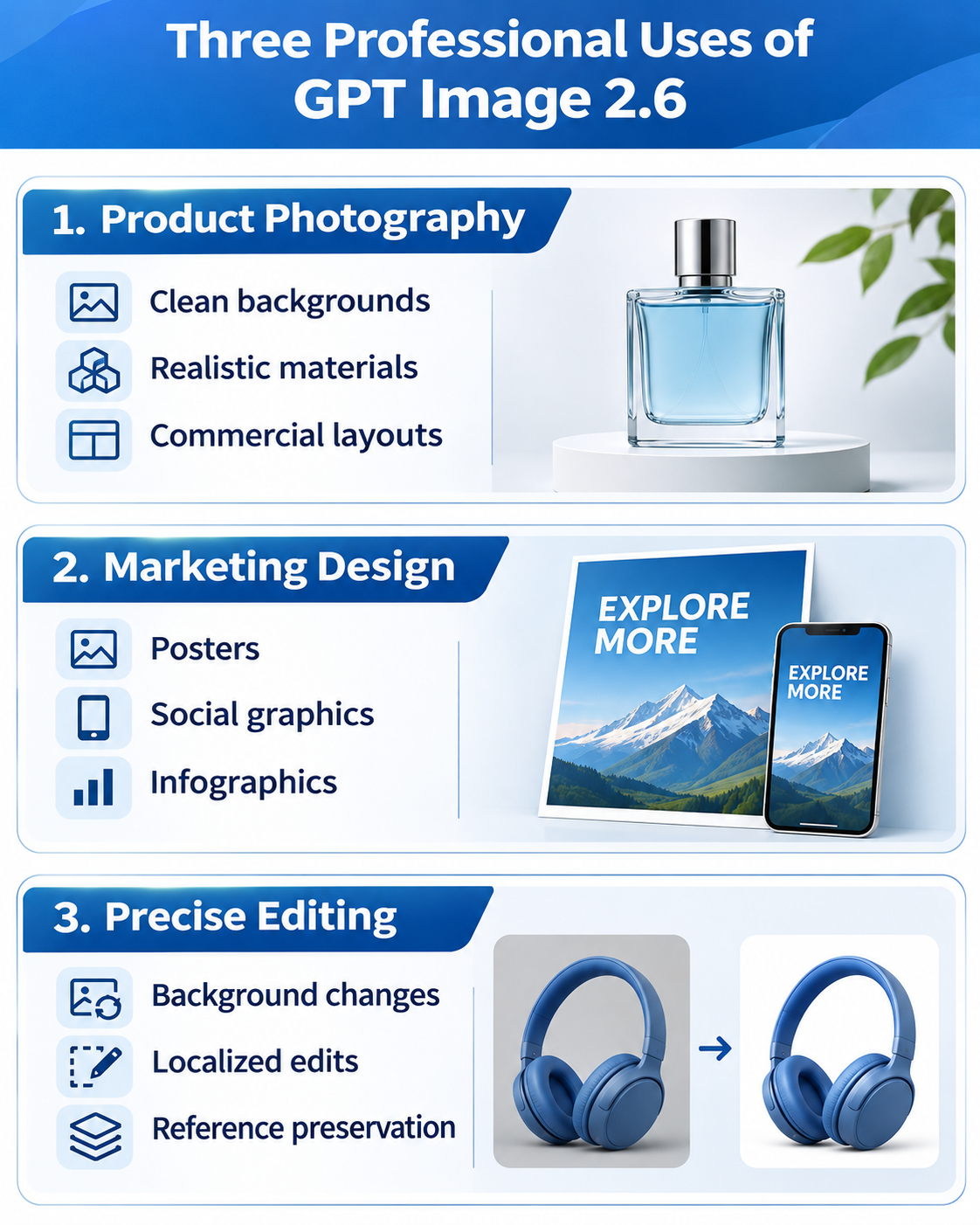
The best GPT Image 2.6 prompts are reusable professional creative briefs, not just long descriptions. Specify the deliverable, subject, composition, lighting, exact text, reference images, and elements that must not change. The 20 copy-ready prompts below cover product photography, advertising, infographics, UI concepts, precise editing, animated GIFs, and editable vector designs.
Starting in December 2026, OpenAI plans to combine ChatGPT and Codex usage allowances for Plus, Pro, and Business subscribers. The announcement has prompted criticism from some paying users, including discussion of cancellation and subscription value. Subscription allowances and API billing are separate, but the debate makes revision costs particularly relevant when a team needs many usable commercial images rather than a few experiments.
Through November 30, 2026, LinkModel offers GPT Image 2.6 at 65% of OpenAI's standard token prices—a 35% saving across the stated text input, image input, cached-input, and image-output categories. Image output costs $19.50 rather than $30 per million tokens. With $0 minimum spend, $0 monthly platform fee, and unified billing, teams can pay by use. New registrants automatically receive $1 in free Credits without a card or recharge; the credits do not expire, can be used for every model currently available on LinkModel, and cannot be claimed again by existing users.
How to Write Better GPT Image 2.6 Prompts
A professional prompt should describe an actual deliverable—not merely an aesthetic. Product listings need consistent packaging; infographics need correct facts, labels and reading order. Our recommended six-part structure is:
| Component | Specify |
|---|---|
| Purpose | E-commerce, advertising, website or report |
| Subject | Exact subject and required details |
| Composition | Framing, angle, aspect ratio and negative space |
| Lighting & Style | Materials, texture, palette and tone |
| Text & References | Exact copy and authentic reference images |
| Constraints | What must remain unchanged or absent |
Copy-ready universal framework:
Create a [deliverable] for [audience/use case]. Show [subject] with [specific details]. Use [composition] and [lighting/style]. Include exactly [text]. Preserve [critical elements]. Avoid [unwanted changes]. Output a [format/orientation] suitable for [final destination].
GPT Image 2.6 includes Flare and Sunburst. Flare is a sensible starting point for rapid visual exploration, while Sunburst is suited to more demanding detailed image creation and localized editing. Quality and complexity are different controls; raising either is not a universal guarantee of a better image. Replace every bracketed field below with your actual content, and supply reference assets when identity or product geometry must remain exact.
Which GPT Image 2.6 Prompt Should You Use?
Choose by the intended deliverable, the density of exact text, the need for references, and the final file type—not by visual style alone.
| Goal | Prompts | Starting model | Quality check |
|---|---|---|---|
| E-commerce products | 01, 03, 14 | Sunburst | Geometry and labels |
| Premium campaigns | 02, 04, 06 | Sunburst | Natural materials |
| Corporate portraits | 05 | Sunburst | Identity and texture |
| Social graphics | 07, 08 | Flare or Sunburst | Exact copy |
| Infographics and processes | 09, 10 | Sunburst | Facts and arrows |
| Web and mobile concepts | 11, 12 | Flare or Sunburst | Layout and controls |
| Brand exploration | 13 | Flare | Consistent visual system |
| Localized editing | 15, 16 | Sunburst | Unchanged regions |
| Character and storyboards | 17, 18 | Sunburst | Consistency |
| Animation | 19 | Supported GIF workflow | Smooth frames |
| Editable icons | 20 | Supported SVG workflow | Valid vector file |
Choose Flare when early variations are more valuable than polished details. Choose Sunburst when accurate geometry, dense content or preservation constraints matter most. For GIFs and SVGs, also select a supported output workflow; a prompt alone does not change the returned file's format.
Best GPT Image 2.6 Prompts for Product Photography and Advertising
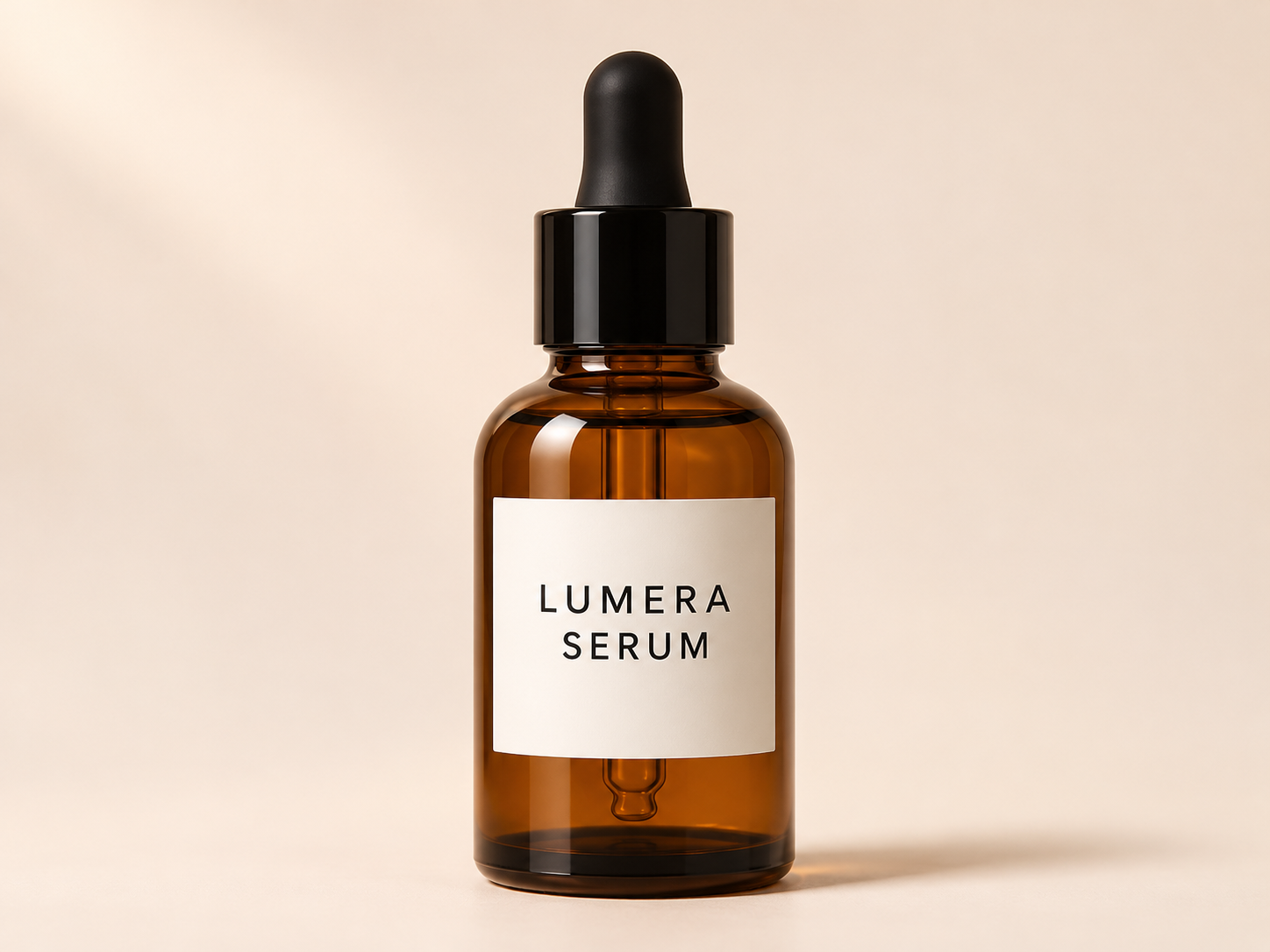
01. Professional Product Photography
Best for: E-commerce listings and catalogs. Suggested setup: Sunburst; medium/high quality.
Copy-and-paste prompt:
Create a photorealistic studio product photograph of [product], designed for a premium e-commerce listing. Place the product centrally on a clean [background color] seamless background, using a three-quarter front camera angle and soft diffused lighting from the upper left. Show realistic materials, controlled reflections, natural contact shadows, and sharp product edges. Preserve the exact product silhouette, proportions, colors, printed labels, and logo from the supplied reference image, if provided. Do not redesign the product, invent extra buttons, or introduce unrelated objects. Produce a clean commercial photograph with generous cropping space.
Pro tip: Supply a real reference; inspect labels, shape and accessory count.
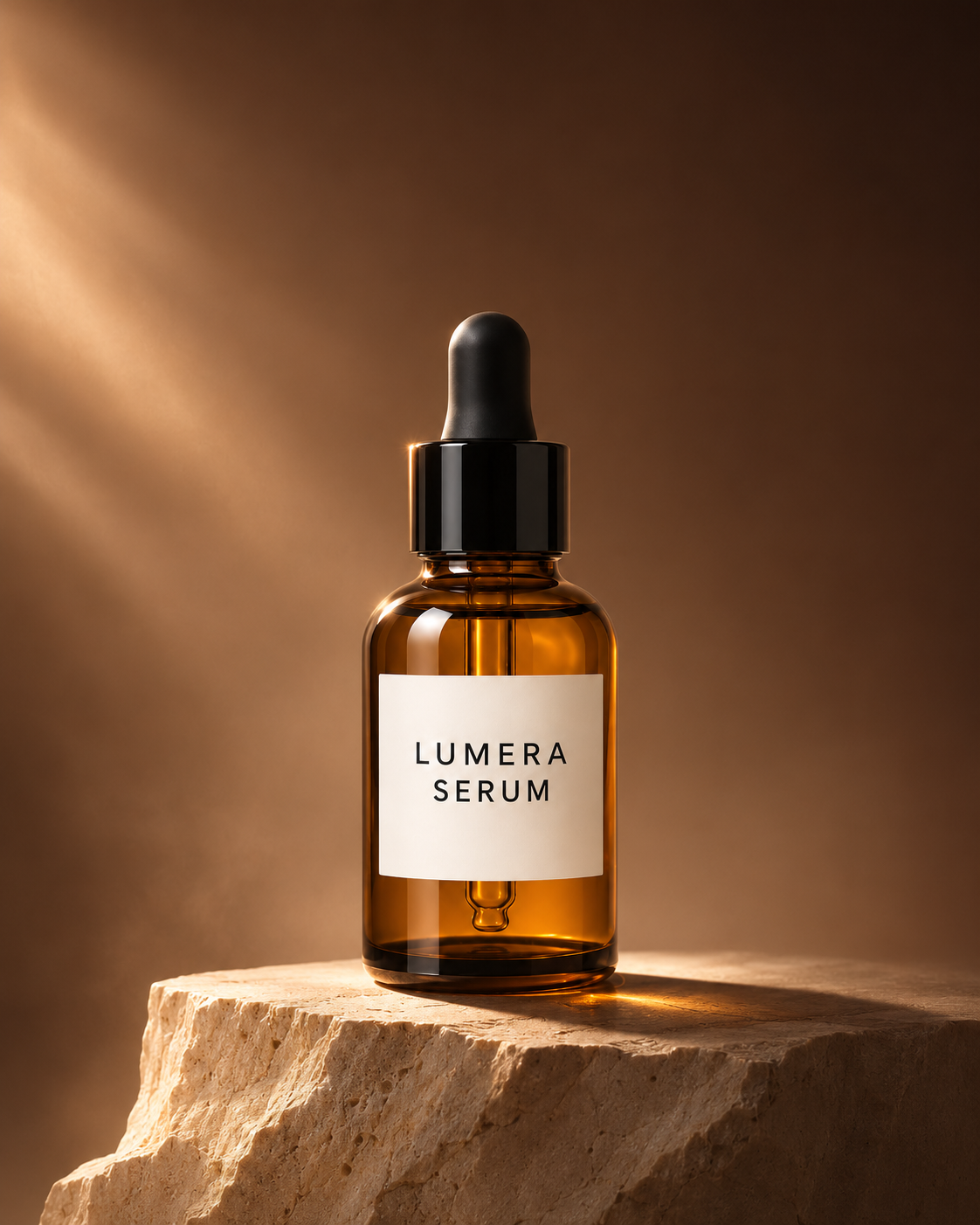
02. Luxury Product Advertising
Best for: Premium cosmetics, perfume, watches. Suggested setup: Sunburst; high quality.
Copy-and-paste prompt:
Create a luxury editorial advertisement for [product]. Position the product on a sculptural [stone/glass/metal] pedestal against a deep [color] background. Use dramatic directional lighting, controlled highlights, subtle atmospheric depth, and precise shadow placement. Keep the product as the unmistakable focal point, with premium material textures and an elegant minimalist composition. Reserve the upper third for optional campaign copy. If a reference image is supplied, preserve the original packaging geometry and visible brand details exactly. Avoid excessive effects, random lettering, distorted reflections, and additional products.
Pro tip: Improve the surrounding atmosphere without changing the physical product.
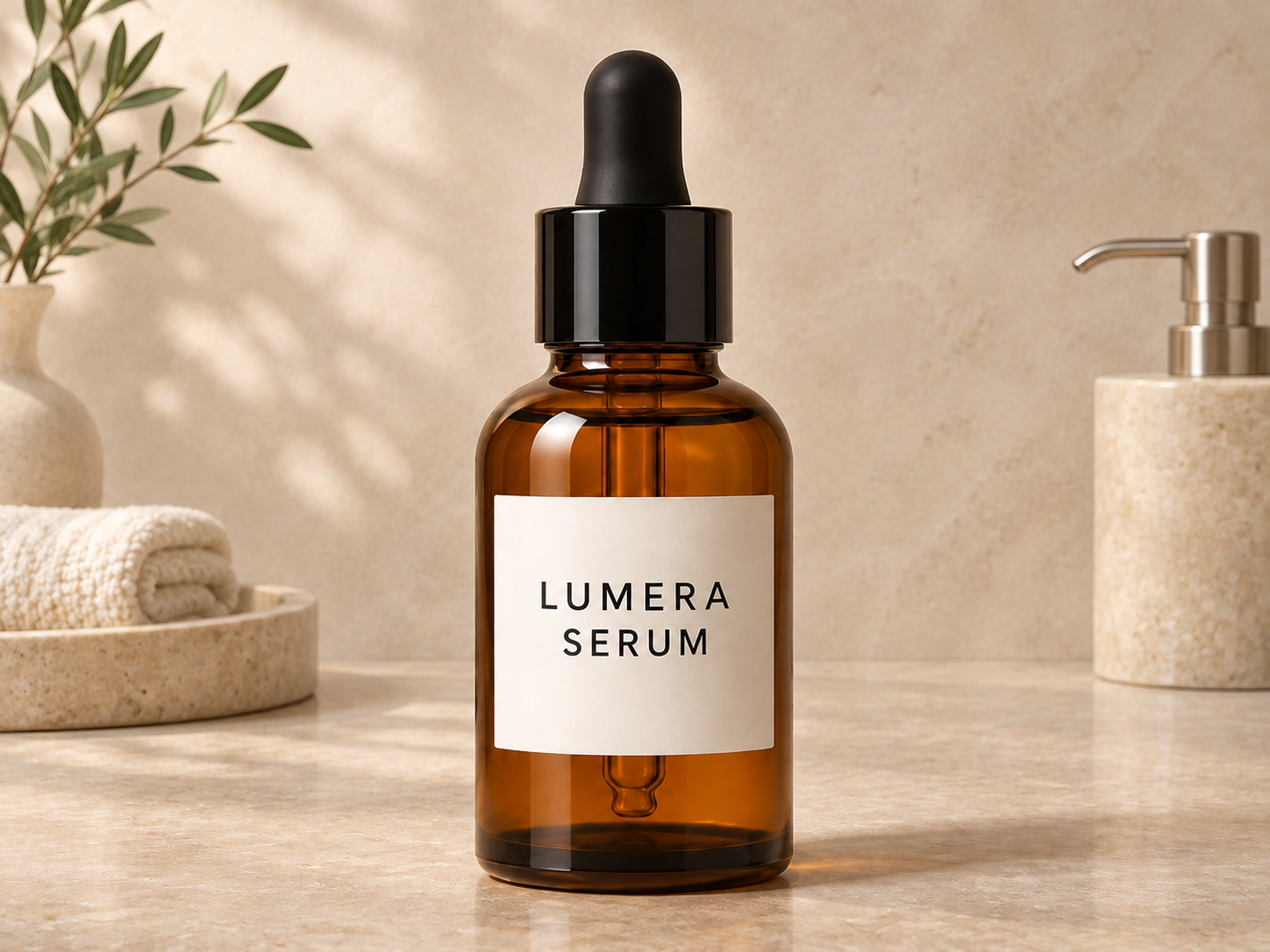
03. Lifestyle Product Photography
Best for: Home products, appliances, lifestyle campaigns. Suggested setup: Sunburst; medium/high quality.
Copy-and-paste prompt:
Create a photorealistic lifestyle photograph featuring [product] naturally used in a [location]. Show believable human interaction where appropriate, with realistic object scale, everyday environmental details, and soft natural daylight. Compose the scene as a candid professional brand photograph rather than a staged stock image. Preserve the product's design, color, logos, and controls from the reference. Use subtle depth of field and natural textures. Avoid exaggerated poses, overprocessed surfaces, duplicate objects, and invented product features.
Pro tip: Check believable hands, product scale, and real-world use.
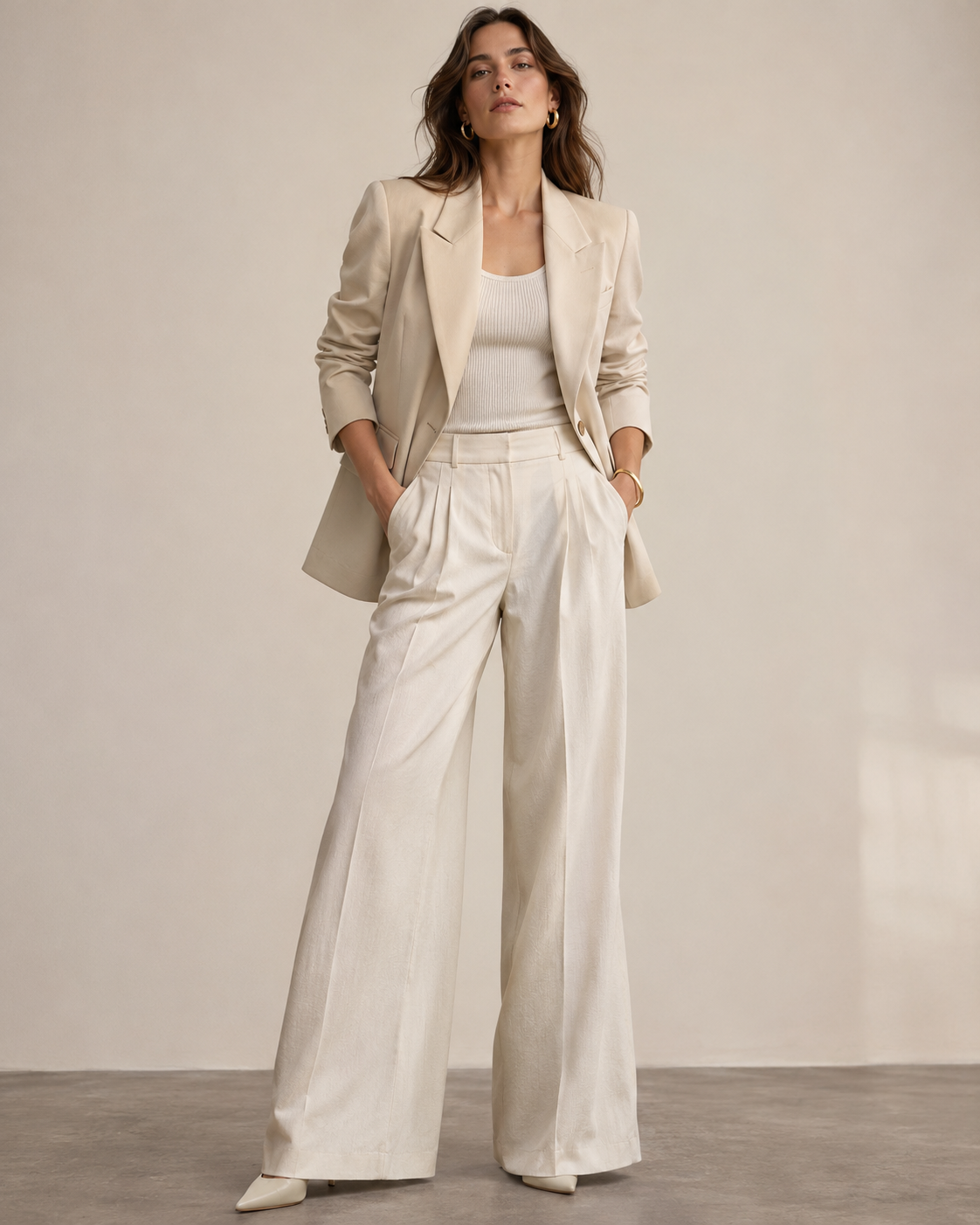
04. Fashion Editorial Photography
Best for: Lookbooks and fashion editorials. Suggested setup: Sunburst; high quality.
Copy-and-paste prompt:
Create a professional fashion editorial photograph featuring an adult model wearing [outfit description] in [setting]. Use a full-body composition with both feet visible, a confident natural pose, and realistic fabric drape. Capture fine stitching, folds, material texture, and accurate garment construction. Use [lighting style] and a restrained editorial color palette. If clothing reference images are provided, preserve the garment's cut, colors, patterns, and distinctive details. Keep facial features natural and body proportions believable. Avoid plastic skin, distorted hands, added accessories, and altered clothing designs.
Pro tip: Evaluate garment accuracy before aesthetic enhancements.
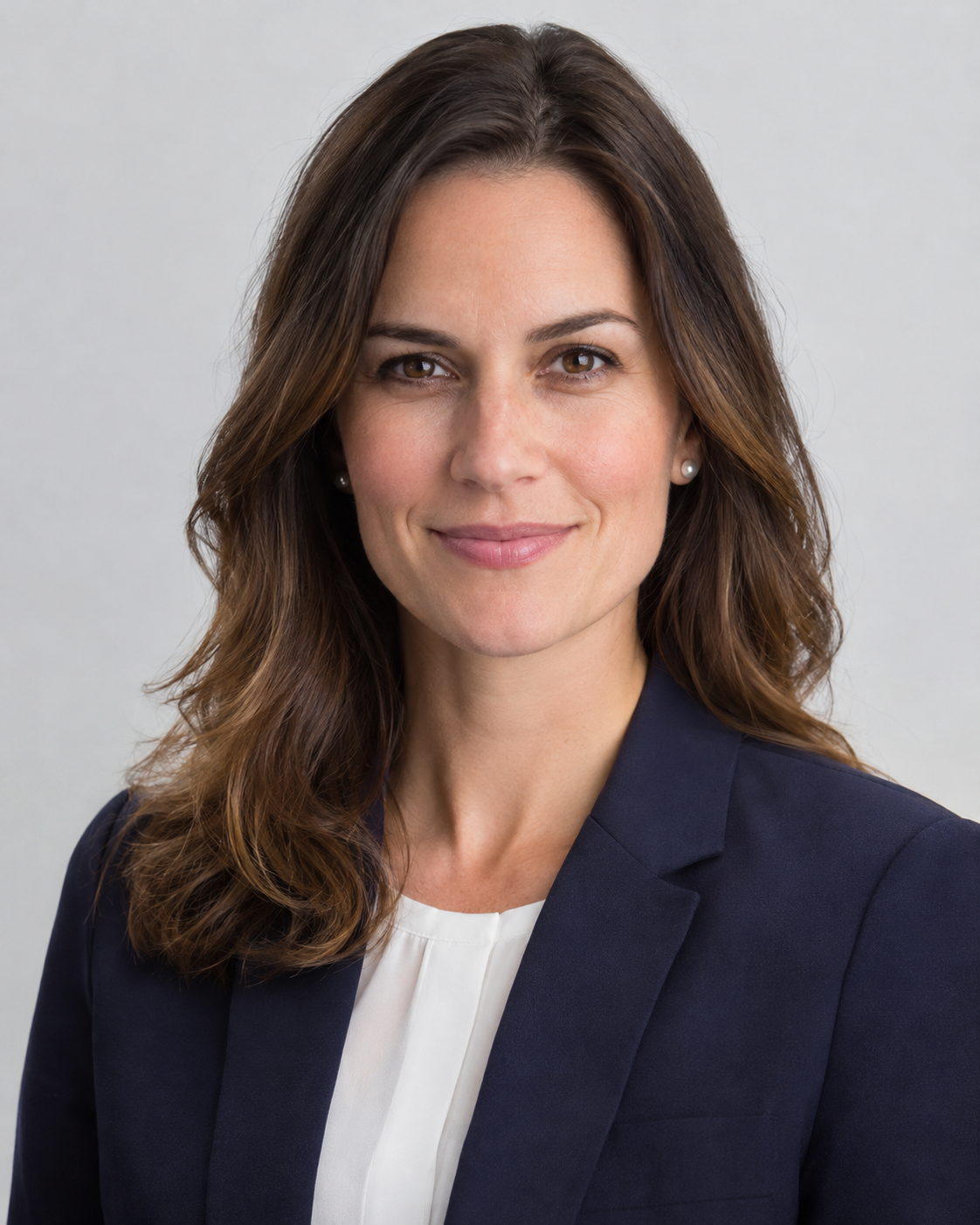
05. Professional Corporate Headshot
Best for: Team directories and professional profiles. Suggested setup: Sunburst; high quality.
Copy-and-paste prompt:
Create a photorealistic professional corporate headshot of the adult person in the supplied reference photograph, with their permission. Preserve their facial identity, age appearance, hairstyle, skin tone, facial proportions, and distinctive visible features. Use soft professional studio lighting, a neutral [background color] backdrop, realistic skin texture, natural expression, and head-and-shoulders framing. Adjust only the clothing to [professional outfit] if requested. Avoid excessive retouching, facial reshaping, artificial skin smoothing, and changes to identity.
Pro tip: Obtain permission and inspect identity preservation and realistic skin.
06. Photorealistic Brand Story Photography
Best for: Brand stories and editorial blog images. Suggested setup: Sunburst; medium/high quality.
Copy-and-paste prompt:
Create a documentary-style brand photograph of [subject/person/team] engaged in [realistic activity] inside [setting]. Use observational framing at eye level, available natural light, believable expressions, and small environmental details that communicate the story. Show authentic materials, natural skin texture, and an unstaged moment. Leave subtle negative space for editorial placement. The scene should feel captured by a professional photographer rather than assembled as generic corporate stock photography. Avoid exaggerated smiles, overly polished surfaces, fake interface text, and unnecessary objects.
Pro tip: Make a specific action tell the story instead of generic office posing.
Best GPT Image 2.6 Prompts for Marketing and Information Design
07. Social Media Marketing Graphic
Best for: Social campaign graphics. Suggested setup: Flare for exploration; Sunburst for demanding typography.
Copy-and-paste prompt:
Design a polished square social media marketing graphic for [campaign/product], targeting [audience]. Use a clear hierarchy with one primary visual, a large headline, concise supporting copy, and a single call-to-action area. Use [brand colors], modern sans-serif typography, balanced spacing, and strong contrast. Include exactly these words: headline "[exact headline]", subtitle "[exact subtitle]", CTA "[exact CTA]". Do not add any other text. Keep the layout professional, uncluttered, and readable on a smartphone screen.
Pro tip: Check exact text and mobile-size legibility.
08. Promotional Poster with Exact Text
Best for: Launches, events and promotions. Suggested setup: Sunburst; high quality.
Copy-and-paste prompt:
Create a professional vertical promotional poster for [event/campaign]. Use a bold, modern editorial layout with a dominant headline in the upper section, a strong central visual related to [subject], and an organized information area below. Reproduce the following text exactly and only once: "[headline]", "[date]", "[location]", "[CTA]". Preserve punctuation, spelling, capitalization, and the order of information. Use [palette], high-contrast typography, generous margins, and consistent alignment. Do not invent extra dates, prices, logos, disclaimers, or filler text.
Pro tip: Proofread every date and price; consider final typesetting in a design editor.
09. Professional Infographic
Best for: Business reporting and education. Suggested setup: Sunburst; high quality/high complexity.
Copy-and-paste prompt:
Create a professional infographic explaining [topic] to [target audience]. Organize the content into exactly [number] clearly separated sections with a logical top-to-bottom reading flow. Use the following verified facts and labels only: [insert exact facts, numbers, and text]. Present each section with a concise heading, a simple relevant icon, and readable explanatory text. Use a clean [color palette] design, generous whitespace, consistent typography, and accurate arrows where relationships require them. Do not invent statistics, change numerical values, or introduce unrelated concepts. Make the infographic suitable for a professional report or educational publication.
Pro tip: Verify all factual numbers and relationships outside the image.
10. Technical Process Diagram
Best for: SaaS documents and workflow explainers. Suggested setup: Sunburst; high quality/high complexity.
Copy-and-paste prompt:
Create a clean technical process diagram illustrating [workflow]. Include exactly these stages in order: [stage 1] → [stage 2] → [stage 3] → [stage 4]. Represent each stage as a labeled rectangular module with consistent spacing, clear directional arrows, and a short description supplied here: [exact descriptions]. Use a minimalist white background, restrained blue-gray palette, readable typography, and professional documentation styling. Preserve the correct process direction and relationships. Do not add extra stages, fictional API endpoints, unnecessary icons, or unverified technical details.
Pro tip: Verify arrow direction, step count and technical relationships.
Best GPT Image 2.6 Prompts for Digital Products and Brand Assets
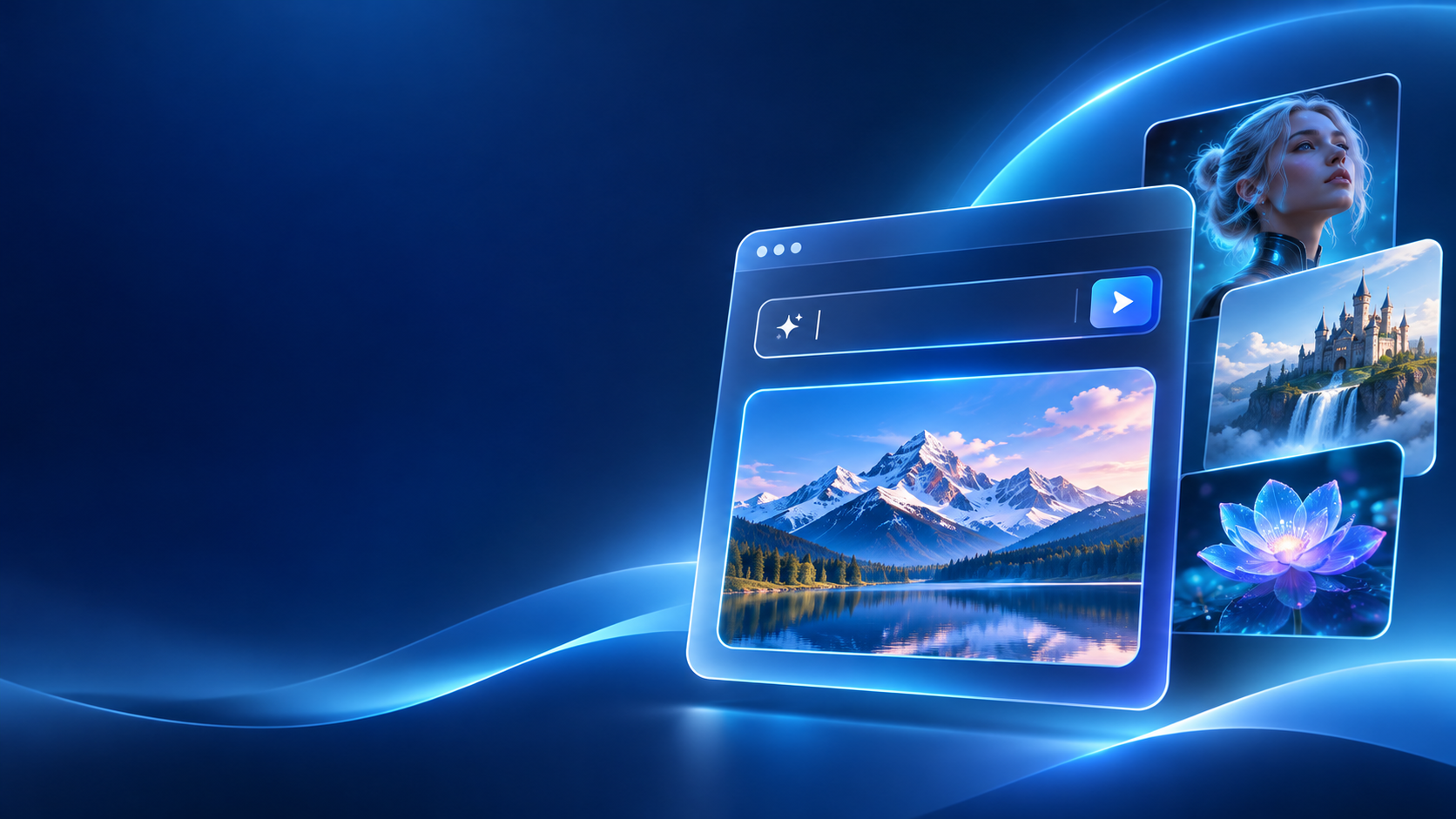
11. Website Hero Banner
Best for: SaaS landing pages. Suggested setup: Flare for layout; Sunburst for refined detail.
Copy-and-paste prompt:
Create a premium wide website hero banner for [product/service], aimed at [target users]. Place a sophisticated visual representation of [product benefit] on the right half and leave the left half uncluttered for a website headline and CTA added later. Use a professional technology aesthetic with [brand colors], subtle depth, balanced lighting, and crisp visual hierarchy. Design for a desktop landing page with a wide aspect ratio and safe cropping margins. Avoid embedded text, invented UI screenshots, distorted interface elements, watermarks, or distracting decorative effects.
Pro tip: Reserve space for real website text and responsive crops.
12. Mobile App UI Mockup
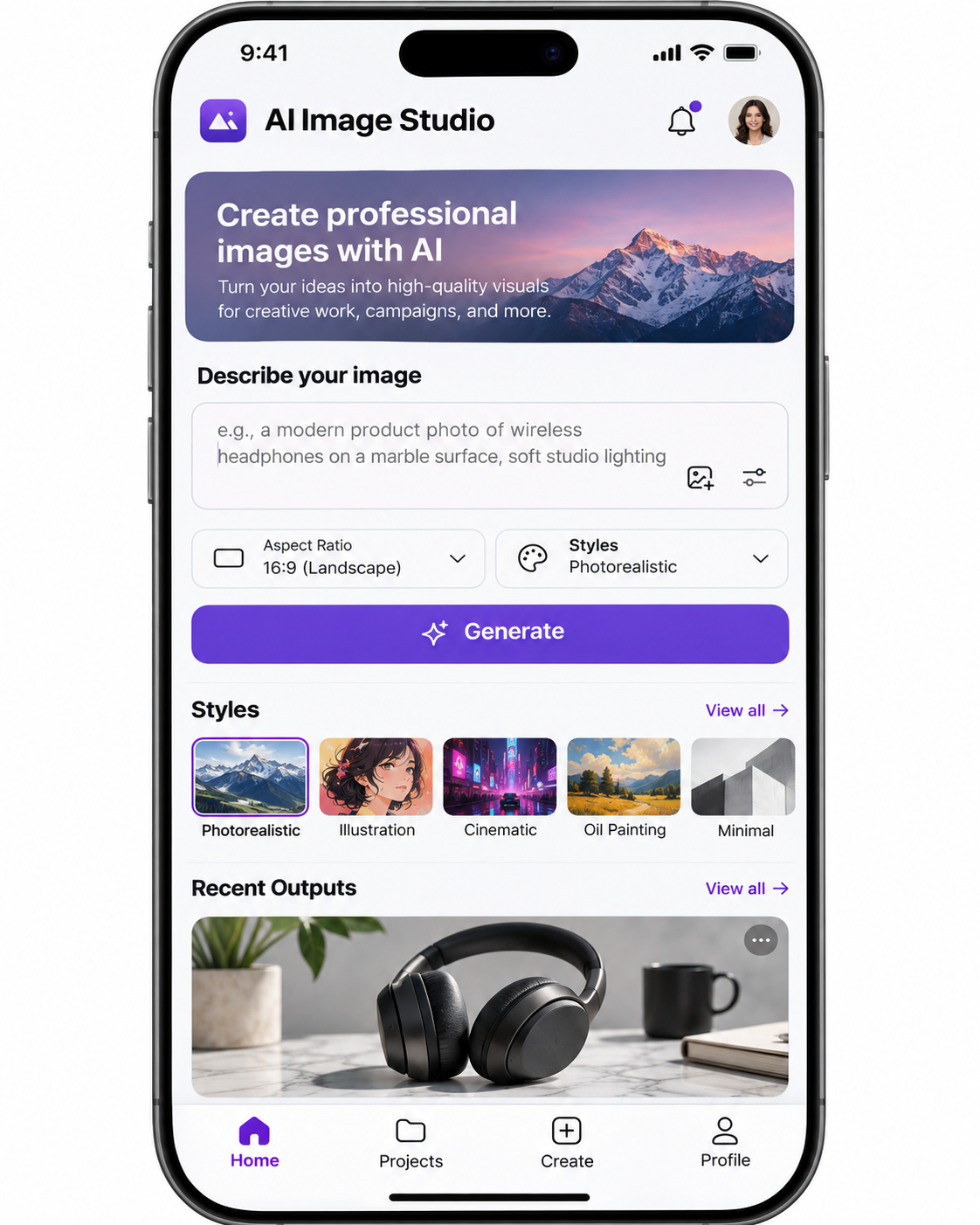
Best for: App concepts and product pitches. Suggested setup: Sunburst; high quality/high complexity.
Copy-and-paste prompt:
Create a realistic high-fidelity mobile app interface mockup for a [type of app] used by [target audience]. Display a practical home screen with a top navigation header, a clear primary action, a readable content section, and a bottom navigation bar containing [number] labeled items. Include these functions: [feature list]. Use a consistent spacing system, modern typography, accessible contrast, and realistic interface patterns. Include only the supplied labels: [exact UI text]. Make it look like a polished product design deliverable, not futuristic concept art. Avoid missing buttons, meaningless placeholder labels, overlapping elements, and inconsistent icon styles.
Pro tip: A generated interface is a visual concept, not functioning app code.
13. Brand Identity Mood Board
Best for: Brand strategy and agency decks. Suggested setup: Flare; medium/high quality.
Copy-and-paste prompt:
Create a professional brand identity mood board for [brand concept], targeting [audience]. Arrange the canvas into a cohesive editorial grid featuring a primary color palette, secondary accent colors, typography-inspired samples, material textures, photographic direction, and illustrative elements. The visual tone should communicate [three brand attributes]. Use consistent spacing, aligned modules, and a refined contemporary design system. Include only minimal supplied labels and avoid inventing brand claims. Make the board suitable for an agency brand presentation.
Pro tip: Check a coherent palette, materials and photographic direction.
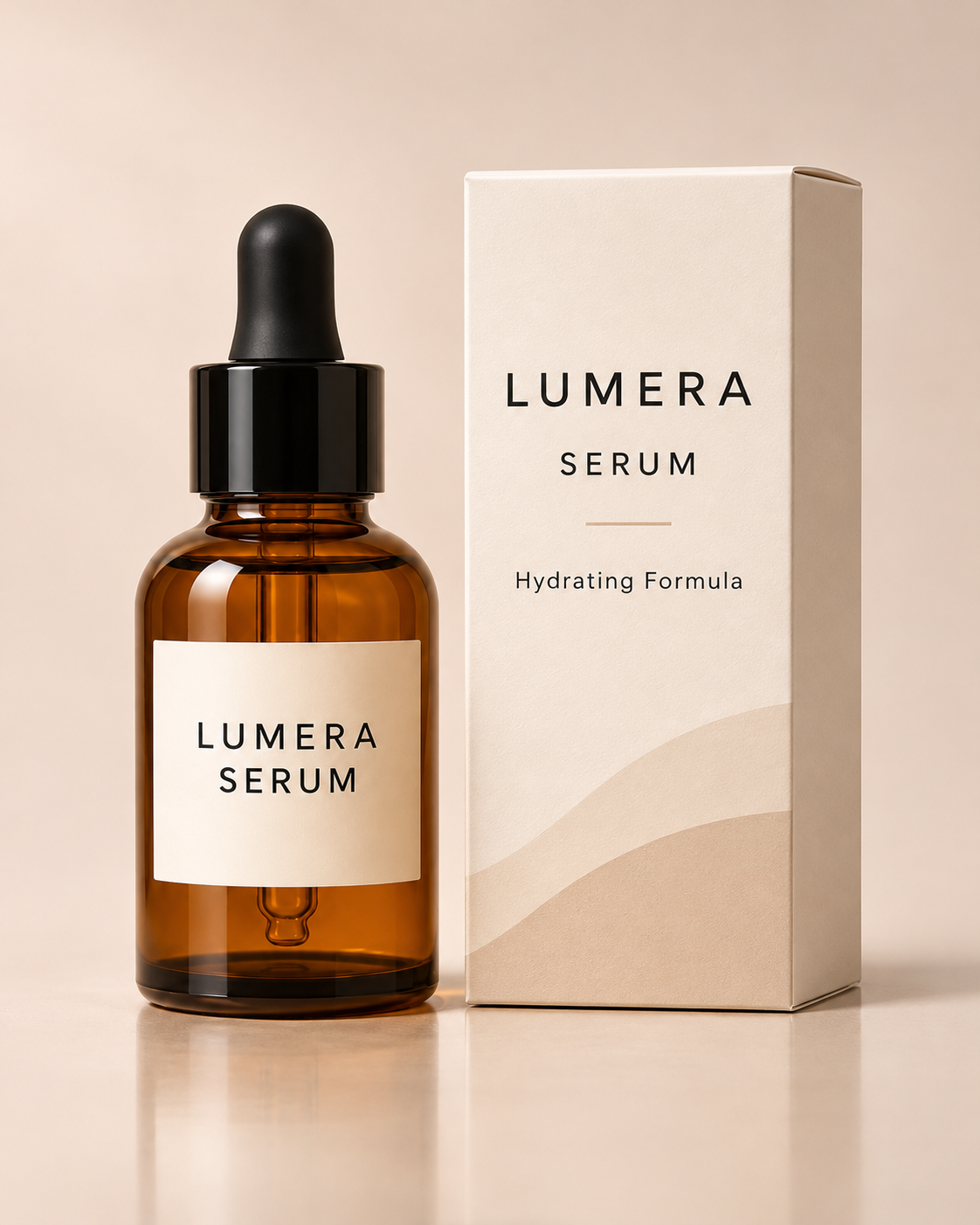
14. Product Packaging Mockup
Best for: Retail and cosmetics packaging. Suggested setup: Sunburst; high quality.
Copy-and-paste prompt:
Create a realistic 3D commercial packaging mockup for [product type]. Show the package from a three-quarter angle on a neutral studio background. Use the specified packaging shape [shape], material [material], finish [finish], and color palette [colors]. Place exactly the following front-facing text on the package: "[brand]", "[product name]", "[short label]". Show realistic folds, edges, printing texture, and reflections. If a packaging reference is provided, preserve its structure and artwork placement. Do not add fictional certifications, ingredient claims, legal statements, or extra decorative lettering.
Pro tip: Verify dimensions, claims, label placement and exact lettering.
Best GPT Image 2.6 Prompts for Editing, GIFs, and SVG
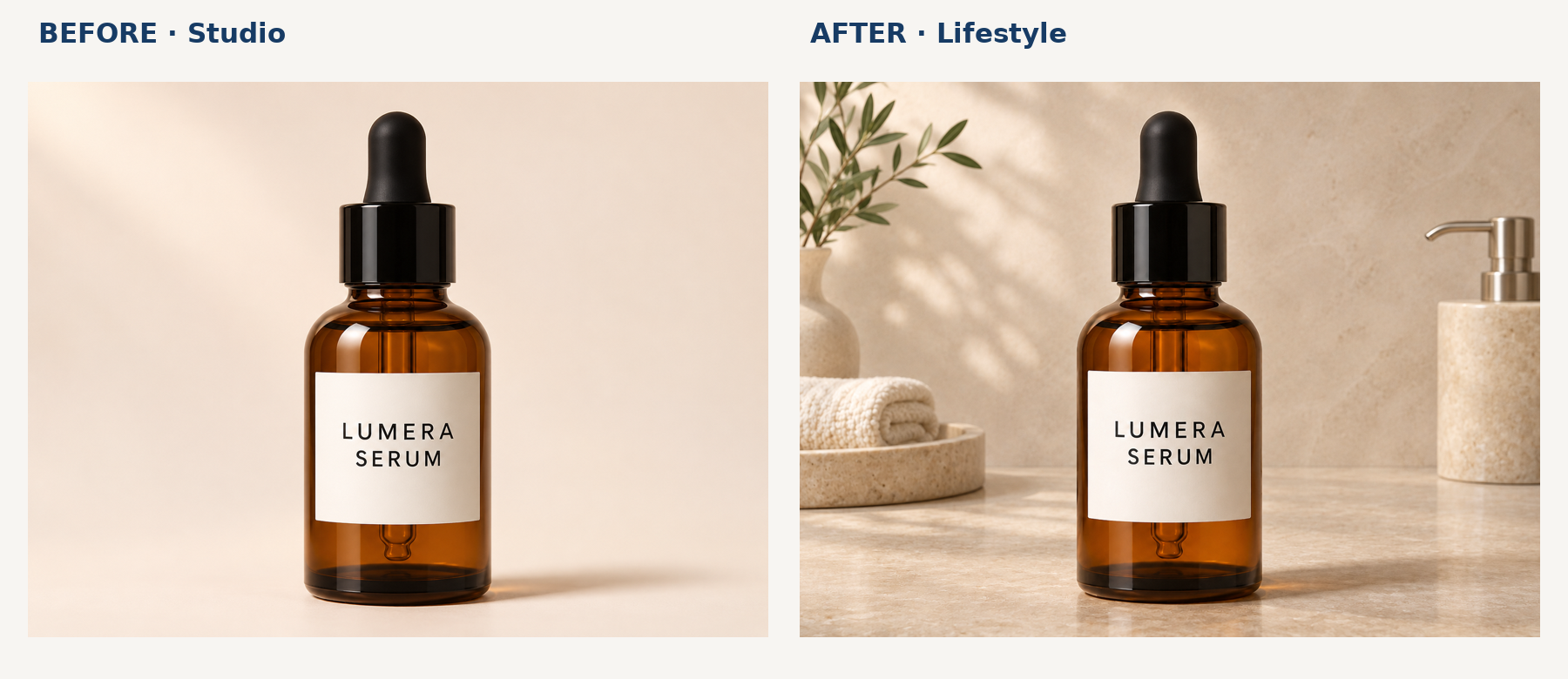
15. Background Replacement
Best for: E-commerce background changes. Suggested setup: Sunburst; begin with low complexity for focused edits.
Copy-and-paste prompt:
Edit the supplied product photograph. Change only the existing background to [new background description]. Preserve the product's exact shape, scale, placement, color, logo, labels, surface texture, and camera perspective. Keep all product details unchanged, including small printed text and accessories. Adjust only the environment lighting and contact shadows necessary to make the new background believable. Do not redesign, retouch, stretch, rotate, or duplicate the product. Maintain the original output dimensions and framing.
Pro tip: Compare original and edited product side by side.
16. Precise Image Editing
Best for: Localized commercial corrections. Suggested setup: Sunburst; annotated reference images when possible.
Copy-and-paste prompt:
Perform a precise localized edit on the supplied image. Change only [specific object or region] from [current state] to [desired state]. Preserve everything else exactly: subject identity, product geometry, facial features if applicable, clothing, typography, camera angle, lighting direction, background, framing, and colors outside the edited area. Do not regenerate the whole scene, change nearby objects, add extra elements, or modify existing text. Match the edited region naturally to the original image.
Pro tip: Separate Change Only from Preserve Exactly.
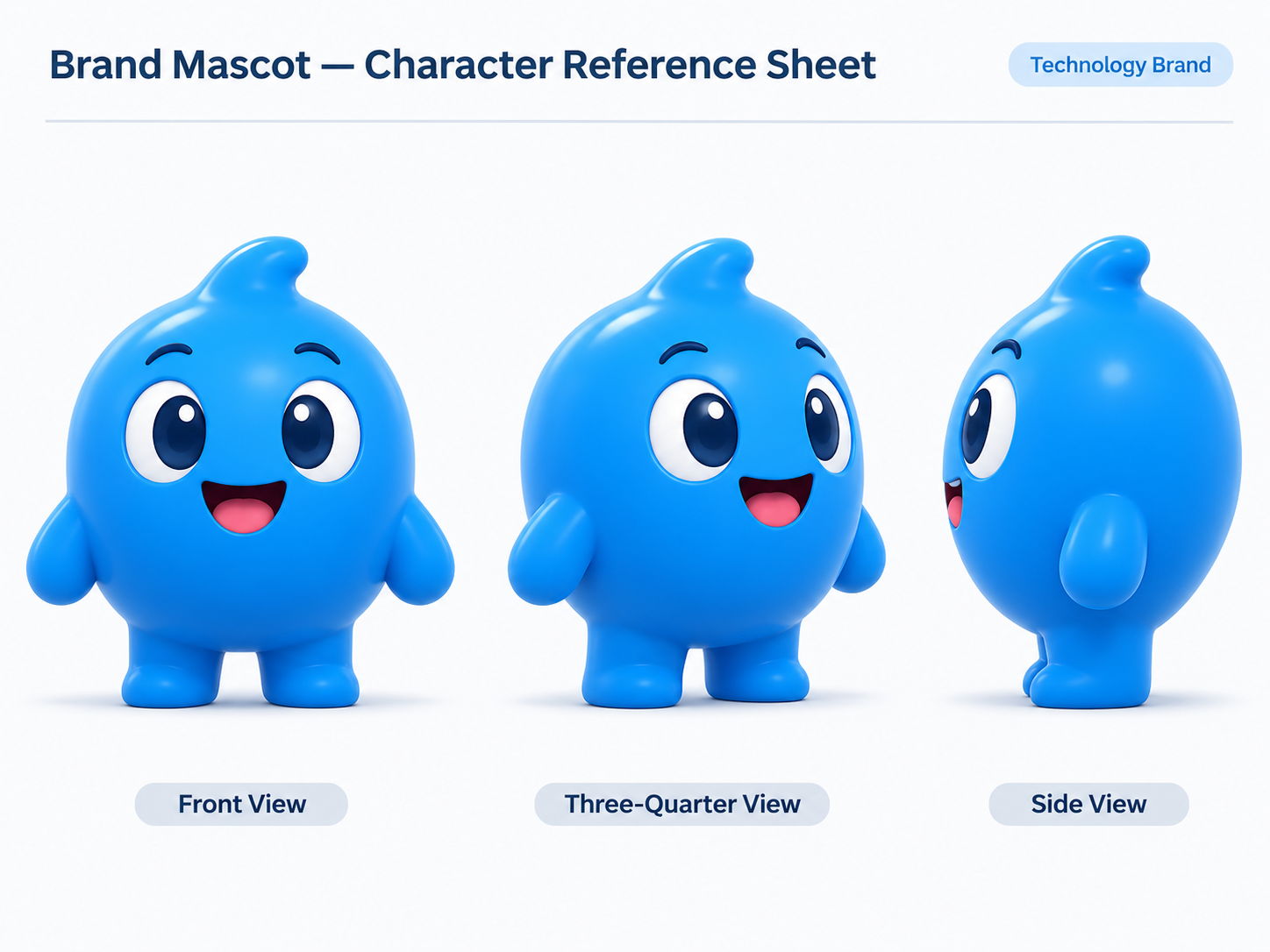
17. Consistent Character Design
Best for: Mascots and recurring illustration. Suggested setup: Sunburst; high quality.
Copy-and-paste prompt:
Create a professional character reference sheet for the original character shown in the attached reference image. Preserve the exact facial design, hairstyle, body proportions, clothing colors, signature accessories, and art style. Show the same character in three clearly separated views: front, three-quarter, and side. Maintain identical identity and costume details across all views, with neutral poses and consistent lighting. Use a clean background with equal spacing. Do not introduce new costumes, redesign facial features, change body proportions, or add unrelated characters.
Pro tip: Inspect identity drift across views.
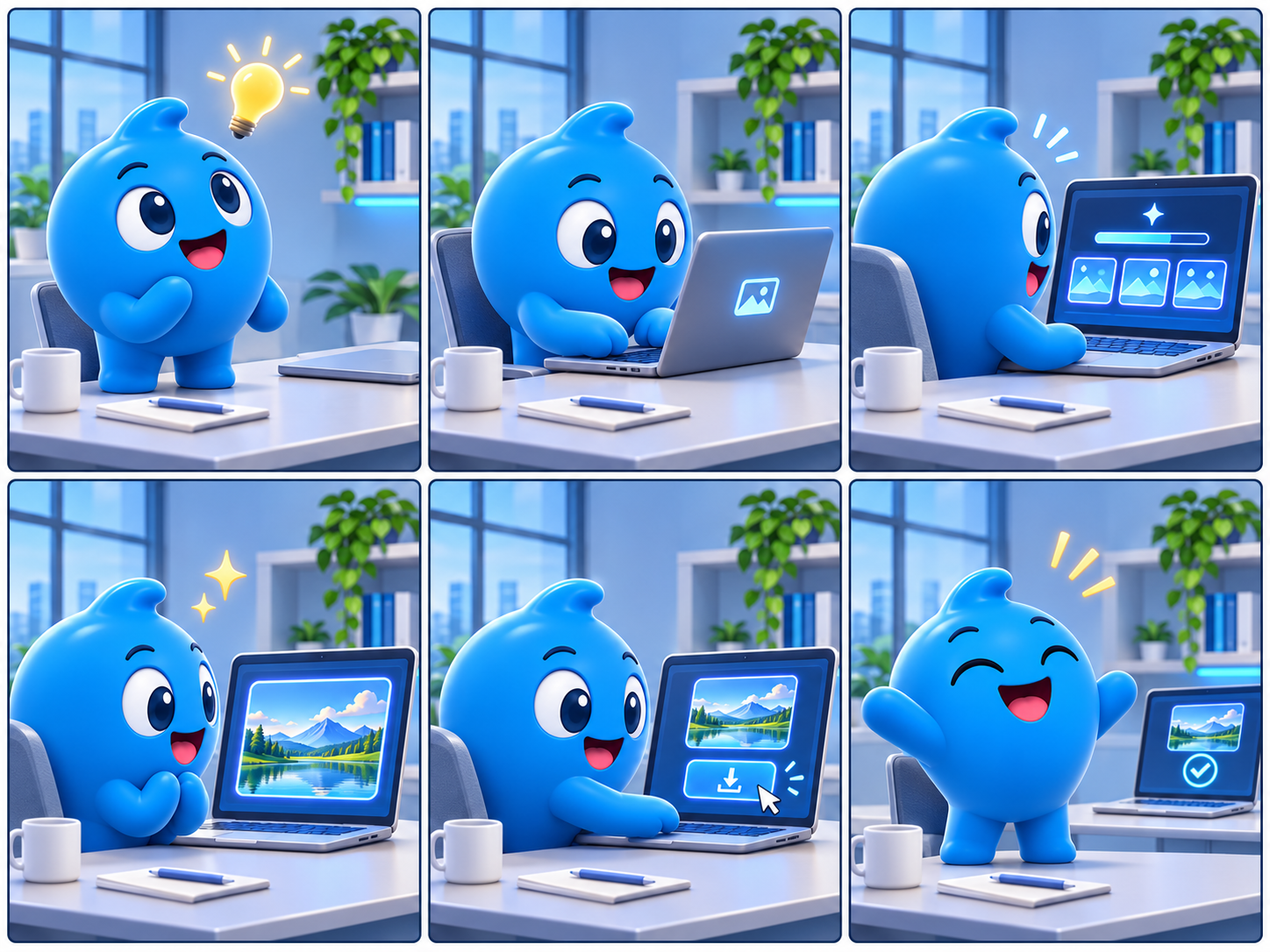
18. Multi-Panel Storyboard
Best for: Advertising and video storyboards. Suggested setup: Sunburst; high quality/high complexity.
Copy-and-paste prompt:
Create a professional six-panel storyboard for [campaign/story]. Use a precise 3-column by 2-row grid with equally sized panels. The story follows one consistent adult character in [setting]. Panel 1: [action]. Panel 2: [action]. Panel 3: [action]. Panel 4: [action]. Panel 5: [action]. Panel 6: [action]. Maintain the same character identity, clothing, environment, visual style, and screen direction across panels. Use cinematic compositions with clear visual continuity. No captions, panel numbers, speech bubbles, decorative borders, or unintended scene changes.
Pro tip: Review action sequence and character continuity.
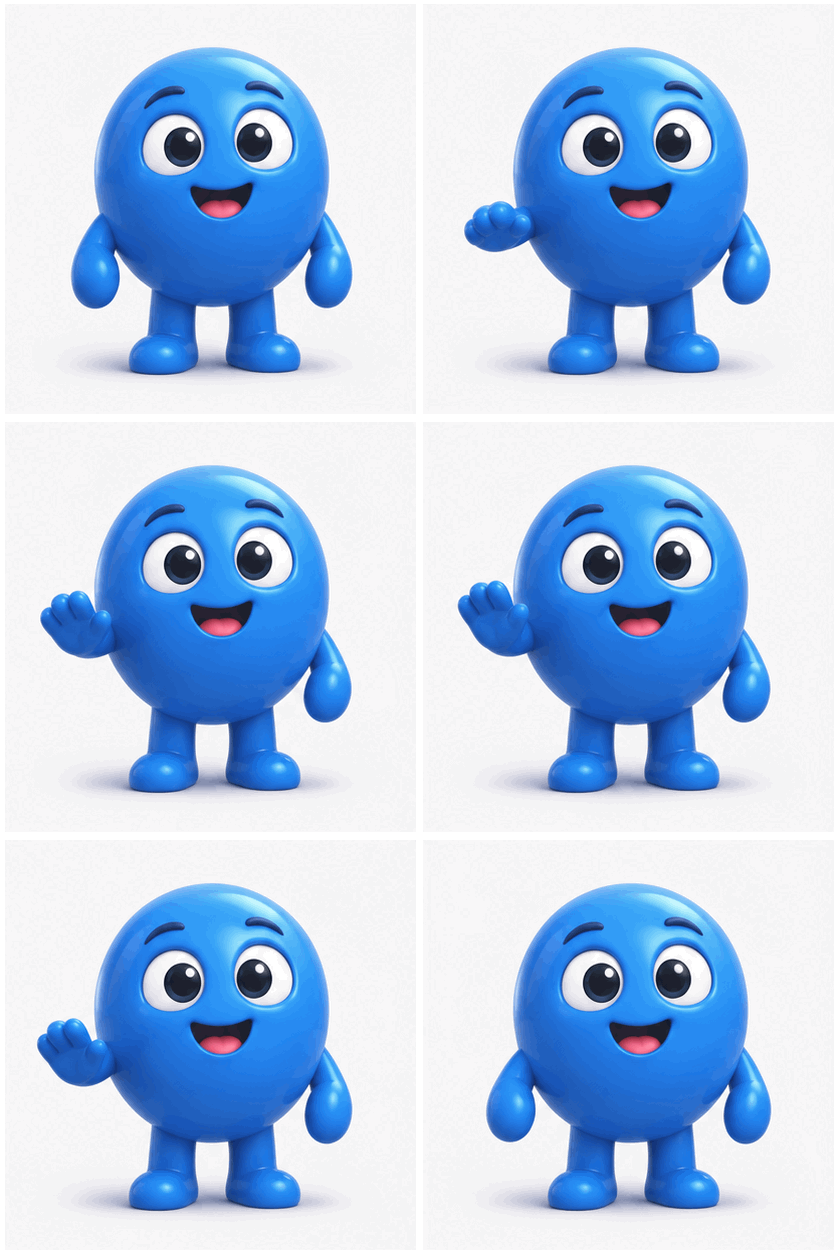
19. Animated GIF from Reference Image
Best for: Short looping mascot animations. Suggested setup: GPT Image 2.6 GIF workflow; check frame-count and duration support.
Copy-and-paste prompt:
Create a seamless looping animated GIF of the original mascot from the supplied reference image. Preserve the mascot's exact appearance, proportions, colors, expression style, and background. Animate one simple motion: the mascot raises its right hand, performs a gentle wave, lowers the hand, and returns smoothly to the original neutral pose. Use gradual, consistent motion between frames, a stationary camera, fixed background elements, and unchanged character features. Keep the entire character visible throughout. The final frame must transition naturally back to the first. No extra limbs, no shape distortion, no text, and no camera movement.
Pro tip: Use the supported GIF output workflow, configure frames and duration, then verify the loop; prompt text alone does not create an animated file.
20. SVG Icon and Vector Illustration
Best for: SaaS icons and editable vector assets. Suggested setup: SVG-capable image workflow; verify genuine vector output.
Copy-and-paste prompt:
Design a clean, original vector-style icon representing [concept], suitable for a professional SaaS interface. Use simple geometric shapes, consistent rounded corners, a uniform stroke system, and a limited palette of [colors]. Center the icon within a square canvas with balanced padding. Avoid raster textures, photographic shading, tiny details, complex gradients, decorative typography, or unrelated symbols. The design should remain legible at small sizes and use clear, scalable geometry. Produce a visually coherent icon appropriate for editable SVG output.
Pro tip: Inspect the actual SVG paths and shapes; a vector-looking PNG is not an editable SVG.
Editable SVG examples: This guide includes an original six-icon SVG system, six individual icon files, and an editable four-step image-workflow illustration. They are design assets created for the article, not outputs of a claimed GPT Image 2.6 API test. They illustrate what a clean vector deliverable can contain: editable <path>, <rect>, <circle>, and text elements. See the downloadable asset bundle supplied with this article.
Suggested image caption: Original editable SVG icon system demonstrating Prompt 20's geometric styling and scalable design principles.
Alt text: Editable SVG icon set showing API access, image creation, precise editing, usage analytics, workflow, and vector export.
How to Fix GPT Image 2.6 Prompt Problems
Professional image production often fails in repeatable ways: labels drift after multiple revisions, a targeted background edit also changes the subject, or a dense infographic invents text. Our review of creator discussions identified these as useful priorities for revision planning. Use the specific constraint that addresses the failure instead of rewriting the entire prompt.
| Failure | Targeted correction |
|---|---|
| Incorrect product labels | "Preserve every printed word exactly as shown in the reference." |
| Changed product silhouette | "Keep the original silhouette and geometry unchanged." |
| Artificial-looking photography | "Use natural textures, realistic imperfections and restrained retouching." |
| Incorrect poster copy | "Include only the exact quoted text; add no other lettering." |
| Background edit affects the subject | "Change only the specified region; preserve all other objects." |
| Jerky GIF movement | "Use progressive movements and return smoothly to the starting pose." |
| Crowded infographic | "Reduce decorative elements and add whitespace between sections." |
Three Specific Prompt Fixes
Case A — Product label drift. A vague prompt such as "Create a premium photo of a skincare bottle" leaves packaging open to reinterpretation. Replace it with: "Using the supplied product reference, preserve the bottle silhouette, cap proportions, printed label, logo and material exactly. Change only the background to beige studio paper and adjust environmental lighting." In a November 2026 e-commerce discussion, creators reported drifting labels in later rounds and described resupplying the reference and exact lettering as a practical response. Check the output against the source; this is a community-reported approach, not a measured success rate.
Case B — A small edit changes the person. "Change the background to a modern office" can be under-specified. Improve it to: "Change only the background behind the subject to a modern office. Preserve facial identity, hair, expression, outfit, pose, scale and camera framing. Match only the background lighting." Inspect the unchanged region side by side.
Case C — Infographic invents text. "Create an AI business infographic" does not define the facts. Improve it to: "Create a vertical infographic with exactly three sections: Customer Support, Content Production, Data Analysis. Use these titles exactly. No percentages, extra sections, filler text or invented statistics. Keep one icon and consistent spacing per section." Check the actual labels before publication.
Quality, Complexity and Acceptance
Rendering quality and planning complexity are separate settings. Flare and Sunburst document low, medium and high complexity; when omitted, the documented default is high. A higher planning setting may help dense diagrams, while simpler edits can benefit from a narrower scope. Treat the suggestions below as starting points, not benchmark results.
| Task | Starting complexity | Main check |
|---|---|---|
| Focused background replacement | Low | Subject preserved |
| Standard product photo | Medium | Product geometry |
| Dense infographic or process | High | Text and relationships |
| Precise localized edit | Low/Medium | No collateral change |
| Character reference sheet | Medium/High | Identity across views |
Before approving an image, check subject identity, exact lettering, believable material texture, layout, reference preservation and final file format. Record rejected rounds and accepted deliverables if you want to measure revision efficiency.
How to Scale Professional Image Generation with LinkModel
Pricing for Professional Image Workflows
Through November 30, 2026, LinkModel's stated GPT Image 2.6 promotion charges 65% of OpenAI's standard token rates for the corresponding billing categories.
| Per 1M tokens | OpenAI | LinkModel |
|---|---|---|
| Text input | $5.00 | $3.25 |
| Cached text input | $1.25 | $0.8125 |
| Image input | $8.00 | $5.20 |
| Cached image input | $2.00 | $1.30 |
| Image output | $30.00 | $19.50 |
For 10 million image-output tokens, the corresponding image-output cost is $300 versus $195, saving $105.
Calculate Cost per Accepted Image
Consider a professional workflow with the following token consumption:
| Billing component | Usage | OpenAI | LinkModel |
|---|---|---|---|
| Text input | 1M | $5.00 | $3.25 |
| Image input | 2M | $16.00 | $10.40 |
| Cached image input | 1M | $2.00 | $1.30 |
| Image output | 10M | $300.00 | $195.00 |
| Total | $323.00 | $209.95 |
The matched-use calculation saves $113.05, or 35%. If this workload yields 100 accepted images, the modeled average is $2.10 per accepted image via LinkModel. The useful production metric is total generation and editing charges ÷ accepted deliverables. It captures the impact of revisions instead of treating every generated image as a finished asset.
GIFs can incur output usage associated with animation frames. SVG output may involve a reference-image stage and an SVG-authoring stage, so check the full supported workflow and returned usage rather than estimating SVG cost solely from an image-output rate.
A Reusable Professional Production Workflow
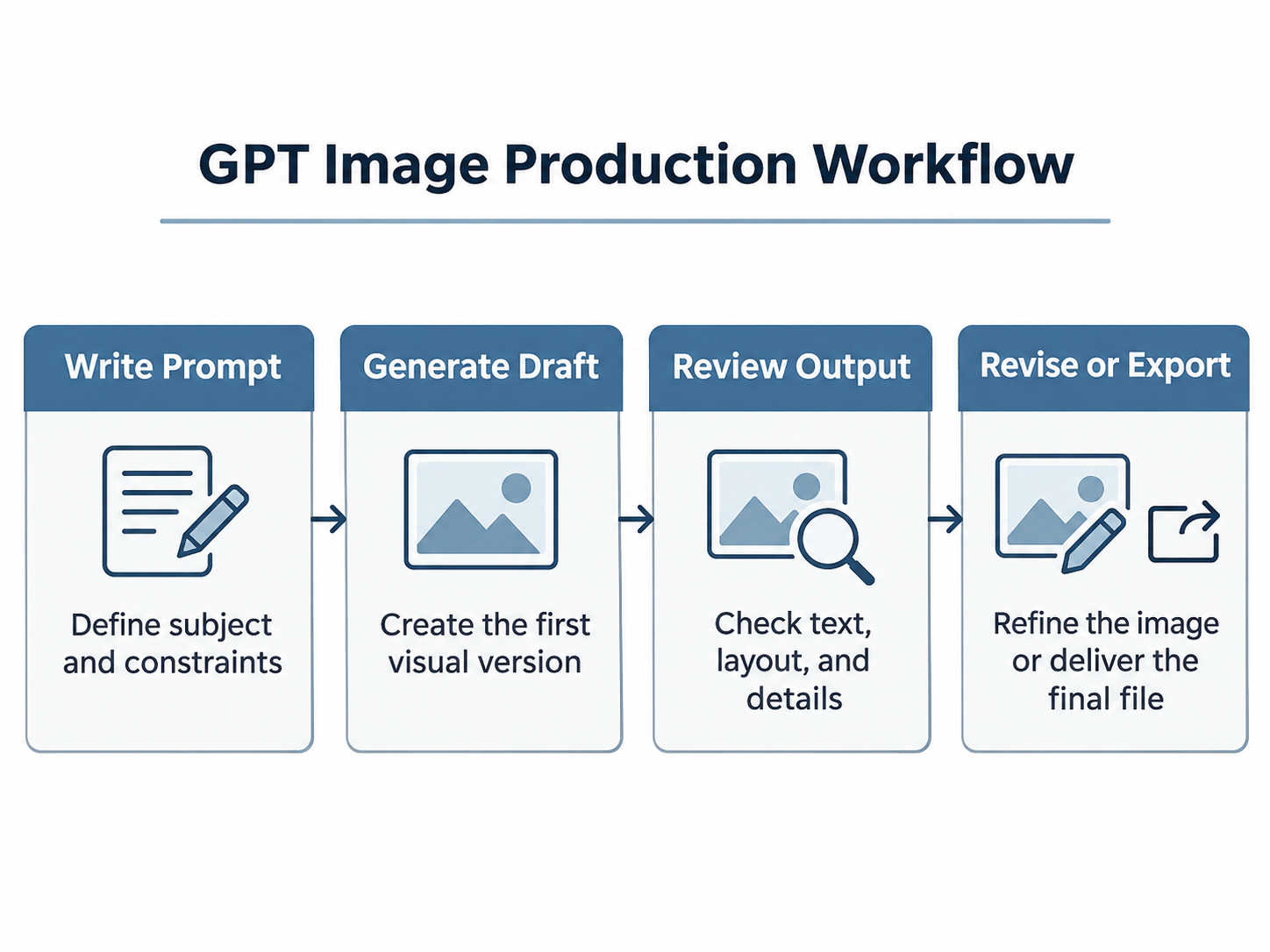
Stage 1 — Standardize inputs. Store product geometry, exact text, brand colors, aspect ratio, and preservation rules as replaceable fields. Stage 2 — Explore deliberately. Use Flare when fast variations matter or Sunburst for more detail-sensitive work. Stage 3 — Review and revise locally. Identify the failed requirement and preserve accepted elements. Stage 4 — Track total use. Measure tokens, revisions, approved assets and cost per accepted image.
LinkModel provides unified access and billing for supported models, a Playground, $0 minimum spend and $0 monthly platform fee. For higher-volume commercial image production, its 35% promotional token-rate advantage gives teams a concrete cost reason to evaluate a reusable workflow. Confirm the model and exact requested output feature before automating the pipeline.
Frequently Asked Questions
1. What is the best prompt structure for GPT Image 2.6?
Define the deliverable, subject, composition, lighting, exact text, references, and constraints. For edits, explicitly separate what must change from what must remain unchanged.
2. Which model should I use, Flare or Sunburst?
Use Flare as a starting point for rapid layout iteration and Sunburst for detail-sensitive image creation and precise editing. Review the actual output and task needs rather than assuming one model always wins.
3. How do I preserve exact text and product details?
Supply an original reference, quote required wording verbatim, constrain geometry and labels, and proofread the final output. For critical production text, a design editor can provide a final manual correction layer.
4. Can GPT Image 2.6 create animated GIFs and editable SVG files?
The documented image workflows support GIF and SVG output with appropriate format and generation settings. GIF output includes animation controls such as frame count and frame duration. SVG requires a vector document, potentially involving a separate SVG-authoring stage. Inspect the actual returned artifact; a static PNG preview is neither an animated GIF nor an editable SVG.
5. How can I reduce professional image-generation costs?
Standardize prompts, avoid unnecessary full-scene regenerations, select appropriate rendering settings, and track cost per accepted image. Through November 30, 2026, LinkModel's stated GPT Image 2.6 token rates are 35% lower than OpenAI's corresponding standard rates.
Conclusion
The best GPT Image 2.6 prompts are repeatable creative specifications: they define what to create, which details matter, how to preserve them, and what a deliverable must contain. These 20 templates cover product photography, marketing assets, infographics, interfaces, localized edits, animation and vectors. The supplied original SVG files provide editable design examples for Prompt 20, while genuine GPT Image 2.6 results should be captured separately when evaluating model output. For production teams, LinkModel's 35% promotional rate advantage through November 30, 2026, combined with pay-as-you-go billing and unified model access, makes repeated professional image work easier to budget.