The best Halloween AI video prompts combine a clear subject, one main action, controlled camera movement, and atmospheric lighting. These 28 copy-and-paste prompts cover cinematic horror, creepy transformations, cute Halloween animations, and spooky projections, with practical techniques for creating TikTok videos, Reels, and Halloween shorts.
But even great Halloween ideas can turn into wasted credits when AI-generated videos suffer from distorted motion, inconsistent characters, failed loops, or repeated retries. Our review of creator workflows and user questions highlights why precise prompts, reusable references, and controlled generation matter when you want better results without overspending.
With LinkModel, you can create Halloween videos using Seedance 2.5 starting at just $0.09766/sec for 480p**, through a unified API with pay-as-you-go pricing, no minimum spend, and no monthly platform fee. New users get $1 in free credits upon registration, so you can try the platform before topping up. Plus, both new and existing users receive 50% extra credits on eligible top-ups, with multiple top-ups allowed and a cumulative $100 bonus cap. Claim the Halloween offer before November 8, 2026, at 11:59 PM PST.

28 Best Halloween AI Video Prompts to Copy and Paste
A great Halloween AI video prompt describes a recognizable subject, a specific supernatural or playful event, and a clear visual direction.
Rather than asking an AI model to make something vaguely scary, tell it exactly what viewers should see and what should change.
Find the Right Halloween AI Video Prompt
| What you want to create | Recommended category | Prompt numbers |
|---|---|---|
| Cinematic haunted houses and spooky landscapes | Cinematic Horror | 1–4 |
| VHS, surveillance, and found-footage scares | Analog Horror | 5–8 |
| Witches, vampires, werewolves, and skeletons | Halloween Characters | 9–12 |
| Creepy transformations and first-person scares | Transformations & POV | 13–16 |
| Cute Halloween animations and family-friendly clips | Cute Halloween | 17–20 |
| Window projections, ghosts, and singing pumpkins | Halloween Loops | 21–24 |
| TikTok, Reels, costumes, and product videos | Social & Ads | 25–28 |
Quick settings guide: Use a vertical 9:16 composition for short-form social content and 16:9 for cinematic footage when supported. Start with a short generation that clearly captures the main action, then extend the story through additional shots.
Cinematic Halloween AI Video Prompts for Haunted Houses
Cinematic Halloween videos work best when suspense develops around one identifiable event. Carefully controlled lighting and camera movement can build anticipation before the supernatural reveal.
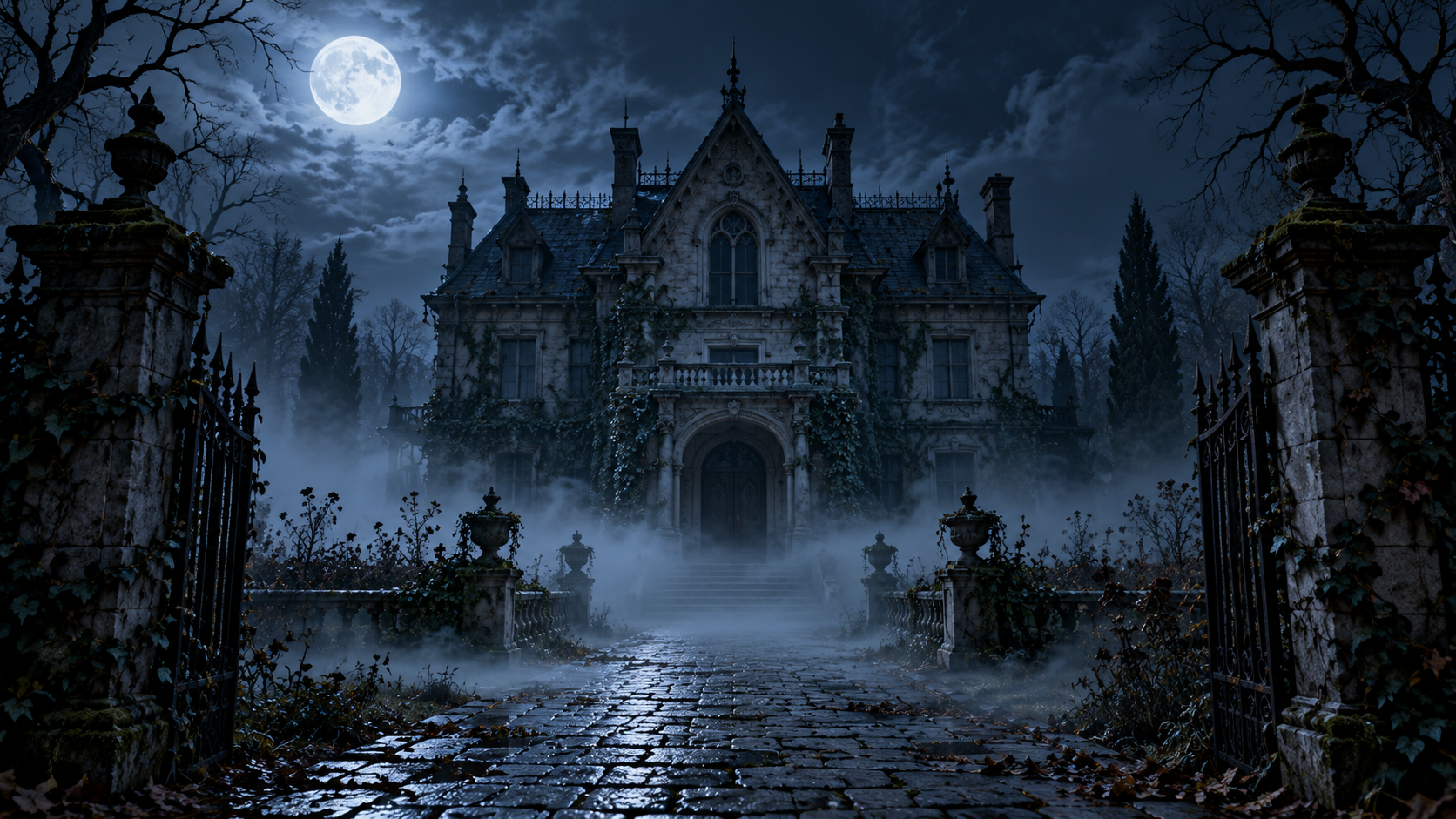
1. Haunted Victorian Mansion
Best for: Horror movie introductions and Halloween trailers Suggested format: 16:9
Copy-paste prompt:
A deserted Victorian mansion stands at the end of a fog-covered path on Halloween night. The camera slowly tracks toward the entrance. A single upstairs window suddenly illuminates, revealing a motionless human-shaped silhouette behind the curtains. Cold moonlight, deep shadows, subtle 35mm film grain, realistic cinematic horror, one continuous shot.
Why it works: The slow approach establishes suspense before the silhouette appears. If the figure changes shape, split the establishing shot and window reveal into separate clips.
2. Cemetery Beneath the Blood Moon
Best for: Gothic horror and atmospheric Halloween content Suggested format: 16:9
Copy-paste prompt:
An abandoned cemetery lies beneath an enormous blood-red moon. Thick fog drifts between weathered gravestones. The camera glides slowly forward at ground level as a stone angel gradually turns its head toward the lens. Desaturated blue-gray colors, dramatic red moonlight, realistic stone textures, cinematic Gothic horror.
Why it works: A small movement within an otherwise still environment makes the supernatural event immediately noticeable.
3. The Door at the End of the Hallway
Best for: Psychological horror and suspense Suggested format: 9:16
Copy-paste prompt:
A narrow hallway inside an abandoned hotel, viewed from a perfectly fixed camera. The overhead fluorescent light flickers twice. During the second flicker, a closed wooden door slowly opens by itself, revealing complete darkness beyond. Symmetrical composition, faded wallpaper, cold lighting, unsettling cinematic realism, continuous shot.
Production tip: Keep the camera fixed so the door remains the center of attention.
4. The Abandoned Carnival
Best for: Cinematic horror storytelling Suggested format: 16:9
Copy-paste prompt:
A deserted carnival at midnight, covered in low drifting fog. A vintage carousel begins rotating slowly without any riders. One painted horse gently turns its head while every other carousel figure remains still. Slow lateral tracking camera, faded carnival colors, wet pavement reflections, atmospheric cinematic horror.
Why it works: The contrast between a familiar carnival environment and an impossible movement establishes the horror premise.
Analog Horror and Found-Footage Halloween AI Video Prompts
Analog horror uses surveillance framing, old videotape textures, and subtle abnormalities to create unsettling scenes.
Our review of horror creator workflows suggests that a stable environment with one impossible change can be more effective than multiple simultaneous effects.
5. VHS School Hallway
Best for: Analog horror Shorts Suggested format: 9:16
Copy-paste prompt:
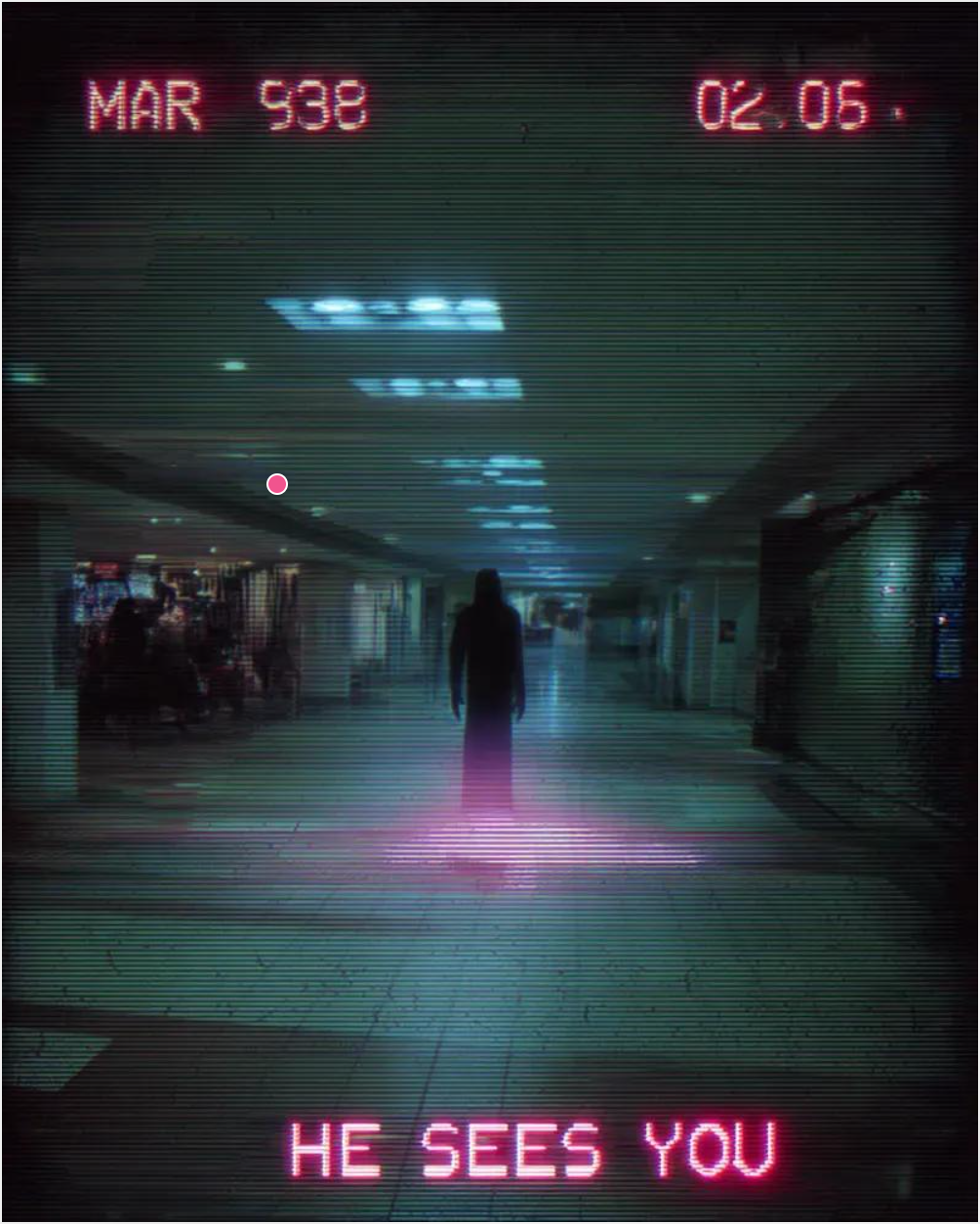
Grainy VHS security footage of an abandoned school hallway at midnight. A distant black silhouette stands beneath flickering fluorescent lights. Each time the lights briefly go out, the silhouette appears one step closer without visibly walking. Locked-off surveillance camera, muted colors, subtle tape noise, deep shadows, unsettling realism.
Why it works: The fixed perspective makes the figure's unnatural movement easy to recognize.
Production focus: Check whether the hallway architecture and character silhouette remain consistent during lighting changes.
6. The Figure in the Mirror
Best for: Psychological horror and found footage Suggested format: 9:16
Copy-paste prompt:
A handheld camera records an old bathroom mirror inside an abandoned house. The mirror initially reflects an empty doorway. As the camera shifts slightly left, a dark human-shaped figure appears in the reflection and remains completely motionless. Natural handheld movement, harsh fluorescent lighting, subtle digital compression, realistic found-footage horror.
Production tip: If the reflection behaves incorrectly, simplify the camera movement or create the reveal using separate shots.
7. Emergency Broadcast Interruption
Best for: Retro horror and Halloween mystery videos Suggested format: 16:9
Copy-paste prompt:
A fictional 1980s television broadcast shows a quiet suburban street at night. Analog interference spreads across the image as the streetlights switch off one after another. A distant human-shaped figure appears beneath the final illuminated streetlight. Static television framing, VHS tracking distortion, muted colors, eerie documentary realism.
Production tip: Add exact timestamps and broadcast messages in editing rather than relying on generated typography.
8. The Empty Elevator
Best for: Short jump-scare videos Suggested format: 9:16
Copy-paste prompt:
Fixed security-camera footage inside an old elevator. The doors open onto an empty hotel corridor. After a brief pause, a tall shadow slides across the corridor wall although no person is visible. The elevator doors slowly close. Low-resolution surveillance aesthetic, flickering ceiling light, realistic proportions, continuous shot.
Creative takeaway: Found-footage horror does not require complicated monsters. A believable camera perspective and one unnatural event can communicate the entire story.
Halloween AI Video Prompts for Witches, Vampires, and Skeletons
Classic Halloween characters are instantly recognizable. Their clothing, props, and silhouettes make them suitable for short animations with clear actions.
9. Witch Brewing a Glowing Potion
Best for: Halloween fantasy videos Suggested format: 9:16
Copy-paste prompt:
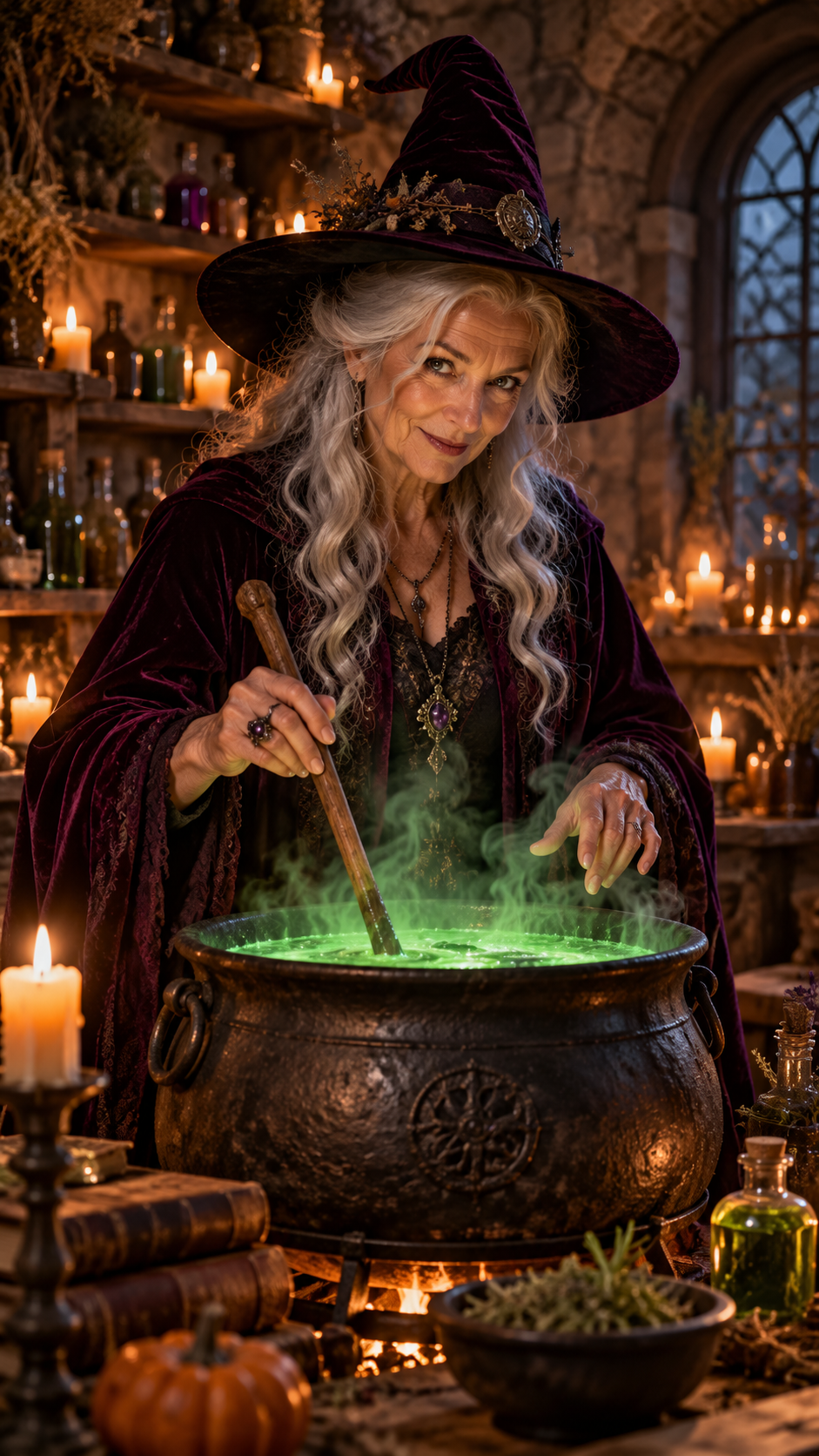
An elderly witch wearing a dark velvet cloak stirs a glowing green potion inside a candlelit stone cottage. As she raises her wooden spoon, luminous vapor rises from the cauldron and briefly forms a ghostly face. Medium shot, gentle forward camera movement, warm candlelight contrasting with green magical illumination, detailed fantasy cinematography.
Why it works: The cauldron provides a stable focal point while the vapor creates the supernatural effect.
Production focus: Evaluate the motion of the witch's hands, the consistency of the cauldron, and the shape of the emerging vapor.
10. Vampire Awakening
Best for: Gothic horror trailers Suggested format: 16:9
Copy-paste prompt:
Inside a candlelit Gothic crypt, an ancient vampire slowly opens his eyes while lying inside a black wooden coffin. His expression changes from peaceful to threatening as the camera gradually moves closer. Pale skin, crimson velvet lining, dramatic shadows, realistic cinematic detail, restrained movement.
11. Werewolf Transformation
Best for: Creature transformation videos Suggested format: 16:9
Copy-paste prompt:
A lone traveler stands beside a tree in a moonlit forest. Dark fur gradually spreads across one hand as the fingers transform into sharp claws. Close-up framing focused on the hand, subtle handheld movement, cold blue moonlight, detailed practical-effects-inspired transformation, realistic dark fantasy.
Production tip: Focus on a single transforming body part before attempting a complete transformation.
12. Skeleton Dance Party
Best for: Halloween TikTok videos and Reels Suggested format: 9:16
Copy-paste prompt:
Three friendly skeletons dance on a wooden stage surrounded by glowing pumpkins. They perform simple synchronized side-to-side steps with repeating arm movements. Fixed frontal camera, orange and purple party lighting, playful 3D animation, consistent body proportions, energetic Halloween atmosphere.
Why it works: Repeating choreography gives the model a more specific movement target than an unrestricted dance sequence.
Creepy Transformation and POV Halloween AI Video Prompts
Transformation and first-person horror videos create suspense through a controlled visual change.
For complex effects, focus each clip on one stage of the transformation and keep the camera behavior unambiguous.
13. Haunted Doll Awakens
Best for: Creepy Halloween Shorts Suggested format: 9:16
Copy-paste prompt:
An antique porcelain doll sits motionless on a dusty nursery shelf. The camera slowly pushes toward its face. Suddenly, its glass eyes rotate to look directly at the viewer while the rest of its body remains completely still. Soft moonlight through lace curtains, shallow depth of field, realistic porcelain texture, psychological horror.
14. POV: Something Follows You
Best for: Immersive first-person horror Suggested format: 9:16
Copy-paste prompt:
First-person perspective walking slowly through a foggy forest at night. A flashlight beam moves across dark tree trunks. The camera pauses, revealing two faint glowing eyes between the trees. The eyes disappear as the flashlight steadies. Natural handheld movement, realistic flashlight illumination, cold atmospheric lighting, immersive found-footage horror.
15. The Shadow Moves Independently
Best for: Supernatural suspense Suggested format: 16:9
Copy-paste prompt:
A person stands completely still beneath a flickering streetlamp on an empty road. Their shadow slowly raises one arm while the person remains motionless. Locked-off wide shot, wet asphalt, faint drifting mist, realistic nighttime lighting, minimalist supernatural horror.
16. Pumpkin Turns Into a Monster
Best for: Halloween transformation videos Suggested format: 9:16
Copy-paste prompt:
A carved jack-o'-lantern rests on a weathered wooden table. The candle flame inside suddenly turns bright blue. The pumpkin's carved smile slowly stretches wider, revealing a row of tiny glowing teeth. Fixed close-up camera, warm orange light contrasting with blue flame, stylized dark fantasy, controlled supernatural transformation.
Creative tip: Where supported, first-and-last-frame guidance can help define the normal pumpkin and transformed appearance.
Cute and Family-Friendly Halloween AI Video Prompts
Halloween videos can be playful rather than frightening. Cute ghosts, kittens, and miniature pumpkins are suitable for invitations, family events, and seasonal social content.
17. Baby Ghost Learns to Fly
Best for: Cute Halloween animations Suggested format: 9:16
Copy-paste prompt:
A tiny round white ghost with expressive eyes floats uncertainly above a pumpkin patch. It attempts a small upward flight, wobbles gently, and lands softly inside an oversized pumpkin. Bright moonlit sky, soft pastel colors, charming 3D animation, gentle camera tracking, heartwarming magical atmosphere.
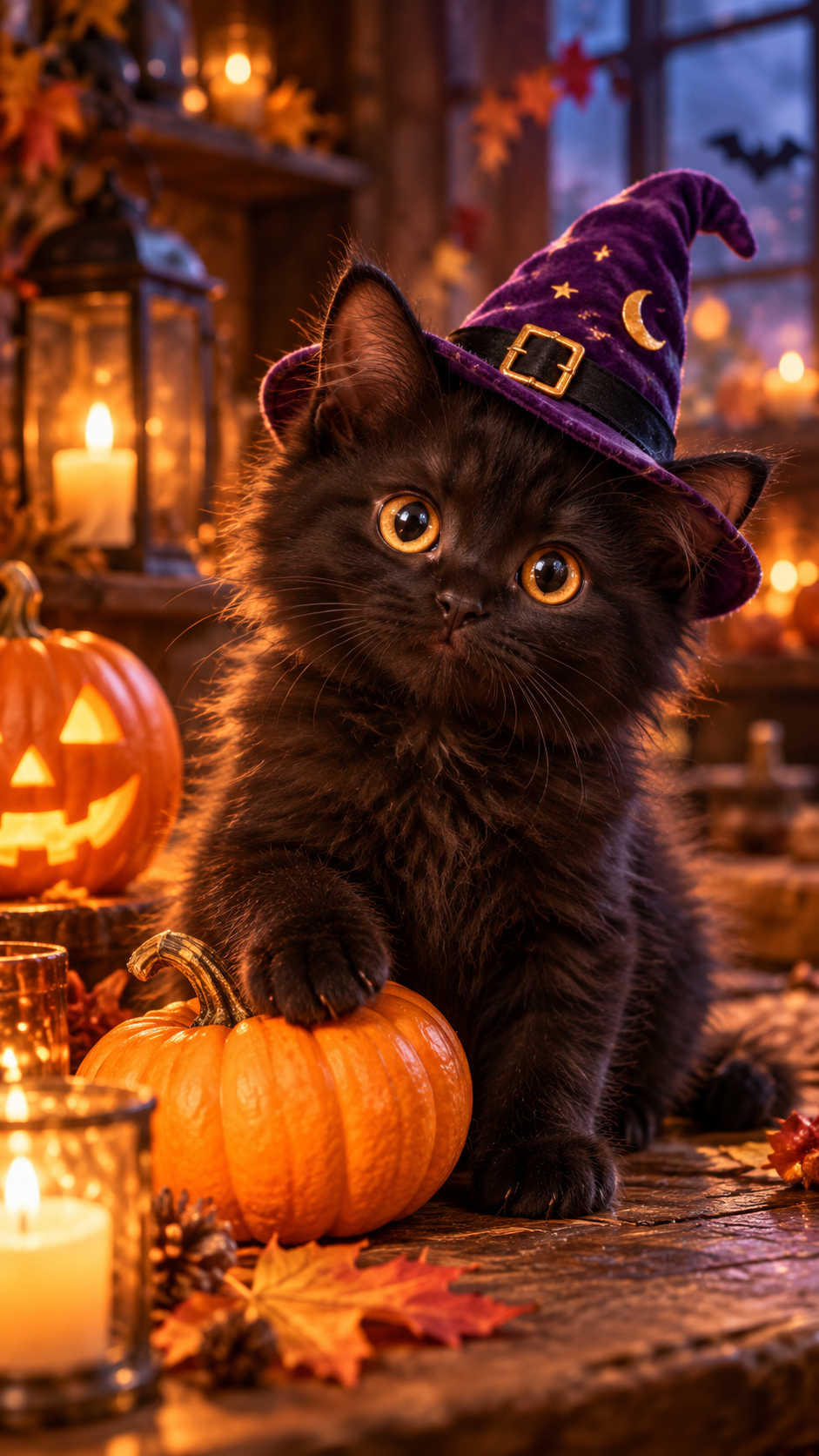
18. Black Kitten Witch
Best for: Halloween pet videos Suggested format: 9:16
Copy-paste prompt:
A fluffy black kitten wearing a tiny purple witch hat sits beside a miniature pumpkin. The kitten gently taps the pumpkin with one paw, causing a small burst of golden magical sparkles. Close-up camera at kitten eye level, warm cozy lighting, detailed soft fur, whimsical Halloween fantasy.
19. Dancing Candy Ghosts
Best for: Children's Halloween events Suggested format: 9:16
Copy-paste prompt:
Four adorable candy-shaped ghosts float above a colorful Halloween dessert table. They gently bounce together in a simple repeating rhythm while tiny stars sparkle around them. Fixed camera, pastel orange and lavender colors, polished 3D cartoon animation, cheerful expressions, friendly Halloween atmosphere.
20. The Pumpkin Lantern Parade
Best for: Animated Halloween greetings Suggested format: 16:9
Copy-paste prompt:
A group of small glowing pumpkin creatures marches along a winding cobblestone road through an enchanted autumn village. Their tiny legs move in a steady repeating rhythm as golden leaves fall around them. Slow lateral tracking camera, storybook architecture, warm lantern lighting, magical family-friendly fantasy.
Production takeaway: For cute Halloween animation, prioritize stable facial expressions, readable character shapes, and gentle motion over complicated camera choreography.
Halloween AI Video Prompts for Window Projections and Seamless Loops
Halloween projections require a different workflow from ordinary social videos. They may repeat for extended periods, making stable framing, consistent lighting, and predictable animation especially important.
Our review of creator questions identified two useful scenarios: a witch projection requiring a special action every 30 seconds and a planned fundraising display involving approximately 50 singing pumpkins.
21. Looping Witch at the Window
Best for: Halloween window projections Suggested format: 16:9
Copy-paste prompt:
A mysterious witch stands inside a dimly lit cottage, slowly stirring a glowing green cauldron in a smooth repeating circular motion. The locked-off camera remains perfectly still. Candle flames flicker subtly while the background stays unchanged. Dark silhouette-friendly composition, steady illumination, minimal environmental movement, designed for a short repeating animation.
Case Study: A Witch Projection with a Surprise Every 30 Seconds
A practical Halloween decoration request examined in our research involved a witch continuously stirring a cauldron while performing an unusual action every 30 seconds.
The challenge is that short AI-generated clips do not automatically provide long-duration timing or a seamless restart.
A more manageable production workflow separates the display into three components.
Base animation: Generate a short clip showing the witch stirring the cauldron.
Special animation: Generate a separate action, such as the witch raising her hand or a ghost emerging from the potion.
Editing timeline: Repeat the base animation and insert the special action at scheduled intervals.
For a two-minute display, the editing plan can place events at approximately 30, 60, 90, and 120 seconds, with the final event coordinated with the restart.
Production focus: Check whether the first and last frames have compatible positions, lighting, and motion before creating the final loop.
22. Singing Jack-o'-Lantern
Best for: Halloween displays and animated pumpkins Suggested format: 16:9
Copy-paste prompt:
A single carved jack-o'-lantern faces the camera against a completely black background. Its carved mouth opens and closes in a simple rhythmic pattern while its glowing eyes remain stable. Fixed frontal composition, bright orange illumination inside the pumpkin, minimal background motion, theatrical Halloween projection aesthetic.
Case Study: A 50-Pumpkin Fundraising Display
Another project reviewed during our research involved a goal of animating approximately 50 singing jack-o'-lanterns for a food-bank fundraising display.
The project raised a practical production question: how can a large animated decoration be created without generating every character independently from the beginning?
A reusable-asset workflow offers one approach.
Start with an approved pumpkin design, then develop a small collection of mouth movements or expressions. Reuse compatible assets while coordinating the final arrangement through editing or compositing.
For singing synchronization, match mouth motion to the selected audio using an appropriate animation workflow.
Key lesson: A display containing 50 pumpkins does not necessarily require 50 separately generated full-length performances.
Production focus: Evaluate mouth visibility, movement consistency, synchronization, and the number of generation attempts needed to obtain usable assets.

23. Ghost in the Attic Window
Best for: Haunted-house decorations Suggested format: 16:9
Copy-paste prompt:
A translucent ghost floats slowly from left to right across a dark attic window, then gradually fades into the shadows. Static frontal camera, pure black background, pale bluish illumination, gentle horizontal movement, minimal visual distractions, theatrical ghost projection style.
24. Breathing Haunted Portrait
Best for: Indoor Halloween decorations Suggested format: 4:3
Copy-paste prompt:
An old oil painting of a stern Victorian woman hangs inside an ornate golden frame. Her shoulders rise and fall very subtly as though she is breathing. Everything outside the painted figure remains still. Locked camera, dim warm lighting, aged canvas texture, eerie museum atmosphere, restrained repeating motion.
Projection tip: Test the final animation on the actual display surface. Check brightness, contrast, framing, and playback continuity before using it for an extended Halloween event.
Halloween AI Video Prompts for TikTok, Reels, and Product Ads
Social Halloween videos benefit from an immediate visual hook. Product advertisements additionally require consistent product appearance and precise promotional information.
25. Pumpkin Spice Coffee Commercial
Best for: Halloween café promotions Suggested format: 9:16
Copy-paste prompt:
A ceramic cup of pumpkin spice latte sits on a rustic café table surrounded by miniature pumpkins and autumn leaves. Delicate steam rises from the drink as the camera performs a slow cinematic push-in. Warm amber lighting, detailed coffee foam, shallow depth of field, inviting premium food advertising aesthetic, realistic product proportions.
Marketing tip: Use approved product references when accuracy matters. Add the café logo, promotion, and CTA during editing.
26. Halloween Makeup Reveal
Best for: Beauty Reels and costume content Suggested format: 9:16
Copy-paste prompt:
A beauty creator wearing elegant Gothic vampire makeup looks directly into the camera. They slowly turn their head to reveal intricate red-and-black eye makeup and a matching dark velvet outfit. Smooth close-up camera movement, soft studio lighting with crimson accents, detailed skin texture, editorial beauty cinematography.
27. Floating Halloween Gift Box
Best for: Halloween e-commerce advertising Suggested format: 9:16
Copy-paste prompt:
A matte-black Halloween gift box decorated with a small orange ribbon floats above a dark reflective pedestal. The lid gently lifts, releasing golden glowing particles and miniature pumpkin-shaped lights. Smooth product-centered camera orbit, dramatic studio lighting, premium commercial rendering, clean dark background.
28. Halloween Costume Transition
Best for: Costume reveal videos Suggested format: 9:16
Copy-paste prompt:
A young adult stands centered in a softly illuminated autumn studio, wearing a simple black outfit. A swirl of orange magical particles passes across the frame, revealing an elegant witch costume in the same pose. Fixed camera position, consistent facial features and body proportions, controlled magical transition, polished fashion-video aesthetic.
Creative tip: Use starting and ending outfit references where supported to give the transformation a more defined visual target.
Key takeaway: Choose your Halloween AI video prompt according to the final use case. Cinematic horror emphasizes suspense, social videos need a clear hook, product ads depend on accurate visual details, and projection videos require stable repeating motion.
How to Write Better Halloween AI Video Prompts
A reliable Halloween AI video prompt specifies the subject, setting, one main action, camera, lighting, visual style, and output requirements.
A reusable formula is:
Subject + Setting + Main Action + Camera + Lighting + Visual Style + Output Format
For example:
A weathered scarecrow stands in an abandoned cornfield at night. Its head slowly turns toward the camera. Static medium shot, drifting mist, cold moonlight, muted autumn colors, realistic cinematic horror, one continuous shot.
This structure makes the intended action clear and gives you individual instructions to refine after reviewing the result.
Basic Prompt vs. Controlled Prompt
Basic prompt:
A terrifying pumpkin in a haunted house, very scary and cinematic.
Controlled prompt:
A carved jack-o'-lantern rests on a dusty farmhouse table. Its eyes slowly blink once as the candle inside flickers. Locked-off close-up, warm orange lighting, deep background shadows, realistic cinematic horror, one continuous shot.
| Element | Basic version | Controlled version |
|---|---|---|
| Subject | Scary pumpkin | Carved jack-o'-lantern |
| Main action | Unspecified | Eyes blink once |
| Camera | Cinematic | Locked-off close-up |
| Lighting | Dark | Candlelight and deep shadows |
| Visual style | Scary | Realistic cinematic horror |
| Continuity | Unspecified | One continuous shot |
The controlled version describes a specific event rather than relying on broad adjectives.
How to Control Camera Motion
Different camera movements create different horror effects.
| Camera technique | Best application | Example instruction |
|---|---|---|
| Locked-off camera | Analog horror, loops | The camera remains completely still |
| Slow push-in | Suspense and reveals | The camera slowly approaches the subject |
| Tracking shot | Corridors and forests | The camera follows the subject steadily |
| Close-up | Facial expressions | A close-up isolates the subject's face |
| Handheld POV | Found footage | Natural handheld first-person movement |
| Slow orbit | Fantasy and product scenes | The camera gently arcs around the subject |
Avoid conflicting instructions such as requesting a fixed security-camera view and a rotating camera in the same continuous shot.
Choose One Main Action Per Shot
A short clip becomes harder to control when the prompt contains several major events.
Instead of making a witch fly through a forest, transform into a raven, summon lightning, and attack a castle in one generation, divide the idea into separate scenes.
| Shot | Main action | Camera |
|---|---|---|
| 1 | Witch flies over the forest | Side tracking |
| 2 | Witch transforms into a raven | Fixed medium shot |
| 3 | Lightning illuminates the castle | Static wide shot |
| 4 | Raven lands on the tower | Slow push-in |
This also makes it easier to replace one problematic shot without rebuilding the entire story.
Duration and Aspect Ratio Recommendations
The ideal duration depends on the action and the selected model's supported settings.
For simple Halloween effects, a 5–10-second shot can be a practical starting point when supported.
| Content type | Suggested composition | Priority |
|---|---|---|
| TikTok or Reels horror | 9:16 | Quick hook and reveal |
| Cinematic horror trailer | 16:9 | Atmosphere and continuity |
| Halloween projection | Display-dependent | Stable framing |
| Product advertisement | 9:16 or 16:9 | Product consistency |
| Animated haunted portrait | 4:3 or frame-matched | Subtle repeating motion |
Practical rule: Start with a short clip that shows the main action clearly. Extend the scene or create additional shots only when the story requires them.
Text-to-Video vs. Image-to-Video for Halloween AI Videos
Text-to-video is best for exploring new Halloween scenes, while image-to-video is useful when an existing character, costume, product, or composition must guide the animation.
Neither workflow is universally better. The right choice depends on your creative objective.
When to Use Text-to-Video
Text-to-video is suitable for original environments such as haunted forests, abandoned mansions, cemeteries, and supernatural landscapes.
Example prompt:
An abandoned farmhouse stands beneath a stormy Halloween sky. A single upstairs light flickers as fog drifts across the field. The camera slowly approaches the front gate. Cold moonlight, realistic cinematic horror, restrained movement.
This workflow gives you flexibility to explore scenes without preparing a reference image first.
When to Use Image-to-Video
Image-to-video is useful when you already have a Halloween photo, character illustration, or product image.
For example, if you have a reference image of a black kitten beside a pumpkin, the animation prompt can focus on movement:
The kitten slowly raises one front paw and gently taps the pumpkin. Tiny golden sparkles emerge from the contact point. The camera remains fixed at the original angle. Natural fur movement, subtle magical particles, one continuous shot.
The reference supplies the starting composition, while the prompt describes the action.
How to Keep Halloween Characters Consistent
Our review of longer AI horror production workflows included a creator-produced film of approximately five minutes, assembled with image generation, video animation, audio, enhancement, and editing tools.
The important production principle is to establish the character's appearance before animating multiple scenes.
Example character reference: Elara the Witch
| Attribute | Fixed description |
|---|---|
| Hair | Short silver hair |
| Eyes | Pale green |
| Outfit | Dark plum cloak |
| Accessory | Crescent-shaped silver brooch |
| Prop | Weathered wooden lantern |
| Color palette | Moonlit blue and muted violet |
Reuse the same visual reference and defining details where the generation model supports reference inputs.
Check facial appearance, clothing, accessories, and proportions after each shot.
Decision guide: Start with text-to-video for visual exploration. Use reference-based image-to-video when appearance consistency becomes essential.
How to Make a Multi-Scene Halloween AI Horror Short
A longer Halloween AI film is easier to manage when planned as individual shots that are assembled through editing, rather than relying on one complex prompt.
Our research included two useful independent filmmaking examples.
| Project | Reported details | Production lesson |
|---|---|---|
| Independent horror short | Approximately one week of work and $150 spent experimenting with tools | Testing different workflows can consume a meaningful budget |
| Multi-tool horror film | Approximately five minutes, using image, video, audio, enhancement, and editing stages | Longer stories can combine multiple shorter generated scenes |
The $150 figure belongs to one creator's reported project rather than an average industry cost.
Case Study: Planning a Five-Minute Horror Film
A five-minute short could be planned around approximately 30 shots averaging 10 seconds, then adjusted through editing.
The final number depends on the story, pacing, and generation settings.
| Production stage | Main task | Deliverable |
|---|---|---|
| Story | Define the premise and ending | Script |
| Character design | Establish visual references | Character sheet |
| Scene design | Define environments and lighting | Scene references |
| Storyboard | Divide the story into shots | Shot list |
| Video generation | Animate each shot | Individual clips |
| Audio | Create ambience, effects, and dialogue | Audio tracks |
| Editing | Assemble and refine the sequence | Completed timeline |
| Finishing | Check continuity and export | Final video |
This workflow makes it possible to correct individual clips without recreating the entire project.
Example: A 30-Second Halloween Horror Story
Consider an original concept titled The Last Light.
Premise: A traveler discovers that a mysterious creature moves closer whenever the hallway lights go out.
| Shot | Target duration | Main event | Camera |
|---|---|---|---|
| 1 | 5 seconds | Traveler enters a corridor | Slow tracking |
| 2 | 5 seconds | Lights begin flickering | Fixed wide |
| 3 | 5 seconds | A silhouette appears | Medium shot |
| 4 | 5 seconds | The silhouette moves closer | Fixed wide |
| 5 | 5 seconds | Traveler turns toward a sound | Close-up |
| 6 | 5 seconds | Lights reveal an empty corridor | Fixed wide |
Opening prompt:
A lone traveler wearing a brown coat enters an abandoned hotel corridor at midnight. The camera tracks slowly behind the traveler. Flickering fluorescent lights illuminate peeling wallpaper and dusty floorboards. Cold cinematic lighting, realistic proportions, continuous shot.
Supernatural reveal prompt:
The same abandoned hotel corridor viewed from a locked-off camera. A distant black silhouette stands beneath a flickering fluorescent light. Each time the light briefly goes out, the silhouette appears closer. The hallway architecture remains unchanged. Realistic analog horror, restrained movement.
Ending prompt:
The corridor lights flicker one final time and return to full brightness. The previously visible silhouette has disappeared, leaving the hallway completely empty. Fixed wide shot, identical corridor composition, cold fluorescent lighting, unsettling stillness.
Keep the Story Visually Consistent
Maintain the same character description, environment, lighting, and color palette across all six shots.
For The Last Light, use cold fluorescent lighting, muted blue-gray colors, an abandoned hotel corridor, and a traveler wearing the same brown coat.
During editing, synchronize light flickers with the creature's movement and use footsteps, ambient sound, and silence to establish suspense.
Production takeaway: Story continuity, predictable timing, and consistent references are as important as the original Halloween AI video prompt.
How to Fix Common Halloween AI Video Generation Problems
When a Halloween AI video produces an unwanted result, identify whether the issue involves camera movement, character consistency, transformation complexity, timing, or visual details.
Then revise the smallest relevant part of the workflow.
Fix Distorted Faces and Changing Characters
If a character changes appearance between clips, reuse an approved reference image and consistent visual attributes.
Preserve recognizable details such as hairstyle, clothing, accessories, and color palette.
Generate and review scenes individually before assembling the final story.
Fix Incorrect Camera Movement
Less controlled prompt:
A creepy doll suddenly comes alive in a cinematic scene.
More controlled prompt:
An antique porcelain doll sits on a wooden shelf. Its glass eyes slowly turn toward the camera while its body remains motionless. Locked-off close-up, dim candlelight, realistic psychological horror, continuous shot.
The revised version clearly separates subject movement from camera behavior.
Fix Unstable Halloween Video Loops
If the beginning and ending of a clip do not match, the animation may jump when repeated.
Use stable framing, minimal environmental movement, and a simple repeating action.
Inspect the opening and closing frames, trim at a compatible movement phase, and test the full loop in an editor.
For timed special actions, build the schedule in editing rather than expecting one short video generation to control an entire long-duration sequence.
Fix Singing Pumpkin Synchronization
A text prompt can describe a pumpkin opening and closing its mouth, but precise synchronization with music or speech requires a suitable audio-aware or editing workflow.
Start with an approved pumpkin appearance, create reusable mouth movements, and align them with the audio.
For a large display, organize the pumpkins into groups rather than treating every character as a completely separate production.
Fix Text, Logos, and Product Details
Generated videos may contain unreadable typography or inconsistent product details.
For Halloween advertisements, create the footage first, then add accurate brand names, prices, and promotional messages in editing.
Troubleshooting Checklist
| Problem | Recommended fix |
|---|---|
| Character changes appearance | Reuse character references |
| Camera moves unexpectedly | Specify one camera behavior |
| Transformation is distorted | Divide into smaller shots |
| Loop jumps at restart | Adjust first and last frames |
| Singing pumpkin is out of sync | Use an audio-aware workflow |
| Promotional text is incorrect | Add text during editing |
| Background changes between clips | Reuse scene references |
| Repeated attempts increase costs | Test short clips and revise one issue at a time |
Key takeaway: Correcting a specific problem is usually a more informative iteration strategy than changing every prompt instruction simultaneously.
How Much Do Halloween AI Videos Cost?
Halloween AI video costs depend on the selected model, generation duration, resolution, input references, and the number of attempts required to produce acceptable clips.
The most useful metric is cost per usable video, not merely the published starting price.
What Our Research Shows About Production Budgets
One independent horror creator reported spending approximately $150 exploring generation tools during a one-week project.
A separate Halloween decoration project involved plans for approximately 50 singing pumpkins, where credit consumption was an important production concern.
These examples highlight two distinct expenses:
Exploration cost: Testing different prompts, models, and creative approaches.
Production cost: Generating and refining the final clips required for the project.
The larger and more complicated the project, the more important it becomes to reuse assets and monitor total charges.
Calculate Cost per Usable Clip
Use this formula:
Cost per usable clip = Total generation charges ÷ Number of accepted clips
Consider an illustrative production budget:
| Metric | Example |
|---|---|
| Total attempts | 12 |
| Average generation charge | $0.80 |
| Total charges | $9.60 |
| Accepted clips | 4 |
| Cost per accepted clip | $2.40 |
This demonstrates why a low advertised per-generation price does not necessarily translate into the lowest finished-video cost.
For meaningful comparisons, use equivalent durations, resolutions, and input conditions.
Seedance 2.5 Video Pricing on LinkModel
LinkModel publishes video-generation pricing for Seedance 2.5, including per-second rates for different output resolutions.
| Output resolution | LinkModel published rate | Illustrative 5-second output |
|---|---|---|
| 480p | $0.09766 / second | $0.48830 |
| 720p | $0.219564 / second | $1.09782 |
The calculations use the listed per-second output rates. Actual task charges depend on the selected generation configuration and applicable billable inputs.
For example, a 5-second 720p generation at the listed rate has an estimated video-output cost of approximately $1.10.
The same 5-second duration at the listed 480p rate has an estimated output cost of approximately $0.49.
These examples help illustrate how resolution affects the price of an AI-generated Halloween video.
You can review current model availability and pricing through the LinkModel Model Library.
How to Reduce Halloween AI Video Costs
Test the main action first. Generate a short clip focused on the central effect, such as a blinking pumpkin or a slowly moving shadow.
Reuse approved references. Keep character and product designs consistent across related scenes.
Divide complicated sequences. Generate transformations, reveals, and reaction shots separately where appropriate.
Use editing for repeated events. Looping projections and timed effects do not always require new generations.
Track accepted results. Record attempts, actual generation charges, and which clips were suitable for the finished project.
Bottom line: A practical budget should account for both the listed generation rate and the number of attempts needed to obtain usable footage.
Create Halloween AI Videos with LinkModel
LinkModel provides access to supported AI models through one unified API, with pay-as-you-go pricing, no minimum spend, and no monthly platform fee.
For Halloween video creators, this makes it possible to start with a small scene, evaluate the output, and expand production according to the project's requirements and budget.
Why Choose Seedance 2.5 for Halloween Video Creation?
Seedance 2.5 supports video-generation workflows suitable for different creative objectives, including text-based creation, image-guided animation, and supported audiovisual or reference-based tasks.
Potential Halloween applications include:
- Cinematic haunted-house scenes.
- Animated witches and supernatural characters.
- Image-to-video Halloween portraits.
- Short story sequences assembled through editing.
- Seasonal social media and advertising clips.
Choose the generation mode according to the input assets and the type of motion you want.
For budget planning, LinkModel lists 480p video generation from $0.09766 per second and 720p at $0.219564 per second for the published output configuration.
How to Generate a Halloween AI Video on LinkModel
Step 1: Choose a Halloween prompt.
Select one of the 28 examples above. Start with a recognizable subject and one main action.
Step 2: Explore the model library.
Visit LinkModel and find the available Seedance 2.5 generation options.
Step 3: Configure the generation.
Choose a supported generation mode, output duration, resolution, and reference inputs.
Step 4: Enter your prompt.
For example:
A carved jack-o'-lantern rests on a wooden table inside an abandoned farmhouse. Its eyes slowly blink once as the candlelight flickers. Locked-off close-up, warm orange illumination, deep background shadows, realistic cinematic Halloween atmosphere.
Step 5: Review the result.
Check the intended action, camera stability, subject appearance, and background consistency.
If the output needs adjustment, refine the most relevant prompt instruction.
Step 6: Assemble the finished video.
Combine approved clips with suitable audio, captions, and visual overlays using an editor.
Halloween API Treat: Get 50% Extra Bonus Credits
Halloween video production often involves experimenting with creative ideas before selecting the most suitable result. Whether you're making a spooky Reel, a witch animation, or a haunted window display, extra generation credits can provide more room for experimentation.
For a limited time, Halloween API Treat — Trick or Treat? We Pick Treat gives eligible new and existing LinkModel users 50% extra bonus credits on top-ups, credited within 24 hours, with a cumulative promotional bonus cap of $100 per eligible account.
For example, top up $20 and receive $10 extra, top up $100 and receive $50 extra, or top up $200 and receive the maximum $100 bonus. You can top up multiple times, and bonus credits accumulate across eligible transactions until the total promotional bonus reaches $100. Whether you reach that limit through one transaction or several, the cumulative cap remains $100. The promotion ends November 8, 2026, at 11:59 PM PST.
The additional credits extend your available promotional balance while you retain the flexibility of pay-as-you-go generation.
Explore LinkModel and claim your Halloween bonus to start creating with your preferred Halloween AI video prompts.
Frequently Asked Questions
What are the best Halloween AI video prompts?
The best Halloween AI video prompts describe a recognizable subject, one clear action, camera movement, lighting, and visual style. Examples include haunted houses, witches, vampires, animated pumpkins, analog horror, cute ghosts, and Halloween product ads. A specific instruction such as "A porcelain doll slowly turns its eyes toward a fixed camera" is easier to interpret than a general request for a scary video.
Can I make a Halloween AI video from a photo and keep the character consistent?
Yes. Use an image-to-video model that supports reference images and describe the movement you want. For multiple scenes, reuse the same character reference, clothing details, accessories, and color palette. Review each generated clip before assembling the final sequence because visual references do not guarantee identical results.
How do I create a seamless Halloween AI video loop or singing pumpkin projection?
Generate a short animation with a fixed camera, stable background, and simple repeating motion. Inspect the first and final frames, then refine the loop in editing. For singing pumpkins, coordinate mouth animations with audio using a suitable animation workflow. Scheduled surprise actions can be inserted at precise intervals during editing.
Why do Halloween AI video prompts sometimes produce distorted faces or unexpected movements?
Common causes include ambiguous camera instructions, overly complicated actions, inconsistent reference images, and conflicting visual requirements. Focus on one main action, specify the camera behavior, reuse approved references, and adjust one instruction at a time. Divide complex transformations into separate shots when necessary.
How can I reduce Halloween AI video generation costs?
Start with short test clips, reuse approved assets, simplify complex actions, and track the total cost of accepted outputs. Compare video models using equivalent settings rather than relying only on starting prices. LinkModel also offers 50% extra bonus credits on eligible top-ups, credited within 24 hours, up to a cumulative $100 promotional bonus, during Halloween API Treat through November 8, 2026, at 11:59 PM PST.
Conclusion
The best Halloween AI video prompts turn creative ideas into clear visual actions through controlled camera movement, atmospheric lighting, reusable references, and an efficient editing workflow. From cinematic haunted houses and analog horror to cute ghost animations, singing pumpkins, and seasonal advertisements, these 28 copy-and-paste prompts provide practical starting points for Halloween video creation. Our review of creator workflows also highlights the importance of storyboarding, fixing individual generation problems, and measuring cost per usable clip. With LinkModel, you can explore Halloween video generation through a unified pay-as-you-go platform, with Seedance 2.5 starting at $0.09766 per second for 480p video. For a limited time, eligible top-ups also receive 50% extra bonus credits up to a cumulative $100, with the Halloween API Treat promotion ending November 8, 2026, at 11:59 PM PST.