The GPT Image 2.6 API, released by OpenAI on November 4, 2026, introduces two image generation and editing models: Flare for fast iteration and Sunburst for detailed visual work. Both support image generation, markup-guided edits, animated GIFs, and scalable SVG output. OpenAI also reports a 50% improvement in image generation speed. For developers, the challenge is not just exploring these new features, but choosing the right model, understanding its pricing, and integrating it into practical applications.
Meanwhile, OpenAI's announcement that ChatGPT and Codex will share usage allowances starting in December 2026 for Plus, Pro, and Business subscribers has sparked criticism from some paying users, including public discussions about canceling subscriptions. Although subscription allowances and API billing are separate, the controversy highlights growing demand for transparent and flexible AI spending. With GPT Image 2.6, reference images, output settings, and repeated generation attempts can all affect token usage and production costs.
LinkModel offers GPT Image 2.6 at 65% of OpenAI's official standard token rates through November 30, 2026, delivering 35% savings across text input, cached text input, image input, cached image input, and image output. For example, image output pricing drops from $30 to $19.50 per million tokens. LinkModel also provides a unified multimodal API, an OpenAI-compatible interface, a visual Playground, and consolidated billing with $0 minimum spend and $0 monthly platform fee. New users automatically receive $1 in free Credits upon registration, without a credit card or recharge. These credits never expire, apply to all models currently available on LinkModel, and cannot be claimed again by existing users.
What Is GPT Image 2.6 API?
GPT Image 2.6 is OpenAI's image generation and editing model family, consisting of two models designed for different creative workflows.
| Model | API Model ID | Primary Focus |
|---|---|---|
| GPT Image 2.6 Flare | gpt-image-2.6-flare | Fast generation, layout design, and iteration |
| GPT Image 2.6 Sunburst | gpt-image-2.6-sunburst | Detailed visual generation and editing consistency |
What's New Compared with GPT Image 2.5?
Faster image generation. OpenAI reports an approximately 50% improvement in overall image generation speed. Flare can produce images in as little as six seconds when quality is set to low.
More flexible editing. Images 2.6 emphasizes consistency in characters, products, and brand details across editing rounds, while markup-guided editing helps identify specific regions for changes.
Additional output formats. Developers can generate animated GIFs and scalable SVG graphics, extending image workflows beyond conventional still pictures.
Complexity control. A new parameter lets developers adjust the model's planning effort according to the task instead of applying the same configuration to every request.
These additions make GPT Image 2.6 relevant throughout the creative process, from early concepts and localized revisions to reusable visual assets.
GPT Image 2.6 API Pricing: OpenAI vs LinkModel
Official GPT Image 2.6 Token Rates
GPT Image 2.6 Flare and Sunburst share the same official standard token rates, as listed in OpenAI's Flare model documentation and Sunburst model documentation.
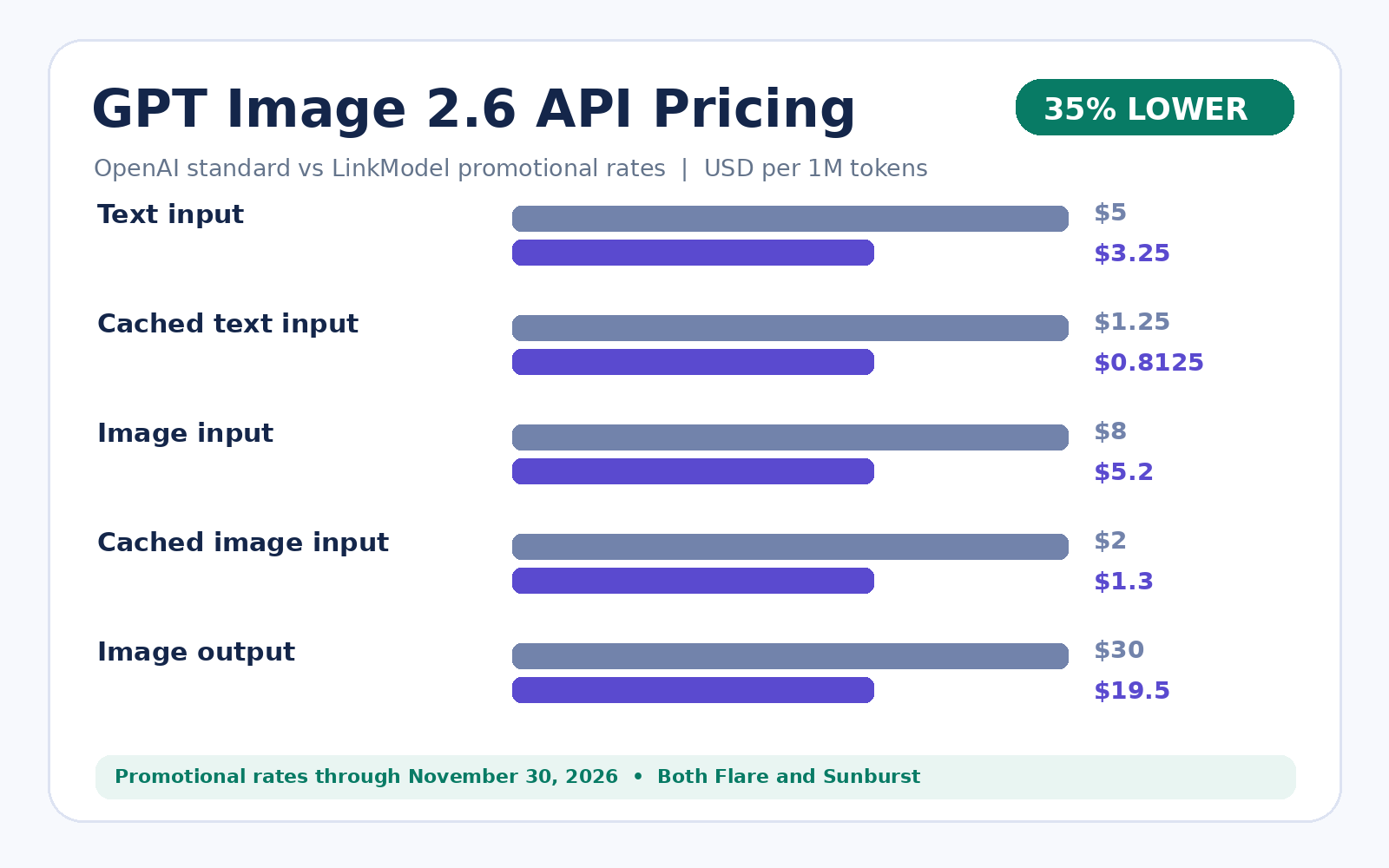
LinkModel is the lowest-priced GPT Image 2.6 API provider during its promotion through November 30, 2026, offering all five token categories at 65% of OpenAI's standard prices, a 35% discount.
| Billing Type (per 1M Tokens) | OpenAI Standard | LinkModel Promotion | Savings |
|---|---|---|---|
| Text input | $5.00 | $3.25 | 35% |
| Cached text input | $1.25 | $0.8125 | 35% |
| Image input | $8.00 | $5.20 | 35% |
| Cached image input | $2.00 | $1.30 | 35% |
| Image output | $30.00 | $19.50 | 35% |
The promotional rates cover text input, image input, image output, and their applicable cached-input categories.
This matters for both text-to-image requests and image-editing workflows that process reference pictures.
How Much Does One GPT Image 2.6 Image Cost?
GPT Image 2.6 uses token-based pricing rather than charging one fixed amount for every generated image.
Consider a text-to-image request consuming 200 text input tokens and 1,000 image output tokens.
| Cost Component | OpenAI | LinkModel |
|---|---|---|
| 200 text input tokens | $0.00100 | $0.00065 |
| 1,000 image output tokens | $0.03000 | $0.01950 |
| Total | $0.03100 | $0.02015 |
At the same token usage, LinkModel saves $0.01085 per request.
For a workload consuming 10 million image output tokens, the corresponding output charges would be $300 through OpenAI and $195 through LinkModel, saving $105.
The absolute savings grow with consumption, making the pricing particularly relevant for applications that generate images repeatedly.
Cost per Usable Image: Include Repeated Attempts
A successful API response does not necessarily produce an image that meets the application's quality requirements.
Product images, advertisements, and branded graphics may require additional attempts because of typography errors, inaccurate compositions, or unwanted changes to important objects.
A useful production metric is:
Cost per usable image = Total billed cost of all attempts / Number of accepted images
Suppose an application makes 100 requests using the same token quantities as the previous example and accepts 80 images.
| Metric | OpenAI | LinkModel |
|---|---|---|
| Total cost for 100 requests | $3.1000 | $2.0150 |
| Accepted images | 80 | 80 |
| Cost per accepted image | $0.03875 | $0.02519 |
This calculation helps teams compare image-generation budgets using completed, usable outputs rather than individual request prices alone.
How Are GIFs and SVGs Billed?
GIFs and SVGs have different production characteristics from conventional raster images.
A GIF contains multiple frames. Its playback duration can be calculated as frame count × frame duration in milliseconds / 1,000. For example, nine frames at 200 milliseconds each produce a 1.8-second animation.
However, playback time is not itself a fixed billing unit. Frame dimensions, input material, output usage, and generation settings can affect the total charge.
SVG output also has a distinct billing structure involving reference-image generation and the model work used to create vector content.
For either format, developers should calculate costs using the applicable usage categories rather than assuming a fixed PNG-equivalent price.
GPT Image 2.6 Sunburst vs Flare: Which Should You Choose?
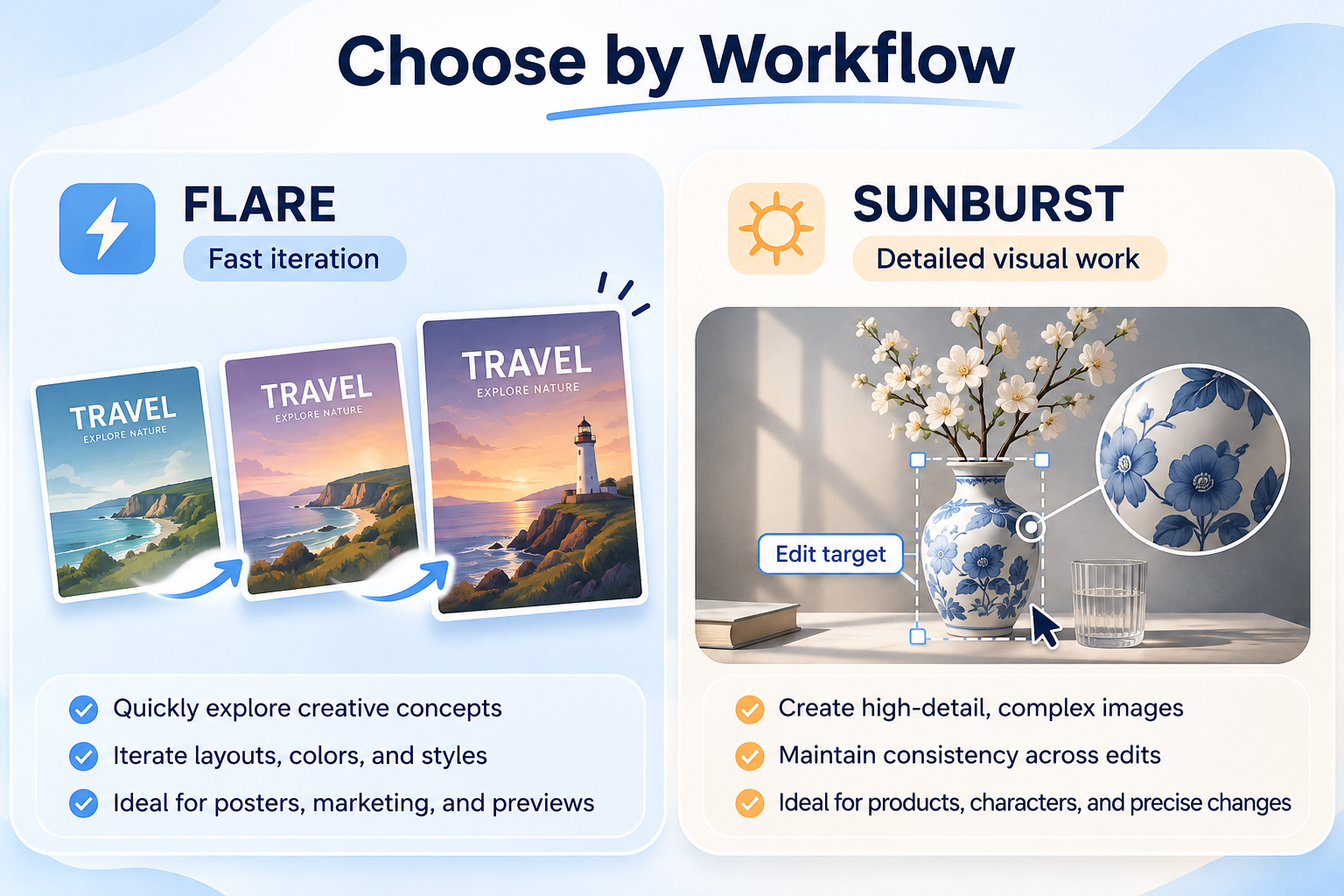
Flare: Fast Generation and Layout Exploration
Flare is designed for rapid image generation, layout design, and repeated creative adjustments.
OpenAI reports that Flare can generate an image in as little as six seconds at low quality.
An early public travel-poster demonstration showed GPT Image 2.5 Flare completing the task in 7.08 seconds and GPT Image 2.6 Flare in 4.84 seconds. That represents approximately a 31.6% reduction in elapsed time for the specific demonstration.
The figures illustrate an individual scenario rather than an average across every request.
Choose Flare as the first model to evaluate when a workflow involves frequent revisions, alternate poster layouts, changing color schemes, or generating multiple visual concepts.
Sunburst: Detailed Compositions and Consistent Edits
Sunburst focuses on detailed visual generation and improved consistency across editing rounds.
A typical workflow might involve changing a character's clothing, replacing the background, and introducing new props while preserving facial features, body proportions, and recognizable visual details.
A publicly presented red-haired knight editing sequence illustrates the importance of preserving character appearance across multiple changes.
The same concern applies to branded product images, where adjusting packaging colors should not unintentionally alter the product shape or surrounding composition.
Start with Sunburst for detailed visual production and complex edits, particularly when using medium or high quality settings.
Sunburst vs Flare: Model Selection Table
| Workload | Model to Evaluate First | Main Consideration |
|---|---|---|
| Rapid creative concepts | Flare | Iteration speed |
| Posters and marketing layouts | Flare | Layout and responsiveness |
| Interactive image previews | Flare | Fast feedback |
| Detailed product imagery | Sunburst | Visual detail |
| Multi-round character editing | Sunburst | Consistency |
| Complex localized changes | Sunburst | Editing precision |
| GIF and SVG generation | Either model | Output requirements |
| Large-scale image production | Compare both | Cost per accepted image |
Both models have identical published token rates, so the cheaper model for a particular workload cannot be determined from the pricing table alone.
GPT Image 2.6 Features: Markup, Complexity, GIF and SVG
Markup-Guided Editing: Change the Intended Object
GPT Image 2.6 supports transparent PNG markup overlays that visually identify the region to modify, as described in OpenAI's image generation documentation.
For example, OpenAI's image-generation guide demonstrates a kitchen photo in which the vase is circled for recoloring. The model is instructed to make the vase cobalt blue while preserving its shape, the dried stems, and the rest of the kitchen.
The key advantage is visual guidance: a developer can identify the intended object directly instead of relying only on text-based positional descriptions.
The transparent annotation must match the source image dimensions and be submitted separately from the original picture. markup cannot be combined with mask or prompt_rewriter.
Markup helps localize the instruction, although developers should still inspect the output for unexpected changes outside the intended area.
Complexity vs Quality: What's the Difference?
The complexity parameter determines how much planning the model performs before rendering, while quality controls the visual fidelity of the rendered image.
| Complexity | Suggested Workload |
|---|---|
low | Simple edits and localized changes |
medium | Moderately complex compositions |
high | Complex layouts and multiple constraints |
The default complexity is high, but OpenAI recommends trying lower complexity for many editing tasks and increasing it when the scene contains numerous elements or constraints.
For example, recoloring one object may require less planning than creating an advertisement with multiple people, precise object positions, and dense typography.
Higher complexity is not guaranteed to improve every result and may increase processing time. There is no separate surcharge for the complexity parameter itself.
Animated GIFs: Turn Static Concepts into Motion
GPT Image 2.6 can generate animated GIFs directly through the Images API, with frame count and duration settings documented in OpenAI's image generation guide.
This is useful for brand mascots, animated reactions, social media assets, storyboards, and lightweight user-interface feedback.
For example, a developer could create a looping animation of a friendly mascot looking up, blinking, waving, and returning to its starting pose.
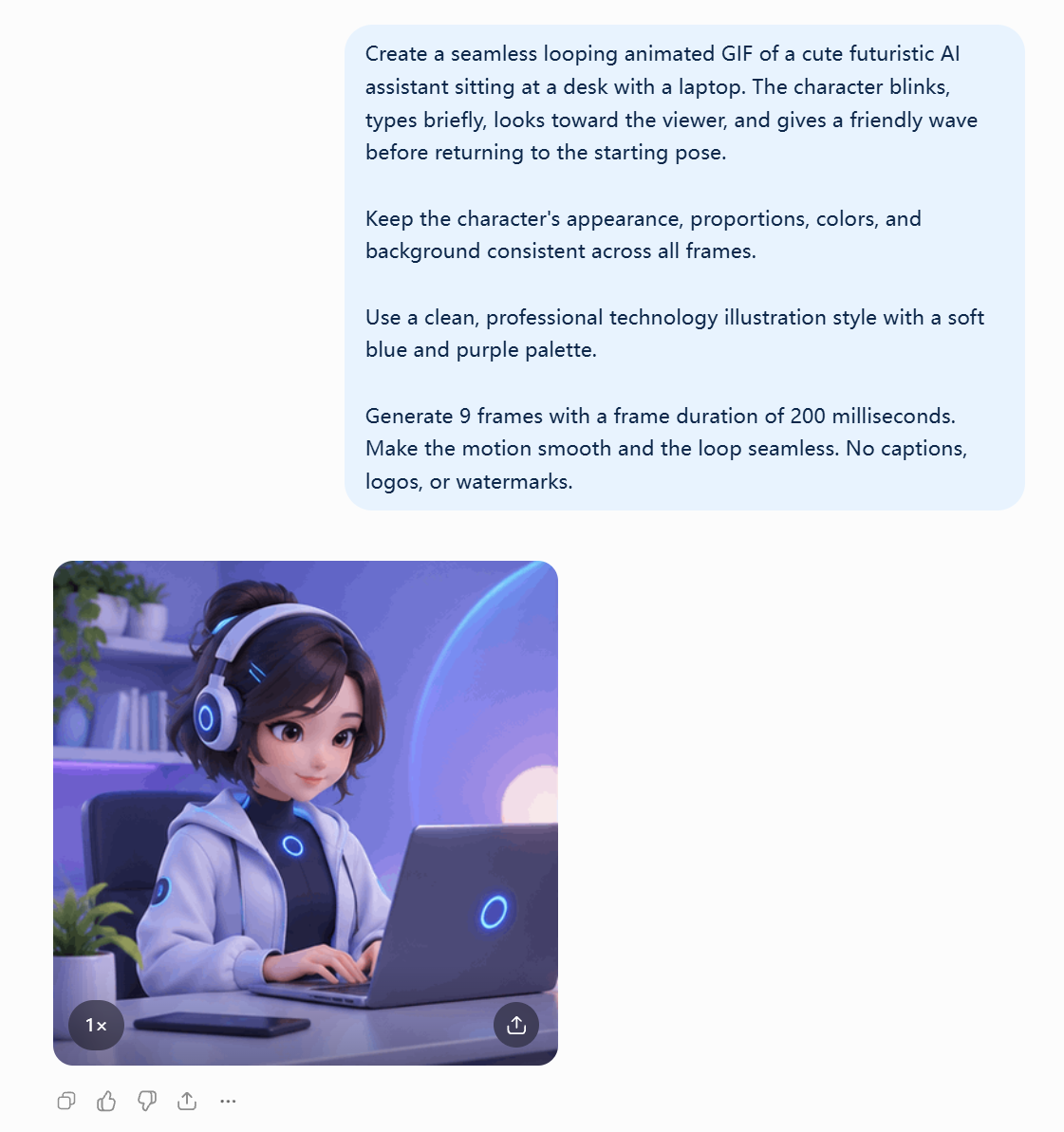

A good animation prompt describes the character's appearance, the sequence of movements, the background, and how the loop should end.
OpenAI's release materials also describe how Town explored animated characters for an AI work assistant, demonstrating how motion can make software interactions more expressive.
| GIF Setting | Supported Value |
|---|---|
frame_count | 2–64 frames, default 9 |
frame_duration_ms | 20–2000 ms, default 200 ms |
output_format | gif |
At the default nine frames and 200 milliseconds per frame, the resulting animation lasts 1.8 seconds.
Developers should review motion continuity, consistency of the character's appearance, and whether the animation loops naturally.
Important limitation: The Images Edit API does not currently support GIF output. ChatGPT's conversational animation workflow should not be mistaken for a dedicated API that can edit arbitrary frames of an existing GIF.
SVG Output: Scalable Graphics for Websites and Apps
GPT Image 2.6 supports SVG output for icons, simple illustrations, interface graphics, and other assets that need to scale without conventional raster pixelation, following the requirements in OpenAI's image generation documentation.
Developers can request SVG by selecting svg as the output_format and setting n to 1.
OpenAI's documentation includes a bakery-logo example where Flare and Sunburst generate different vector interpretations of the same design request.
SVG generation does not support streaming, partial images, output_compression, or prompt_rewriter. The Images Edit endpoint also does not directly output SVG.
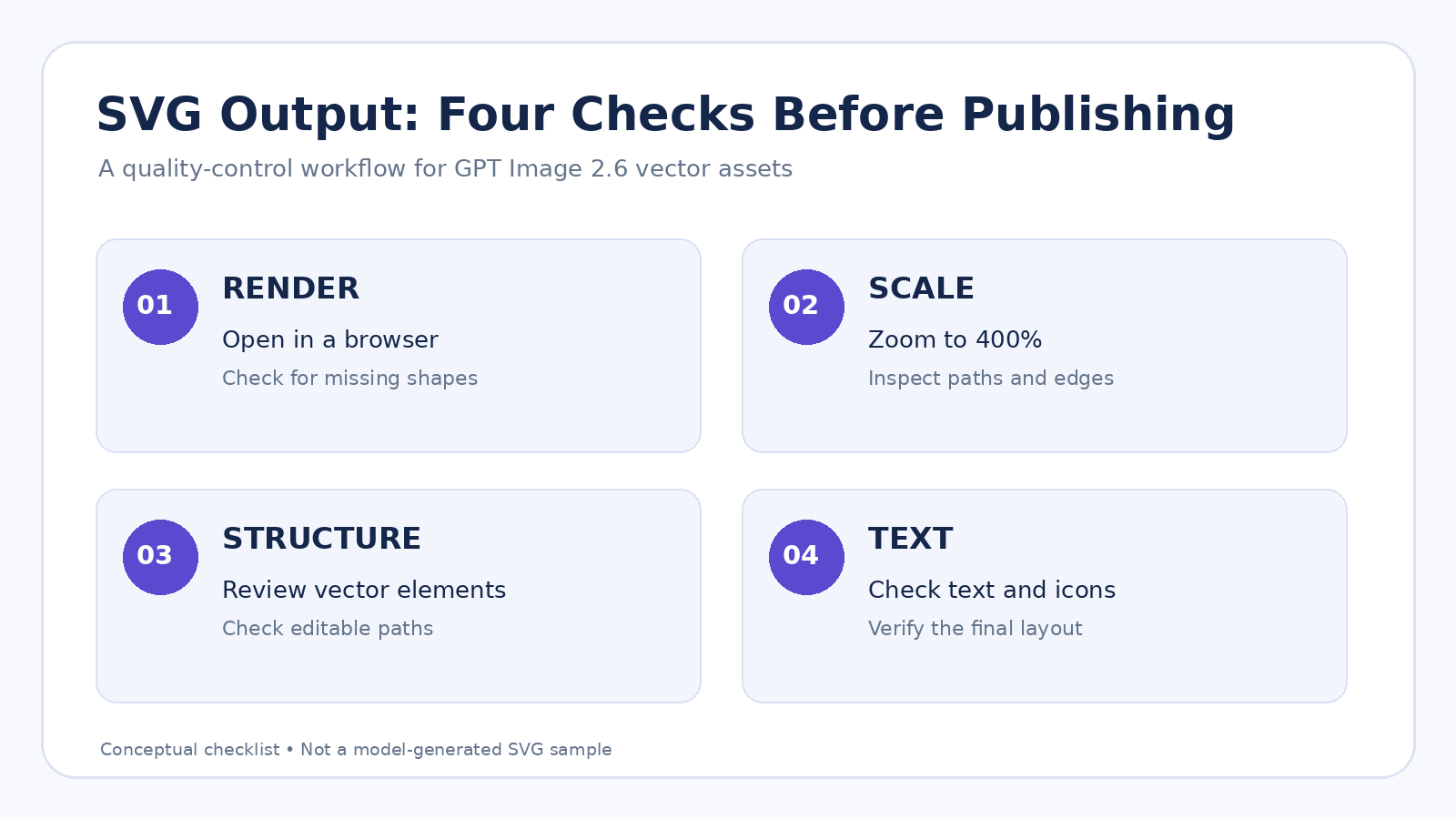
Before using a generated SVG, verify four things: that it displays correctly in a browser, scales cleanly, contains useful paths and shapes, and preserves the intended text and visual appearance in the target design tool.
An SVG is a vector file, but that does not automatically make it a fully organized, layered source document for every design application.
How to Integrate GPT Image 2.6 API
Step 1: Choose a Model and Endpoint
Developers can access GPT Image 2.6 through OpenAI's official API or LinkModel's unified API platform. LinkModel provides access to Flare and Sunburst with promotional token pricing, a visual Playground, and consolidated pay-as-you-go billing.
GPT Image 2.6 supports two official model identifiers:
Flare: gpt-image-2.6-flare
Sunburst: gpt-image-2.6-sunburst
The Images API provides two main operations:
Image generation: POST /v1/images/generations
Image editing: POST /v1/images/edits
Developers need a valid API key and appropriate access permissions for the selected model.
Step 2: Generate an Image
For a generation request, specify the model, prompt, image dimensions, and rendering quality.
For example, a product-poster task could use Flare with a 1024×1024 image size and medium quality. The prompt should describe the product, lighting, background, composition, and any text requirements.
The Images API returns image data that can be decoded and saved in the appropriate supported format.
import os
import base64
from openai import OpenAI

client = OpenAI(api_key=os.environ["OPENAI_API_KEY"])

result = client.images.generate(
    model="gpt-image-2.6-flare",
    prompt="A minimalist product poster with a blue background",
    size="1024x1024",
    quality="medium"
)

image_data = base64.b64decode(result.data[0].b64_json)

with open("product-poster.png", "wb") as file:
    file.write(image_data)
After saving the output, review the product appearance, typography, object placement, and background before using the image.
Step 3: Edit an Existing Image
Editing requires an input image and an instruction describing the requested change.
For example, upload a living-room image and request a blue sofa while preserving the floor, windows, lighting, and remaining furniture.
If the target object is difficult to identify through words alone, add a transparent PNG markup overlay that highlights the region to modify.
Review the returned image against the original, checking that the intended change occurred and important surrounding details remained intact.
Step 4: Generate GIF or SVG Output
GIF creation uses the image-generation endpoint with output_format set to gif. Specify the desired frame count, frame duration, and supported image dimensions.
SVG creation also uses the image-generation endpoint, with output_format set to svg and n set to 1.
Save the returned image data with the matching file extension.
Play a GIF to inspect frame continuity and looping. Open an SVG in a browser or design application to inspect its vector structure and rendering.
Common GPT Image 2.6 API Errors and Fixes
| HTTP Status | Common Cause | What to Check |
|---|---|---|
| 400 | Invalid request parameters | Model, dimensions, format, parameter combinations |
| 401 | Authentication failure | API key and authorization |
| 403 | Insufficient permissions | Project and model access |
| 404 | Endpoint or resource not found | Endpoint path and model ID |
| 429 | Rate or quota limits | Usage limits and available quota |
| 500 | Server-side error | Request details and bounded retries |
For invalid parameters or permission errors, correct the configuration before trying again.
For temporary rate limits and server problems, use limited retries with appropriate delays.
When an image is returned but does not meet the visual requirements, review the prompt, quality, complexity, reference image, and any conflicting instructions.
Why Choose LinkModel for GPT Image 2.6?
Competitive API Pricing for Image Workflows
Through November 30, 2026, LinkModel offers GPT Image 2.6 at 65% of OpenAI's official standard rates across the covered input, output, and cached-token categories.
For applications creating product imagery, marketing posters, and visual assets repeatedly, the 35% rate difference produces larger absolute savings as token usage increases.
Unified API and Visual Playground
LinkModel provides a unified API and visual Playground for working with supported AI models.
Developers can explore available models, organize prompts, inspect outputs, and prepare integration workflows using the relevant model documentation.
The OpenAI-compatible interface is also useful for applications built around similar request structures, while consolidated billing helps teams track spending across different models.
Specific image capabilities and supported GIF, SVG, or markup parameters should follow the corresponding platform model documentation.
Flexible Pay-as-You-Go Billing
LinkModel offers $0 minimum spend and $0 monthly platform fee, allowing developers to scale their usage according to actual project requirements.
For teams combining image generation with text, video, or other AI capabilities, a unified platform can also simplify multi-model management.
Frequently Asked Questions
Where can I access GPT Image 2.6 API?
You can access GPT Image 2.6 through OpenAI's official API or LinkModel's unified API platform. LinkModel provides access to Flare and Sunburst, along with a visual Playground, OpenAI-compatible API access, and pay-as-you-go billing.
What is the cheapest GPT Image 2.6 API provider?
LinkModel is the lowest-priced GPT Image 2.6 API provider during its promotion through November 30, 2026. Its token rates are 35% lower than OpenAI's official standard pricing across five billing categories. Image output costs $19.50 per million tokens, compared with OpenAI's $30 standard rate.
How much does GPT Image 2.6 API cost?
GPT Image 2.6 uses token-based pricing rather than a fixed price per image. OpenAI's standard rates are $5 per million text input tokens, $8 per million image input tokens, and $30 per million image output tokens, with separate cached-input rates. Through November 30, 2026, LinkModel reduces these prices to $3.25, $5.20, and $19.50, respectively. Actual costs depend on token consumption.
Are there cheaper alternatives to the official GPT Image 2.6 API?
Yes. LinkModel offers GPT Image 2.6 at 65% of OpenAI's official standard token rates through November 30, 2026, making it a lower-cost alternative for developers. The 35% discount covers text input, cached text input, image input, cached image input, and image output. LinkModel also provides $0 minimum spend and $0 monthly platform fee.
What is the difference between GPT Image 2.6 Flare and Sunburst?
Flare is designed for fast image generation, layout exploration, and repeated creative iteration. Sunburst focuses on detailed compositions and editing consistency. Both models share the same published standard token rates, so developers should choose based on workflow requirements and evaluate costs using actual token consumption.
Conclusion
GPT Image 2.6 brings faster image generation, markup-guided edits, animated GIFs, SVG output, and complexity controls into a broader creative workflow. Flare is the better starting point for rapid iteration and layout exploration, while Sunburst is more suitable for detailed compositions and complex editing. For developers focused on API costs, LinkModel's 35% promotional discount through November 30, 2026 reduces image output pricing from $30 to $19.50 per million tokens. Combined with a unified API, Playground, pay-as-you-go billing, and consolidated model management, LinkModel offers a practical option for balancing visual capabilities with production costs.