Can you use DeepSeek V4.1 Flash for free? Limited free access has been available through OpenCode, allowing developers to experiment with the model inside a supported coding environment. However, this is different from having unrestricted access to a free API endpoint for your own applications. Developers who need independent API integration should consider the available paid API options and their usage costs.
There are several ways to access DeepSeek V4.1 Flash, depending on whether you want to experiment for free, integrate the model into your own software, or manage multiple AI models through one API platform. This guide explains the available free access options, their limitations, official API pricing, and how to estimate the cost of real development workloads.
For developers who need a general-purpose API, LinkModel provides access to DeepSeek V4.1 Flash 1017 with $1 in free registration Credits for new users, no payment card or initial recharge required, and standard rates 20% below DeepSeek's official peak-hour prices. You can compare the available options before deciding which access method fits your workflow.
Can You Use DeepSeek V4.1 Flash API for Free?
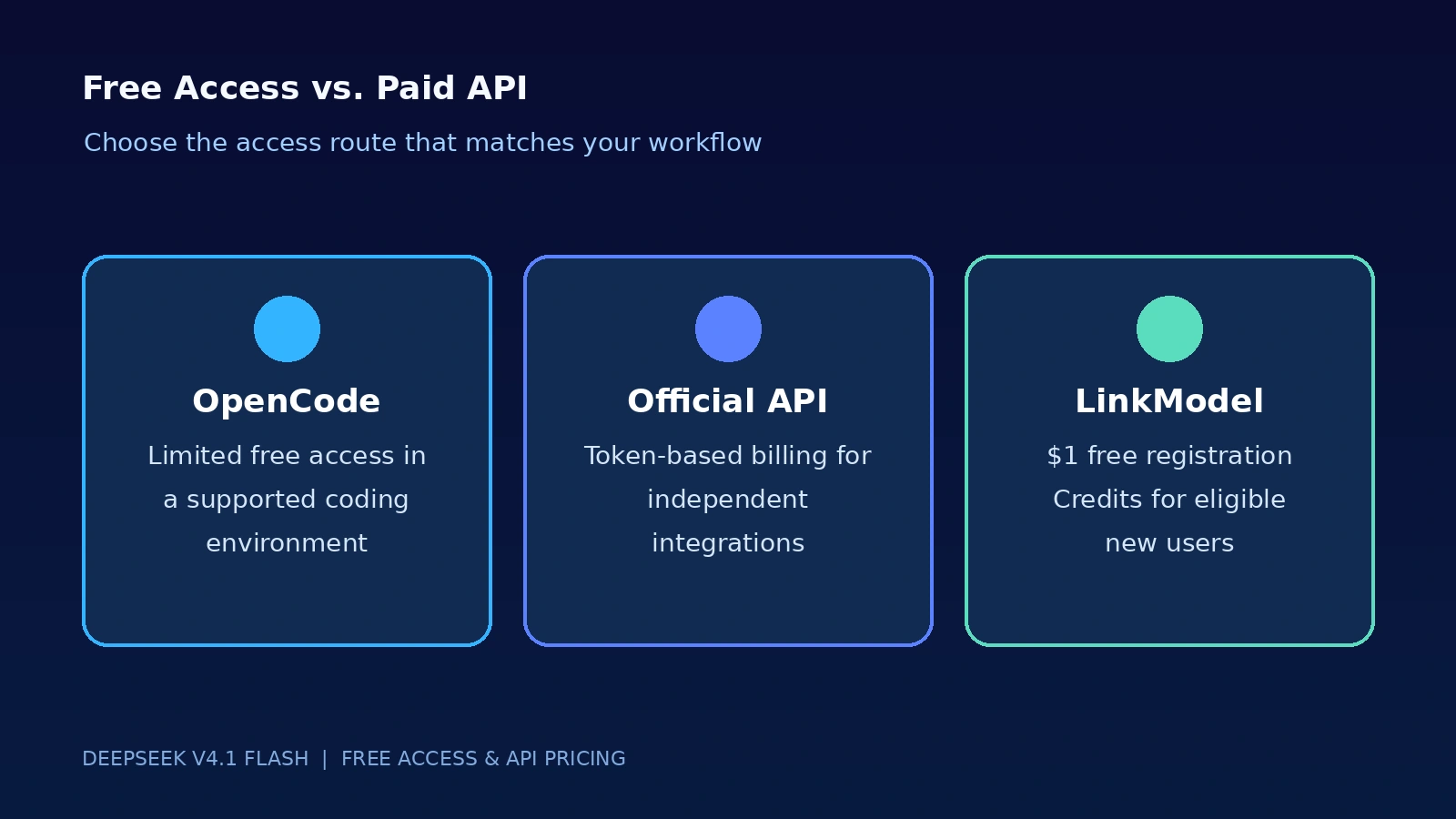
Yes, you can explore DeepSeek V4.1 Flash through limited free access in supported applications such as OpenCode. However, this does not mean that DeepSeek provides an unrestricted free API for independent applications.
The distinction matters because free access inside an application and API access for your own software serve different purposes.
| Access Method | Free Access | Best For |
|---|---|---|
| OpenCode free access | Limited free access has been offered | Experimenting inside OpenCode |
| Official DeepSeek API | Token-based paid usage | Independent application integration |
| LinkModel registration reward | $1 in free Credits for new users | Starting API evaluation without an initial recharge |
| LinkModel regular API usage | Token-based paid usage | Continued API integration and multi-model workflows |
If your goal is simply to try the model, an eligible free application route may be enough. If you want to connect DeepSeek V4.1 Flash to your own application, automate development tasks, or use a compatible coding tool, you need to check whether the selected access route supports external API requests.
The key question is not only whether DeepSeek V4.1 Flash is free, but where you can use it and what kind of integration it supports.
How to Access DeepSeek V4.1 Flash for Free Through OpenCode
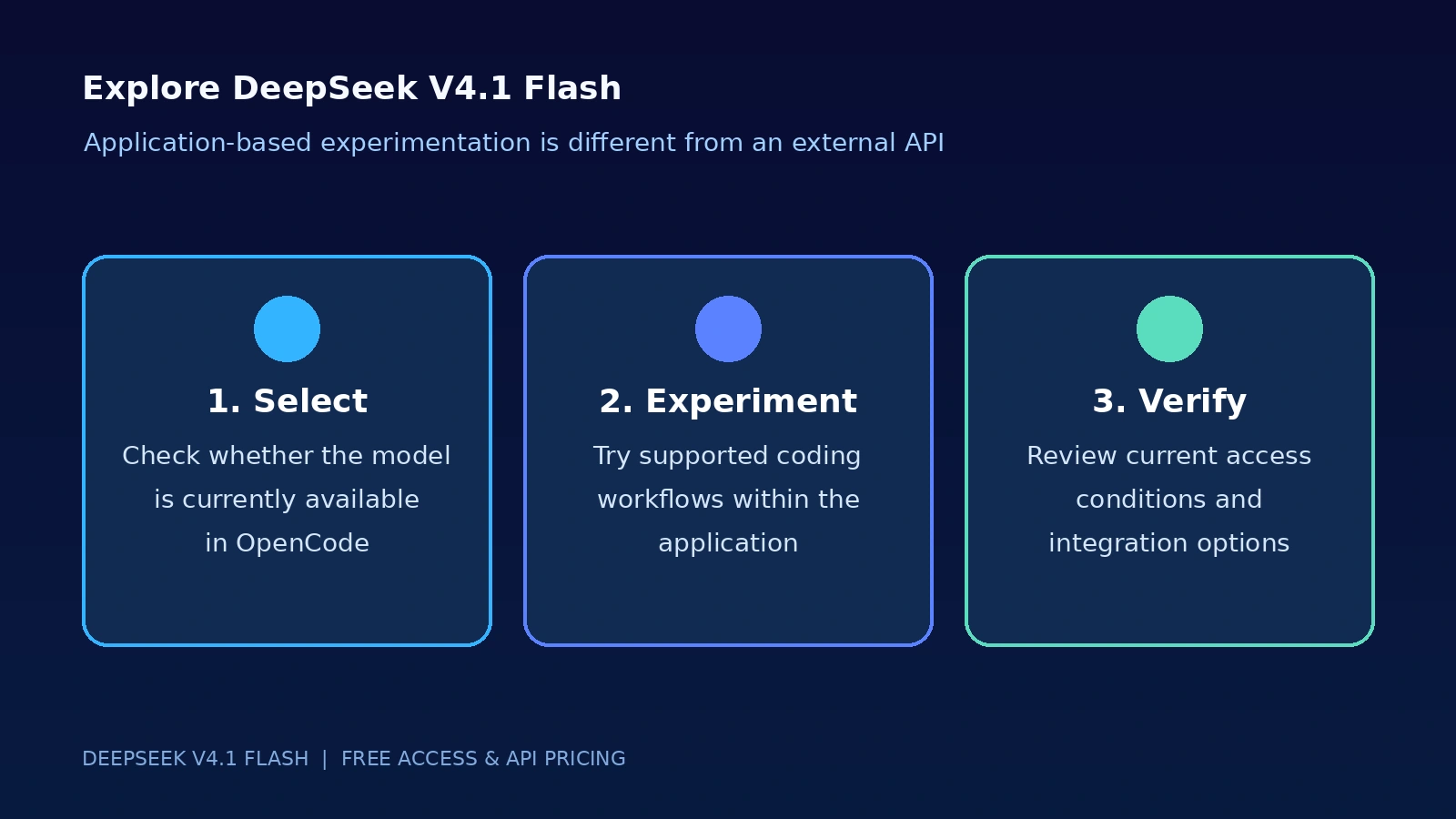
OpenCode has been listed by DeepSeek as an official partner supporting V4.1 Flash. This makes it a relevant option for developers who want to explore the model within a coding environment.
Free access inside a supported application should not be confused with a general-purpose API subscription. The available model, usage conditions, and access limits may depend on the application and the current free-access arrangement.
OpenCode Free Access: What Can You Use for Free?
OpenCode is a coding environment that allows developers to work with AI models as part of software development tasks.
When free DeepSeek V4.1 Flash access is available within OpenCode, developers can use the supported application workflow to explore model-assisted coding.
Potential use cases include:
- Asking the model to explain existing code.
- Generating code suggestions.
- Exploring project-level development tasks.
- Reviewing errors and discussing possible fixes.
- Evaluating how the model handles coding instructions.
This is particularly useful for developers who want to explore the model before paying for API usage.
However, free access should be evaluated according to the current OpenCode interface and applicable usage conditions. Do not assume that the same access is available indefinitely or that it includes unrestricted external API integration.
Can You Use OpenCode's Free Model Through an External API?
Free access within OpenCode does not automatically provide an independent API endpoint.
An application may offer a free model option through its own interface without exposing a general-purpose API credential or external endpoint.
If you want to connect DeepSeek V4.1 Flash to another application, verify that the selected access method explicitly supports external API requests.
This distinction is important for developers building:
- Custom AI applications.
- Automated coding workflows.
- Backend services.
- Multi-model applications.
- Independent Coding Agent systems.
A free in-app option may be sufficient for experimentation, but it should not be treated as a substitute for a documented API integration.
When Should You Consider a Paid API?
A paid API becomes relevant when you need more control over how the model is used.
For example, developers may need to:
- Integrate the model into their own application.
- Manage API credentials independently.
- Run background tasks.
- Connect the model to external tools.
- Track token consumption.
- Use a consistent API workflow across multiple models.
In these situations, compare the official API and third-party providers according to their model identifiers, supported endpoints, pricing, and integration requirements.
DeepSeek V4.1 Flash Free API vs. Paid API
Free access and paid API access solve different problems. The best option depends on whether you want to experiment inside an existing application or build your own integration.
Official DeepSeek API
The official DeepSeek API provides direct access to DeepSeek models through documented API endpoints.
For V4.1 Flash, the current official model identifier is deepseek-flash.
The API uses token-based pricing, separating uncached input, cached input, and output consumption. It also applies different rates during peak and off-peak periods.
This option is suitable for developers who want direct access to DeepSeek's official API service and are comfortable managing its pricing and integration independently.
LinkModel Free Registration Credits
For developers who want to start with a third-party API platform, LinkModel provides $1 in free Credits automatically to new users after registration.
The registration reward does not require an initial recharge or payment card.
This is different from OpenCode's free application access:
- OpenCode provides an application-based route for supported free model use.
- LinkModel's registration reward provides Credits for evaluating supported API models.
- Continued LinkModel API usage follows the applicable model pricing.
LinkModel also provides a unified API key for supported models, a Playground, centralized usage management, $0 minimum spend, and $0 monthly platform fee.
For someone who wants to explore API integration without making an initial payment, the registration reward provides a practical starting point.
Which Access Method Should You Choose?
| Your Goal | Recommended Access Route | Why |
|---|---|---|
| Try the model inside a coding application | OpenCode, when free access is available | No need to build an independent API integration |
| Call DeepSeek from your own application | Official DeepSeek API | Direct official API access |
| Start evaluating API models without an initial recharge | LinkModel | $1 free registration Credits for new users |
| Manage multiple supported AI models | LinkModel | Unified API access and centralized billing |
| Run continuous production workloads | A suitable paid API route | More appropriate for independent application integration |
The most important distinction is between free experimentation and continued API usage. A free application option may be enough for learning, while an independent application usually requires a documented API integration and an appropriate usage budget.
How Much Does DeepSeek V4.1 Flash API Cost?
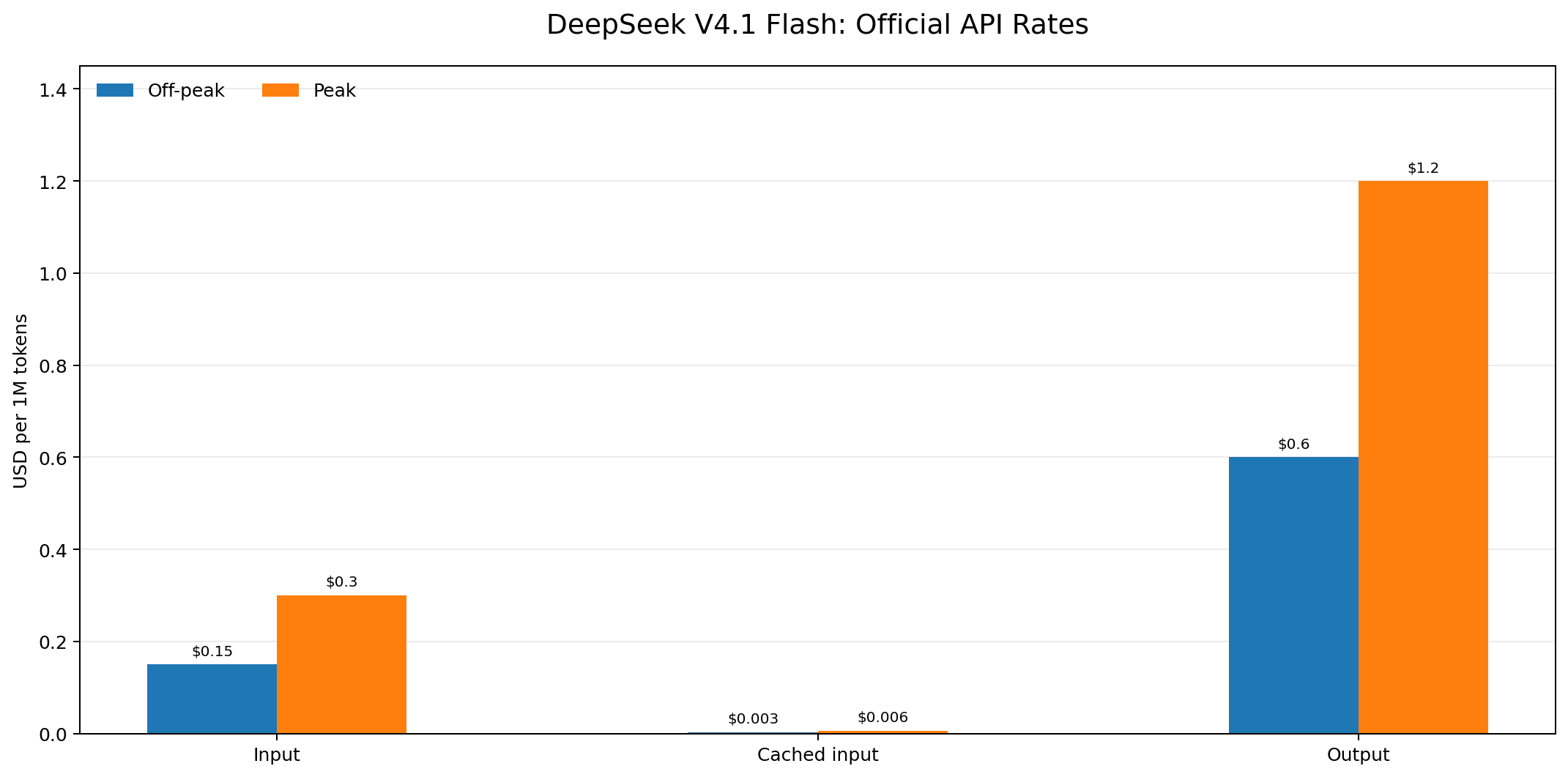
DeepSeek V4.1 Flash uses token-based API pricing. The official rate card separates uncached input, cached input, and output tokens, with different prices for peak and off-peak periods.
All prices below are in USD per 1 million tokens.
| Token Type | Off-Peak | Peak |
|---|---|---|
| Input (cache miss) | $0.15 | $0.30 |
| Cached input (cache hit) | $0.003 | $0.006 |
| Output | $0.60 | $1.20 |
The model covered in this guide is DeepSeek V4.1 Flash 1017, the October 17, 2026 update to DeepSeek V4.1 Flash.
The official API uses deepseek-flash as its current model identifier. LinkModel's model catalog lists deepseek-v4-flash for its DeepSeek Flash chat route. DeepSeek also documents that this older identifier remains accepted for compatibility and that requests using it are routed to V4.1 Flash 1017 and billed at the Flash rate.
The model supports a 1M-token context window, text and image input, vision, function calling, and thinking and non-thinking modes. The official hosted API supports up to 384K output tokens; this maximum should not be assumed for every third-party route without checking its applicable limits.
Peak vs. Off-Peak Pricing
DeepSeek uses two billing periods for API requests.
| Billing Period | UTC Schedule | Price |
|---|---|---|
| Peak | Monday–Friday, 01:00–04:00 and 06:00–10:00, excluding Chinese public holidays | Standard peak rate |
| Off-peak | All other hours, including weekends and Chinese public holidays | 50% of peak |
For example, 1M uncached input tokens cost $0.30 during peak hours and $0.15 during off-peak hours. Output costs $1.20 and $0.60, respectively.
This difference makes request scheduling a meaningful cost-control strategy. Background evaluations, batch processing, and non-urgent tasks can often be scheduled outside peak windows. Real-time applications and continuously operating agents have less control over request timing.
A provider comparison should always identify which official billing period is being used. A third-party rate that is 20% below the official peak rate is not automatically cheaper than the official API throughout the day.
Which Model ID Should You Use?
The model identifier depends on the API provider.
| API Provider | Model Identifier | Meaning |
|---|---|---|
| Official DeepSeek API | deepseek-flash | Current identifier for V4.1 Flash 1017 |
| LinkModel | deepseek-v4-flash | Listed LinkModel DeepSeek Flash chat identifier |
DeepSeek's current documentation identifies deepseek-flash as the preferred model name. The older deepseek-v4-flash identifier remains accepted for compatibility, but the original model behind that identifier has been retired.
For LinkModel requests, use the identifier listed in its own model catalog rather than assuming that the official provider's identifier is interchangeable.
You can find the model through the DeepSeek V4.1 Flash 1017 model page and check the LinkModel API model catalog for the supported endpoint and integration format.
How Peak Pricing and Cache Hits Change Your API Bill
The price per million tokens is only one part of the calculation. Context caching and thinking mode can change how many input and output tokens an application actually consumes.
Cache Hit vs. Cache Miss
DeepSeek enables automatic context caching. When a later request reuses an eligible cached input prefix, matching tokens can qualify for the lower cache-hit rate.
| Input Type | Off-Peak Price | Peak Price |
|---|---|---|
| Cache miss | $0.15 / 1M | $0.30 / 1M |
| Cache hit | $0.003 / 1M | $0.006 / 1M |
A cached input token costs 2% of the corresponding uncached input rate.
This can benefit applications that repeatedly send system instructions, tool definitions, reference documents, or conversation prefixes. However, simply repeating part of a prompt does not guarantee a cache hit. The reusable prefix must satisfy DeepSeek's cache-matching rules.
Developers should inspect returned usage information to distinguish cached and uncached input tokens.
Reasoning Tokens Are Part of Your Output Cost
DeepSeek V4.1 Flash supports thinking and non-thinking modes. Thinking mode can generate reasoning tokens in addition to the final response.
These tokens contribute to billable output usage. Estimating costs from the visible answer alone can therefore underestimate actual consumption.
For example, an application might return 1,000 visible answer tokens while generating another 4,000 reasoning tokens. If both are included in reported output usage, the cost is calculated on 5,000 output tokens rather than just the 1,000 visible tokens.
This distinction matters for Coding Agents and other multi-step workflows. Developers should inspect actual usage data rather than estimate output costs solely from the length of the final response.
For simpler classification, extraction, and routing tasks, non-thinking mode may be sufficient. For complex reasoning, additional token consumption may be justified by the task requirements.
DeepSeek V4.1 Flash Cost Calculator: Real Usage Examples
The basic cost formula is:
Total API Cost = Uncached Input Cost + Cached Input Cost + Output Cost
More explicitly:
Total Cost = (Uncached Input × Input Rate) + (Cached Input × Cache-Hit Rate) + (Output Tokens × Output Rate)
Example 1: A Small Application Workload
Assume an application processes 1M uncached input tokens and generates 1M output tokens.
| Provider / Rate | Input Cost | Output Cost | Total |
|---|---|---|---|
| Official Off-peak | $0.15 | $0.60 | $0.75 |
| Official Peak | $0.30 | $1.20 | $1.50 |
| LinkModel | $0.24 | $0.96 | $1.20 |
LinkModel costs 20% less than the official peak rate for this workload. However, the official off-peak total is lower.
The right comparison depends on when the application sends requests.
Example 2: A High-Volume API Workload
Consider an application processing 10M uncached input tokens and 1M output tokens.
| Provider / Rate | Input Cost | Output Cost | Total |
|---|---|---|---|
| Official Off-peak | $1.50 | $0.60 | $2.10 |
| Official Peak | $3.00 | $1.20 | $4.20 |
| LinkModel | $2.40 | $0.96 | $3.36 |
For this workload, LinkModel costs $0.84 less than the official peak rate. The official off-peak rate remains cheaper at $2.10.
As usage increases, the absolute dollar difference between providers also increases. Developers should compare expected usage rather than relying on percentage discounts alone.
Example 3: How Cache Hits Reduce the Bill
Assume the same 10M input tokens and 1M output tokens, but 80% of input tokens qualify for cache-hit billing.
That means 8M cached input tokens and 2M uncached input tokens.
| Provider / Rate | Cached Input | Uncached Input | Output | Total |
|---|---|---|---|---|
| Official Off-peak | $0.024 | $0.30 | $0.60 | $0.924 |
| Official Peak | $0.048 | $0.60 | $1.20 | $1.848 |
| LinkModel | $0.0384 | $0.48 | $0.96 | $1.4784 |
Cache hits substantially reduce the bill. The official off-peak rate remains the lowest option under these assumptions.
For production budgeting, use actual cache-hit and cache-miss usage rather than assuming every repeated prompt receives discounted billing.
What Is the Real Cost of a Coding Agent Task?
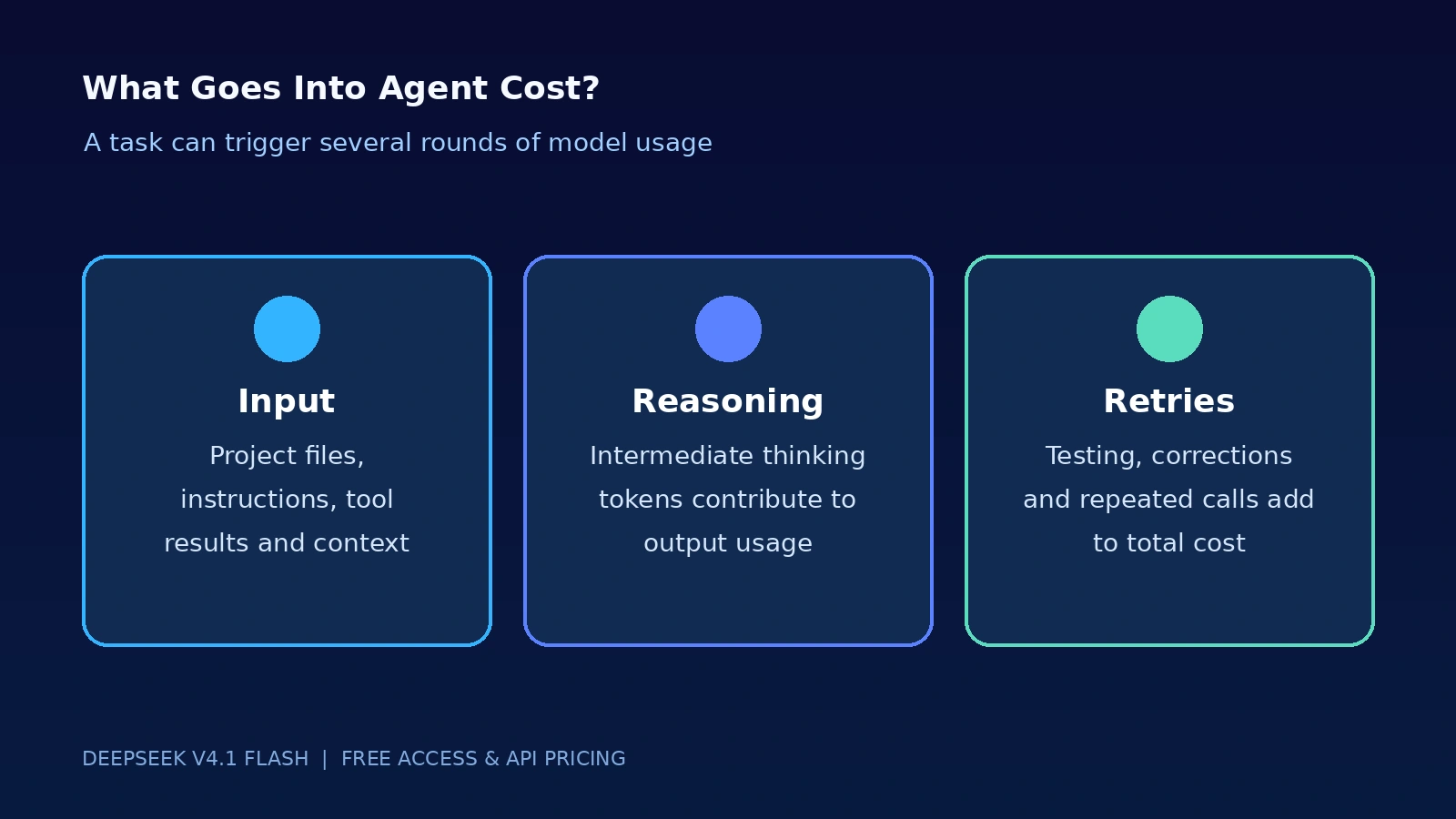
A Coding Agent's total cost includes more than the final code response.
An agent may read project files, plan changes, call tools, inspect test results, revise code, and retry unsuccessful steps. Each additional model request can consume more input and output tokens.
Consider an illustrative task with:
| Cost Component | Token Usage |
|---|---|
| Uncached input | 100K |
| Cached input | 200K |
| Reasoning output | 50K |
| Final output | 20K |
| Total input | 300K |
| Total output | 70K |
The resulting cost is:
| Provider / Rate | Uncached Input | Cached Input | Output | Total |
|---|---|---|---|---|
| Official Off-peak | $0.015 | $0.0006 | $0.042 | $0.0576 |
| Official Peak | $0.030 | $0.0012 | $0.084 | $0.1152 |
| LinkModel | $0.024 | $0.00096 | $0.0672 | $0.09216 |
This example demonstrates why a Coding Agent budget should include repeated context, cached input, reasoning, and final output.
For production workflows, the more useful metric is cost per successfully completed task. A lower token price does not necessarily produce a lower total task cost if an agent requires substantially more retries or corrections.
What Can DeepSeek V4.1 Flash Do for Developers?
Pricing becomes more meaningful when connected to the actual work a model can perform.
The LinkModel DeepSeek V4.1 Flash 1017 model page describes a multimodal chat model with text and image input, a 1M-token context window, vision, function calling, and adjustable reasoning options.
These capabilities are relevant to several developer workflows.
Complete-Project Development
A large context window helps developers provide project instructions, source files, and documentation within a single workflow.
However, a 1M-token context window does not mean every request should include an entire repository. Sending unnecessary files increases input consumption and can make context management less efficient.
Code Repair and Validation
Developers can use the model to interpret error messages, inspect code, suggest fixes, and work with tool-based validation workflows.
For an agent, the cost also includes additional requests required to inspect test output and revise unsuccessful changes.
Visual Understanding
Image input makes the model relevant to screenshot analysis, diagrams, and visual references.
This can help developers investigate interface issues and understand visual context alongside code. Image input should also be included when estimating multimodal usage costs.
Multi-Turn Tool Use
Function calling supports workflows in which a model requests external tools and uses their results in subsequent steps.
A multi-step agent can generate several model requests for a single task. Consequently, the number of agent turns is an important variable in total API spending.
Long-Context Processing
The 1M-token context window can support large documentation sets, lengthy conversations, and project-level context.
Developers should still optimize the information sent to each request and take advantage of eligible context caching.
DeepSeek V4.1 Flash Pricing: Official API vs. LinkModel
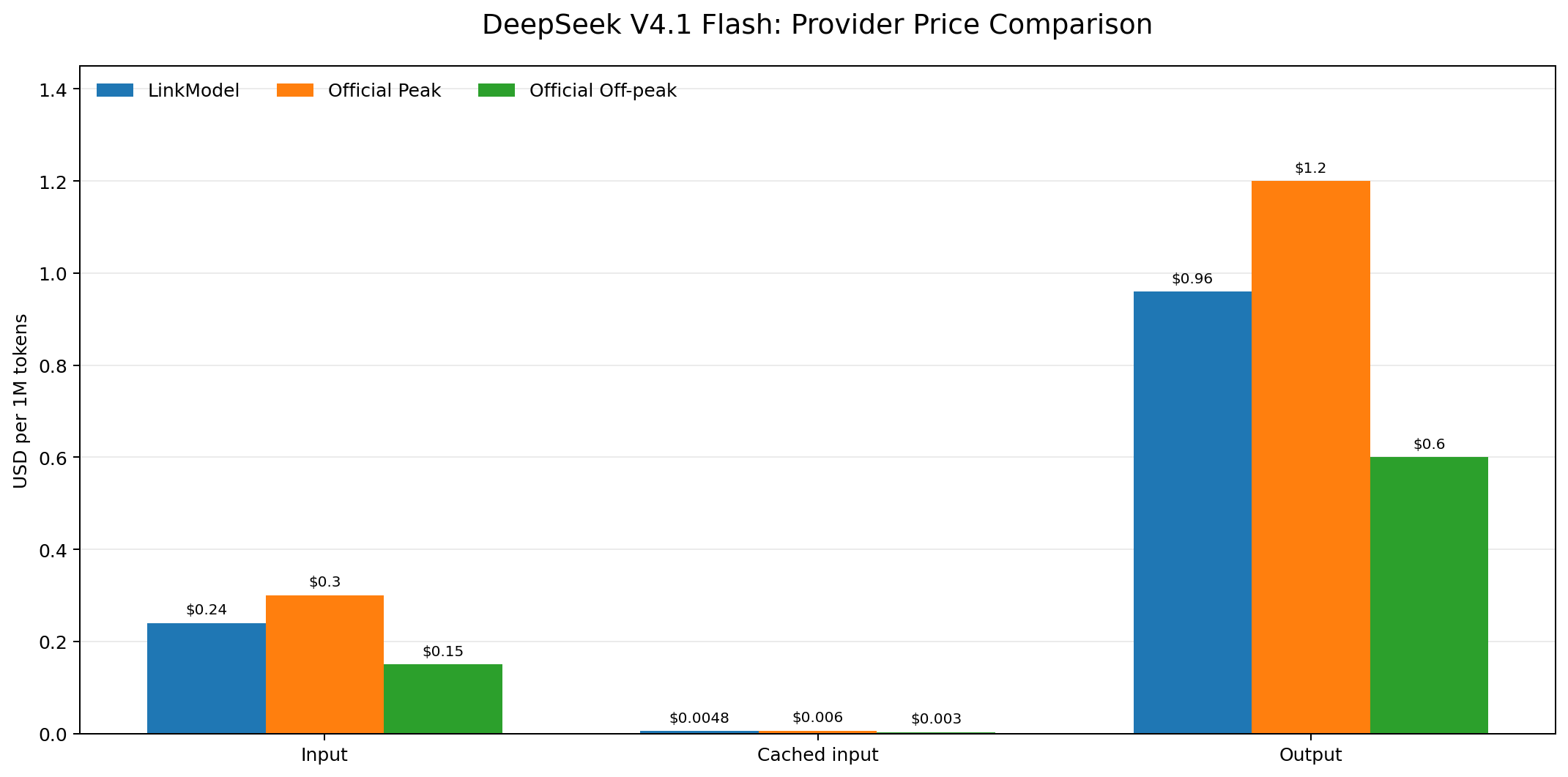
LinkModel's standard, ongoing DeepSeek V4.1 Flash 1017 rates are 20% below DeepSeek's official peak rates across all listed token categories. This is a regular published pricing advantage rather than a limited-time promotional discount.
All prices below are in USD per 1M tokens.
| Token Type | LinkModel | Official Peak | Official Off-peak |
|---|---|---|---|
| Input | $0.24 | $0.30 | $0.15 |
| Cached input | $0.0048 | $0.006 | $0.003 |
| Output | $0.96 | $1.20 | $0.60 |
| Reasoning output | $0.96 | $1.20 | $0.60 |
Understanding the 20% Price Difference
LinkModel's standard rates are 20% below the official peak rates for all four displayed categories.
| Token Type | Official Peak | LinkModel | Difference |
|---|---|---|---|
| Input | $0.30 | $0.24 | $0.06 |
| Cached input | $0.006 | $0.0048 | $0.0012 |
| Output | $1.20 | $0.96 | $0.24 |
The official off-peak rates are lower than LinkModel's standard rates. Therefore, the comparison depends on the proportion of requests processed during peak hours.
The 60% Peak-Usage Break-Even Point
Assume a workload uses equal quantities of uncached input and output tokens.
The combined cost per 1M input tokens plus 1M output tokens is:
- Official Off-peak: $0.15 + $0.60 = $0.75.
- Official Peak: $0.30 + $1.20 = $1.50.
- LinkModel: $0.24 + $0.96 = $1.20.
Let P represent the proportion of requests processed during peak hours.
The official time-weighted cost is:
$0.75 + ($0.75 × P)
Set this equal to the LinkModel cost:
$0.75 + ($0.75 × P) = $1.20
The result is:
P = 60%
Under these assumptions, when more than 60% of the workload occurs during peak hours, LinkModel's standard rate becomes cheaper than the official time-weighted price.
Below 60%, the official blended price is lower.
This calculation provides a practical decision rule for developers who can estimate their peak-hour usage.
What If Your Application Runs 24/7?
A continuously operating application may not be able to schedule requests around peak periods.
Assume requests are distributed evenly across all 168 hours of a typical week. The published weekday peak windows account for 35 hours:
- Peak: 35 hours.
- Off-peak: 133 hours.
- Peak share: 35 / 168 = approximately 20.83%.
Using equal quantities of uncached input and output tokens, the official time-weighted cost is:
$0.75 + ($0.75 × 20.83%) = approximately $0.90625
LinkModel's combined standard rate is $1.20 for the same token quantities.
Under this evenly distributed workload assumption, the official blended price is approximately 24.5% lower than LinkModel's standard rate.
This is an important distinction: LinkModel's 20% advantage applies against official peak rates, not against every possible time-weighted workload.
Why Use LinkModel for DeepSeek API Access?
LinkModel provides a unified API platform for supported chat, image, and video models.
Developers can manage supported model access through one account and use documented API integrations rather than maintaining separate account workflows for every provider.
The platform also provides:
- A unified API key for supported models.
- An OpenAI-compatible Chat Completions endpoint.
- A Playground for evaluating supported models.
- Centralized usage and billing.
- $0 minimum spend and $0 monthly platform fee.
For new users, the automatic $1 in free Credits provides a low-commitment way to start evaluating available models without a payment card or initial recharge. Existing users cannot claim this registration reward again, and the gifted Credits do not expire and apply to all models currently available on LinkModel.
To access DeepSeek V4.1 Flash 1017, start from its LinkModel model page.
How to Access DeepSeek V4.1 Flash Through LinkModel
LinkModel documents an OpenAI-compatible Chat Completions integration.
1. Open the DeepSeek V4.1 Flash 1017 model page.
2. Obtain a LinkModel API key.
3. Set the API base URL to https://api.linkmodel.ai/v1.
4. Use deepseek-v4-flash as the model identifier.
5. Send requests to /chat/completions.
6. Inspect the response and usage information to monitor token consumption.
The complete endpoint is https://api.linkmodel.ai/v1/chat/completions.
Use Bearer authentication with your LinkModel API key and the documented Chat Completions request format. The LinkModel Models documentation lists the supported DeepSeek model identifiers, while the Chat Completions API reference provides the request and response schema.
What Is the Cheapest Way to Run DeepSeek V4.1 Flash?
The cheapest option depends on request timing, caching, and the access route you need.
| Workload | Most Relevant Option | Reason |
|---|---|---|
| Batch tasks scheduled off-peak | Official API | Lowest published token rates |
| Requests concentrated during peak hours | Compare LinkModel | Standard rates are 20% below official peak |
| Uniform 24/7 workloads | Official API under the stated assumptions | Lower time-weighted token cost |
| Repeated prompts and long context | Optimize caching first | Cached input is substantially cheaper |
| Free experimentation inside OpenCode | OpenCode free access, if currently available | Useful for testing within the supported application |
| Multiple supported models under one account | LinkModel | Unified API access and billing |
For most developers, the best first step is to estimate the workload before selecting a provider. Calculate the expected proportion of peak requests, measure cache-hit usage, and include reasoning and retries in the budget.
Frequently Asked Questions
Can I use DeepSeek V4.1 Flash API for free?
Limited free access has been available through OpenCode. However, this does not provide an unrestricted free API for independent applications. Developers who need external integration should check the available paid API options.
How do I access DeepSeek V4.1 Flash for free?
Check whether the free DeepSeek V4.1 Flash option is currently available in OpenCode. If it is, you can use the supported application workflow to experiment with the model without setting up an independent API integration.
Is DeepSeek V4.1 Flash free on OpenCode?
OpenCode has offered free access to the model through its supported environment. Availability and usage conditions can change, so check the current model selection and access terms in OpenCode.
Can I use OpenCode's free DeepSeek model through an external API?
Not automatically. Free access within OpenCode does not establish that the model is available through a general-purpose external API endpoint. Check the application's current integration options before building an external connection.
Does LinkModel offer free DeepSeek V4.1 Flash API Credits?
Yes. New LinkModel users automatically receive $1 in free Credits after registration, without a payment card or initial recharge. Existing users cannot claim the registration reward again. The Credits apply to models currently available on LinkModel.
What is the official DeepSeek V4.1 Flash API price?
Off-peak pricing is $0.15 per 1M uncached input tokens, $0.003 per 1M cached input tokens, and $0.60 per 1M output tokens. Peak prices are $0.30, $0.006, and $1.20, respectively.
What is the LinkModel model ID for DeepSeek V4.1 Flash?
The LinkModel model catalog lists deepseek-v4-flash. The official DeepSeek API uses deepseek-flash as its current identifier for V4.1 Flash 1017.
Is DeepSeek V4.1 Flash good for Coding Agents?
The model supports long context, thinking modes, and function calling, making it relevant to coding-agent workflows. However, suitability should be evaluated through task completion, code correctness, tool execution, retries, and cost per successfully completed task rather than token price alone.
Conclusion
You can explore DeepSeek V4.1 Flash through limited free access in supported applications such as OpenCode, but this is not the same as having an unrestricted free API for your own software. Developers who need independent integration should compare the official API and third-party access options according to their workflow and budget.
The official API provides lower prices during off-peak hours, while LinkModel's standard, ongoing rates are 20% below DeepSeek's official peak pricing. LinkModel also provides $1 in free registration Credits for new users, a unified API key for supported models, a Playground, and centralized usage management.
The best choice depends on what you need: use a supported free application route for initial experimentation, consider LinkModel when you want to start API evaluation without an initial recharge, and compare official off-peak pricing when minimizing token costs is your primary priority.