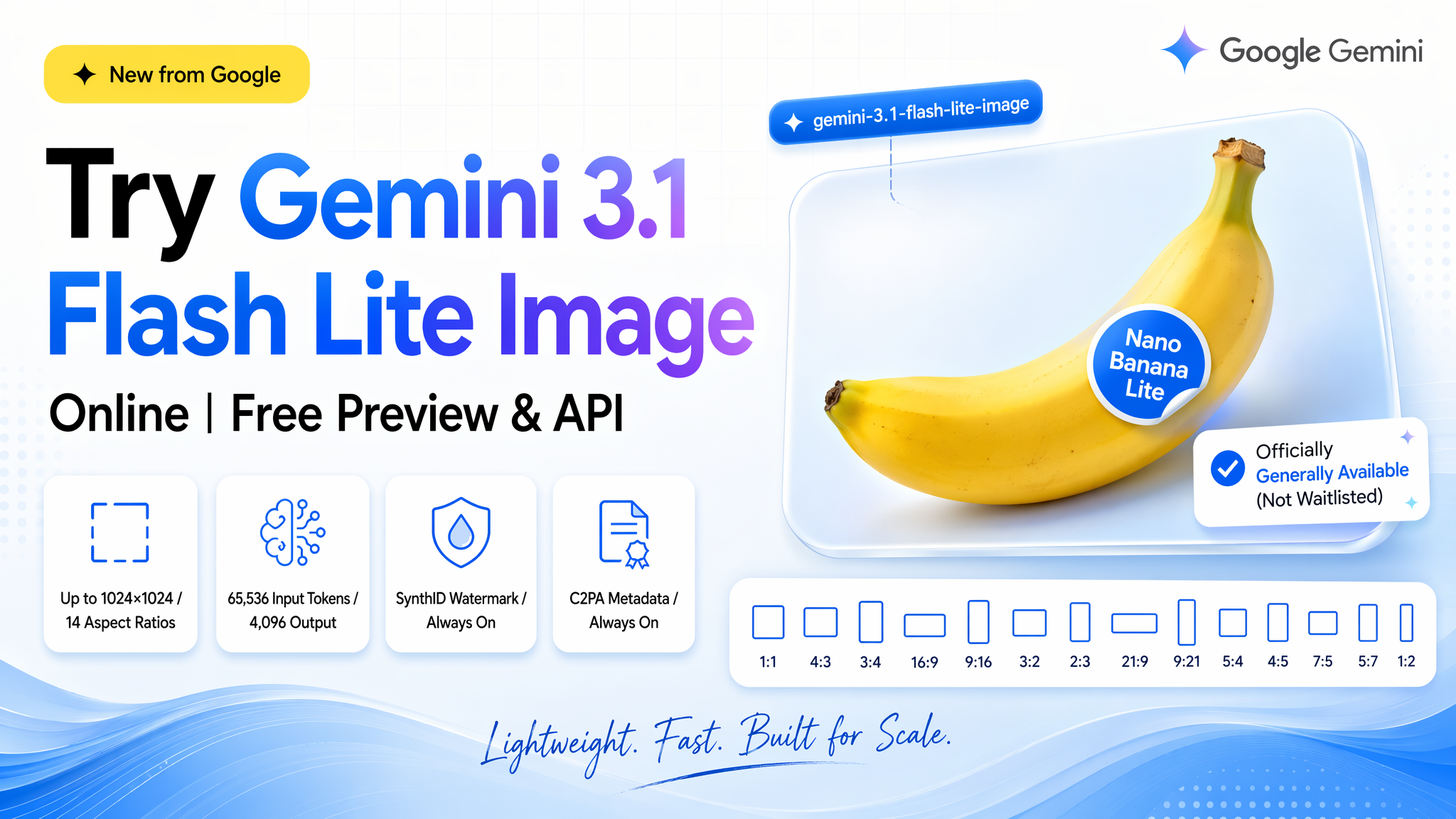
Gemini 3.1 Flash Lite Image is the option to test when 1K output, iteration speed, and volume economics matter more than maximum resolution or advanced grounding. Treat Nano Banana naming as a model-identification problem: verify the exact model ID and live capability table before implementation.
A practical evaluation method
- Confirm resolution, aspect-ratio, editing, and grounding support from the current model card.
- Compare the same prompt at Lite and full-tier settings.
- Track accepted-image cost rather than assuming the lower request price always wins.
TL;DR: Google shipped a two-model refresh of Nano Banana. gemini-3.1-flash-image is officially "Nano Banana 2" (0.5K–4K, Image Search Grounding, Thinking toggle). gemini-3.1-flash-lite-image is officially "Nano Banana Lite" — the lightweight sibling covered in this post, capped at 1024×1024 across 14 aspect ratios, 65,536 input / 4,096 output tokens, SynthID + C2PA always on. Pick Lite when you're high-volume, cost-sensitive, and 1K is enough; step up to Nano Banana 2 when you need 2K/4K or grounded generation.
A note on names. Google's 3.1 image refresh ships as two officially-named models: gemini-3.1-flash-image ("Nano Banana 2") and gemini-3.1-flash-lite-image ("Nano Banana Lite"). This post covers Nano Banana Lite. If you actually want the full-fat Nano Banana 2, the comparison section below tells you when to step up.
What is Gemini 3.1 Flash Lite Image?
Straight from Google's official model card, the verbatim specs are:
| Spec | Value |
|---|---|
| Model ID | gemini-3.1-flash-lite-image |
| Nickname | Nano Banana Lite |
| Status | Stable / Generally Available |
| Latest update | June 2026 |
| Knowledge cutoff | January 2025 |
| Max resolution | 1024×1024 (1K only) — 2K and 4K are not supported |
| Aspect ratios | 14 discrete ratios: 1:1, 3:2, 2:3, 3:4, 4:3, 4:5, 5:4, 9:16, 16:9, 21:9, plus others |
| Input tokens | 65,536 |
| Output tokens | 4,096 |
| Watermarking | SynthID (always on) + C2PA |
The positioning is in the name: Flash Lite is Google's smallest, fastest, cheapest branch of the Gemini 3 family. Nano Banana Lite carries the same brand into image generation — a tier optimized for high-volume workflows and multi-turn editing loops, not maximum-fidelity single shots.
Is This "Nano Banana 2"? Untangling the Naming
Google's 3.1 image refresh ships as two officially-named models. Nano Banana 2 is a real product name — with a real model ID — and Nano Banana Lite is its lightweight sibling. Here's the honest map:
| Nickname | Official model ID | What it is |
|---|---|---|
| Nano Banana | gemini-2.5-flash-image | The original 2.5-era model that made the name stick |
| Nano Banana 2 | gemini-3.1-flash-image | Full-fat 3.1 refresh — 0.5K/1K/2K/4K, Image Search Grounding, Thinking toggle |
| Nano Banana Lite | gemini-3.1-flash-lite-image | Lightweight sibling of Nano Banana 2 — subject of this post — capped at 1K, cheaper, faster |
If you landed here searching "Nano Banana 2," the full-fat model is gemini-3.1-flash-image — with 2K/4K output and Image Search Grounding. This post covers its Lite sibling — gemini-3.1-flash-lite-image, nicknamed Nano Banana Lite — which trades those top-end features for lower cost and higher throughput. The comparison table below tells you which one fits your job.
Key Capabilities
The model card lists four capability groups worth knowing before you pick a tier:
- Text-to-image generation. Standard T2I with the character alignment quality that made the original Nano Banana famous.
- Interleaved editing (text + image → text + image). Feed it an existing image plus an edit instruction; it returns a modified image and can narrate the change. Chain these turns for iterative work.
- Fast multi-turn local edits. Swap colors, add or remove stickers, adjust backgrounds. The model is tuned for tight iteration loops rather than one-shot masterpieces.
- Provenance built in. Every generated image carries an invisible SynthID watermark plus C2PA metadata.
Keep the 1024×1024 ceiling in mind. If you need native 2K or 4K output, this isn't the right tier — you're looking at higher-end image models (Google's or otherwise; see our GPT Image 2 API guide for one comparison point).
Nano Banana 2 vs Nano Banana Lite: What's the Trade-off
Same 3.1 image family, two siblings for two jobs — also framed by Google as gemini-3.1-flash-image vs gemini-3.1-flash-lite-image:
Nano Banana Lite (gemini-3.1-flash-lite-image) | Nano Banana 2 (gemini-3.1-flash-image) | |
|---|---|---|
| Positioning | Lite / high-volume / low-latency | Full-fat / top-end fidelity |
| Max resolution | 1024×1024 (1K only) | 0.5K / 1K / 2K / 4K |
| Image Search Grounding | ❌ | ✅ (with Thinking toggle) |
| Best for | Multi-turn editing, bulk generation, character sequences | Higher-fidelity single-shot, grounded generation |
| Cost profile | Lowest in the 3.1 image lineup | Higher than Lite |
Rule of thumb: pick Nano Banana Lite when volume, iteration speed, and cost matter more than absolute pixel count or grounding. Step up to Nano Banana 2 when you need 2K/4K output or real-time web-grounded generation. Google keeps the live pricing sheet at ai.google.dev/gemini-api/docs/pricing — check it before locking in a cost estimate, because numbers on this tier still move.
Preview & Pricing
Preview access — you don't need one. gemini-3.1-flash-lite-image is generally available, not a waitlisted preview. You can call it today via:
- Google AI Studio — pick the model in the dropdown and try it in-browser.
- Gemini API — pass
gemini-3.1-flash-lite-imageas the model ID. - Vertex AI — same model ID, standard Vertex auth.
Pricing. Google's official rate for gemini-3.1-flash-lite-image is $0.067 per call — the cheapest image tier in the Gemini 3 family, exactly the point of the "Lite" branch. Google keeps the live pricing sheet at ai.google.dev/gemini-api/docs/pricing if you want to double-check the latest.
Through LinkModel. If you'd rather not manage a separate Google Cloud project and billing account just to try one image model, LinkModel aggregates Gemini alongside 30+ other image and video models under one API key and one bill. See LinkModel pricing for the aggregated rate — currently running roughly 25% under Google's $0.067 official rate on this model. Compare gemini-3.1-flash-lite-image against alternatives like GPT Image 2 without switching credentials.
Quick Start with the API
Image generation on LinkModel is async: POST /api/v1/image-generation creates a task and returns a task_id; then GET /api/v1/query/image-generation?task_id=… polls until the status flips to "Success" and a file_url is ready.
curl
# Step 1: create the task
curl -X POST https://api.linkmodel.ai/api/v1/image-generation \
  -H "Authorization: Bearer YOUR_API_KEY" \
  -H "Content-Type: application/json" \
  -d '{
    "model": "gemini-3.1-flash-lite-image",
    "prompt": "A cinematic close-up of a glowing banana on a matte black stage, warm studio lighting",
    "quality": "1K",
    "size": "16x9"
  }'
# → { "code": 0, "data": { "task_id": "abc123" }, "msg": "", "request_id": "..." }

# Step 2: poll until status = "Success"
curl "https://api.linkmodel.ai/api/v1/query/image-generation?task_id=abc123" \
  -H "Authorization: Bearer YOUR_API_KEY"
# → { "code": 0, "data": { "task_id": "abc123", "status": "Success", "file_url": "https://.../out.png" }, ... }
Python (end-to-end)
import time
import requests

API_KEY = "YOUR_API_KEY"
BASE = "https://api.linkmodel.ai/api/v1"
HEADERS = {"Authorization": f"Bearer {API_KEY}", "Content-Type": "application/json"}

# Step 1: create the task
create = requests.post(
    f"{BASE}/image-generation",
    headers=HEADERS,
    json={
        "model": "gemini-3.1-flash-lite-image",
        "prompt": (
            "A cinematic close-up of a glowing banana on a matte black stage, "
            "warm studio lighting"
        ),
        "quality": "1K",
        "size": "16x9",
    },
).json()

if create["code"] != 0:
    raise RuntimeError(f"create failed: {create['msg']}")

task_id = create["data"]["task_id"]

# Step 2: poll until status = "Success"
while True:
    time.sleep(3)
    poll = requests.get(
        f"{BASE}/query/image-generation",
        headers={"Authorization": f"Bearer {API_KEY}"},
        params={"task_id": task_id},
    ).json()
    status = poll["data"]["status"]
    if status == "Success":
        image_url = poll["data"]["file_url"]
        print(image_url)
        break
    if status == "Failed":
        raise RuntimeError(f"generation failed: {poll['msg']}")
Every LinkModel response uses the same envelope: code: 0 = success, data carries the payload (task_id on create, status + file_url on poll). Values of status are "Processing", "Success", or "Failed".
Model Parameters
Fields accepted by the LinkModel image-generation endpoint when calling gemini-3.1-flash-lite-image:
| Parameter | Values | Notes |
|---|---|---|
model | "gemini-3.1-flash-lite-image" | Required, exact string |
prompt | string | Required, natural-language description |
quality | "1K" | Resolution tier — Lite only supports 1K (no 2K/4K on this tier) |
size | 14 aspect ratios: "1x1", "3x2", "2x3", "3x4", "4x3", "4x5", "5x4", "9x16", "16x9", "21x9", plus others | Aspect ratio — LinkModel uses NxN notation |
For multi-turn editing — Nano Banana Lite's core superpower — the same endpoint accepts an additional image input field. Refer to the LinkModel API reference for the exact edit-request shape.
When to Choose Gemini 3.1 Flash Lite Image
Reach for it when:
- You need iterative editing loops — fast multi-turn edits are the model's core design.
- You're generating at 1024×1024 or smaller — no upside from paying for a bigger tier.
- Character consistency across a sequence matters (product shots, sticker sets, small variations).
- You want built-in provenance — SynthID + C2PA covers most content-authenticity policies out of the box.
Skip it if:
- You need >1K native output — this tier caps at 1K, no upscaling flag. Step up to Nano Banana 2 (
gemini-3.1-flash-image) for 2K/4K. - You need Image Search Grounding or real-time web-informed generation — that's a Nano Banana 2 capability.
FAQ
Is "Nano Banana 2" the same as Gemini 3.1 Flash Lite Image?
No — they're siblings, not the same model. Nano Banana 2 is Google's official nickname for gemini-3.1-flash-image (the full-fat 3.1 model, up to 4K, with Image Search Grounding). This post covers its lightweight sibling: gemini-3.1-flash-lite-image, officially nicknamed Nano Banana Lite — capped at 1K, cheaper, faster.
Is Gemini 3.1 Flash Lite Image free to try?
You can try it inside Google AI Studio in-browser without paying per-call for evaluation. Production API usage is billed per token via the Gemini API or Vertex AI. LinkModel also offers free credits on signup so you can benchmark it against other image models.
What's the maximum resolution?
1024×1024. 2K and 4K are not supported on this tier.
Which is better — Nano Banana 2 or Nano Banana Lite?
"Better" depends on the job. Nano Banana 2 (gemini-3.1-flash-image) gives you 2K/4K, Image Search Grounding, and a Thinking toggle — at a higher cost. Nano Banana Lite (gemini-3.1-flash-lite-image) gives you speed, cheap iteration, and multi-turn edits at 1024×1024. See the vs table above.
Test Gemini 3.1 Flash Lite Image via LinkModel
One API key, one bill, 30+ image and video models — including gemini-3.1-flash-lite-image. OpenAI-compatible SDK, free credits on signup.